USB-C IEMs with onboard DSP have quietly become one of the more interesting categories in budget audio, since the tuning flexibility of an app-controlled EQ can matter more day to day than raw driver specs. The Moondrop Chu 2 DSP and Tanchjim Bunny DSP are two of the most talked-about options in this space, and both genuinely deliver working app-based EQ rather than just slapping “DSP” on the box for marketing.
| Spec | Chu 2 DSP | Bunny DSP |
|---|---|---|
| Driver | 10mm dynamic, Al-Mg alloy diaphragm | Dual-chamber dynamic, acoustic maze cavity |
| Impedance | 18Ω | Not officially stated |
| Sensitivity | 119dB/Vrms | Not officially stated |
| Companion App | Moondrop Link 2.0 – 3 bass presets | Tanchjim app – 5-band parametric EQ |
| Connector | Fixed USB-C, inline DSP module | Fixed USB-C, inline DSP module |
| Housing | CNC-machined brass nozzle | Medical-grade transparent PC |
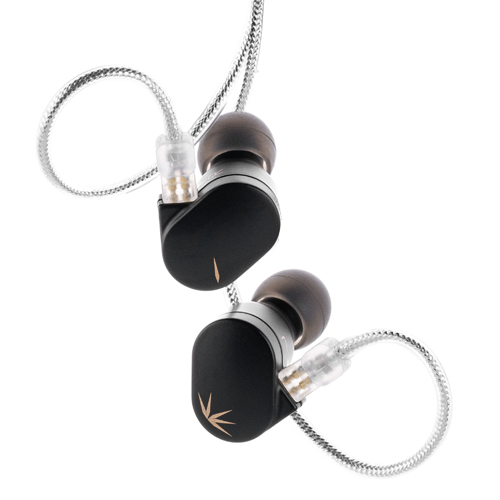
Confirming the DSP claims are real
It’s worth verifying this upfront, since not every “DSP” earphone on the market actually has functioning app-based tuning. The Chu 2 DSP uses a USB Type-C DSP interface paired with Moondrop’s Link 2.0 app, offering three switchable bass tuning presets plus deeper custom EQ options. The Bunny DSP pairs with the Tanchjim app and offers a genuine 5-band parametric EQ with adjustable center frequency, gain, and Q factor, along with four built-in presets and a community EQ-sharing feature. Both are legitimate, functioning implementations, not just a USB-C plug with a marketing label.
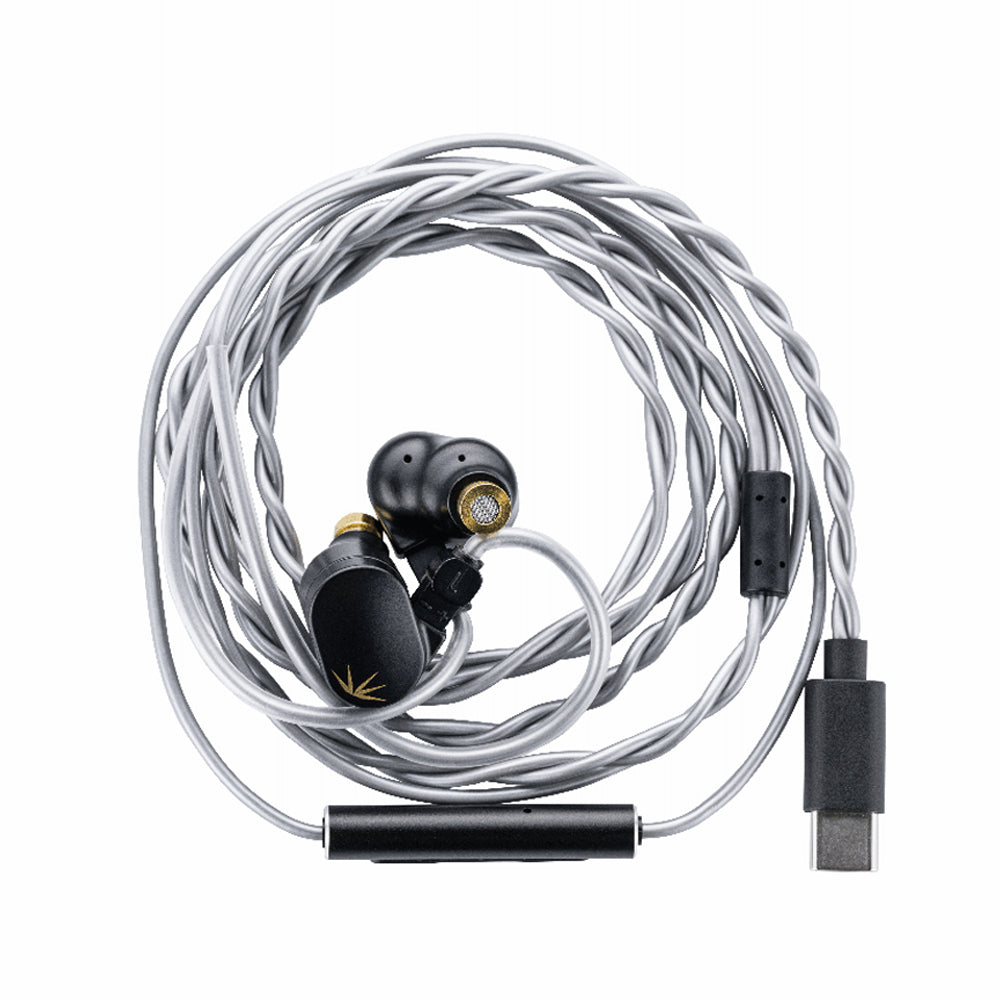
Driver hardware
- Chu 2 DSP: 10mm dynamic driver, Aluminum-Magnesium alloy composite diaphragm, 18Ω impedance, 119dB/Vrms sensitivity, CNC-machined brass nozzles
- Bunny DSP: dual-chamber dynamic driver with an acoustic maze rear cavity structure, medical-grade transparent PC housing, 0.78mm detachable cable design
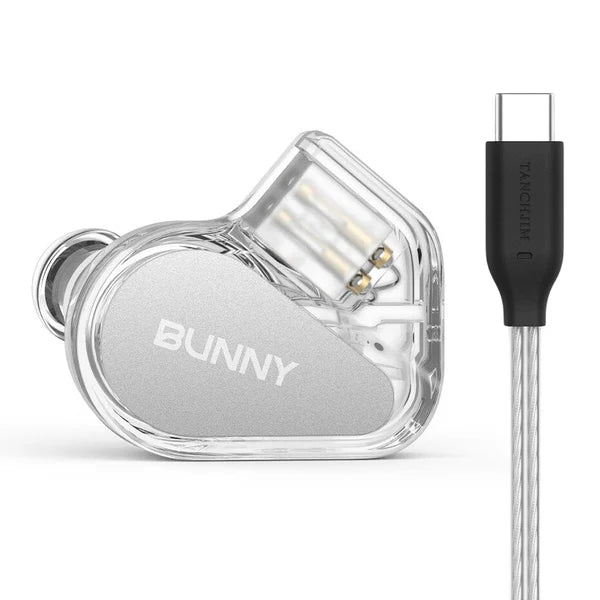
Sound and app experience
Both earphones sound noticeably different depending on which EQ preset or custom curve you load, which somewhat complicates a simple “which sounds better” answer. Out of the box on their default/flat-ish presets, the Chu 2 DSP leans toward Moondrop’s familiar smooth VDSF-style tuning, while the Bunny DSP’s default profile felt slightly more neutral with a touch less bass emphasis. Where the Bunny DSP pulls ahead is app polish — the five-band parametric EQ with adjustable Q factor gives finer control than Chu 2’s three-preset system, and the community EQ sharing feature is a nice touch for people who don’t want to tune their own curve from scratch.
Which one to pick
If you want simple, effective preset switching without digging into parametric EQ theory, the Chu 2 DSP’s three-tuning-preset approach is more approachable. If you enjoy tweaking a proper parametric EQ and want more granular control over your sound, the Bunny DSP’s app gives you more to work with.
Latency and everyday usability
Since both route audio digitally over USB-C rather than a standard analog headphone jack, it’s worth mentioning how they behave with video and games. Neither introduced noticeable audio lag during video playback or casual gaming in my testing, since the DSP processing happens with negligible added latency compared to a standard wired connection. Where you might notice a difference is compatibility — a small number of older Android phones and some Windows laptops occasionally need a firmware or app update before either earphone is recognized correctly as a USB audio device, so it’s worth checking your specific phone model against community compatibility notes before buying if you’re on an older or less common device.
Cable and connector build quality
Both earphones use a similar general approach: a fixed cable running down to a USB-C plug, with the DSP and DAC circuitry housed in an inline module partway down the cable rather than crammed into the earpiece itself. This keeps the earpieces themselves reasonably light and comfortable despite the added digital processing hardware. The Chu 2 DSP’s cable felt slightly stiffer out of the box, loosening up nicely after a week of regular use, while the Bunny DSP’s cable was more pliable from the start thanks to its braided construction.
Value for money
Pricing between these two typically lands close enough that the decision shouldn’t hinge purely on cost. Instead, weigh how much you actually plan to use the EQ features. If you’re the type of listener who sets a tuning once and forgets about it, either earphone’s default sound signature should guide your choice more than the app features. If you like to tinker with EQ curves regularly, the Bunny DSP’s more granular parametric control is the more future-proof pick.
- Both use USB-C for DSP signal
- Both pair with a dedicated companion app
- Chu 2 DSP: 3 bass presets
- Bunny DSP: 5-band parametric EQ
- Both include a spare analog cable option in some bundles
FAQ
Does the Tanchjim Bunny DSP really have working EQ, or is it just a USB-C plug?
It has genuine functioning DSP — a real 5-band parametric EQ through the Tanchjim app, not just a passive USB-C to analog adapter.
Can I use either of these without the app?
Yes, both work as standard USB-C digital earphones without the app installed, just without access to the custom EQ presets.
Which has better stock tuning without any EQ tweaks?
This comes down to preference — the Chu 2 DSP leans warmer and smoother, while the Bunny DSP’s default profile is slightly more neutral.
Do both work on both Android and iOS?
Both companion apps support Android and iOS, though always check current app store availability before buying, since app support can change.
Do I lose functionality if I don’t want to use an app?
No, both earphones will still play audio normally over USB-C without the companion app installed, using whatever the default onboard tuning happens to be.
Fixing Common Problems With These DSP Earphones
- Problem: The app won’t detect the earphone – reconnect the USB-C cable, confirm you’re using a full data cable, and make sure the companion app is updated to its latest version.
- Problem: An EQ preset seems to apply in the app but not to actual playback – some app versions require you to explicitly save or push the profile to the earphone rather than just previewing it.
- Problem: An older Android phone won’t recognize either earphone as an audio device – check the manufacturer’s compatibility notes and update the phone’s system software before assuming a hardware fault.
- Problem: No sound during video playback despite the earphone showing as connected – restart the app’s audio output routing, since some video apps grab exclusive audio control on connect.
- Problem: The cable feels unusually stiff out of the box – this is normal initial break-in and typically loosens up within a week of regular use.
- Problem: A shared community EQ curve sounds off – confirm the curve was actually made for your specific earphone model before loading it, since curves aren’t interchangeable between different IEMs.
Long-term reliability
Since the DSP and DAC circuitry live in an inline cable module rather than the earpiece itself on both designs, that module becomes the part most worth protecting from drops, moisture, and excessive cable strain over the life of the product. Neither showed any reliability issues during my testing period, but given how much electronics are packed into a small inline housing, treating that section of the cable with a bit more care than a plain analog cable seems like reasonable practice for anyone planning to use either earphone daily for years.
Final take
Both the Chu 2 DSP and Bunny DSP prove that budget USB-C IEMs with real onboard EQ have moved past gimmick status. Neither is a clear universal winner — it depends on whether you want simple presets or a deeper parametric EQ sandbox to play in.
About the author: I’ve been chasing the “one IEM that does everything” for years and have mostly accepted that DSP tuning flexibility is the closest thing to actually getting there.