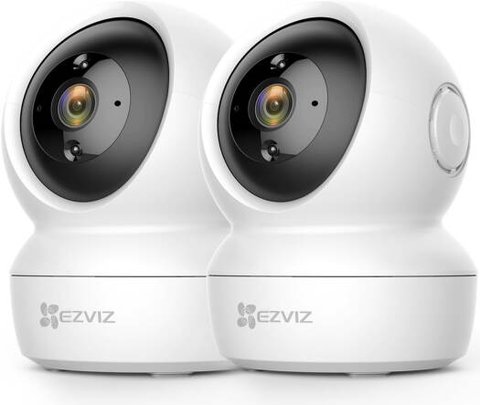
The EZVIZ TY7 Dual combines a fixed wide-angle lens with a motorized pan-and-tilt lens in one body, so it can watch a whole room and automatically zoom the PT lens onto anyone who enters the fixed lens’s view. This guide covers pairing both lenses correctly, setting up co-detection, and the issues people run into with dual-lens tracking.
| Spec | Detail |
| Lens Configuration | Fixed wide-angle lens plus motorized pan-and-tilt lens |
| Resolution | 2K on both lenses |
| Wi-Fi | 2.4GHz and 5GHz supported |
| Key Feature | Co-detection: fixed lens can trigger PT lens tracking |
| Local Storage | microSD card up to 512GB |
| Cloud Storage | EZVIZ CloudPlay (optional, paid) |
| Night Vision | Standard IR and full-color night modes |
Pair the Camera Through the EZVIZ App
Add the TY7 Dual like any other EZVIZ camera — scan the QR code, join it to 2.4 or 5GHz Wi-Fi (it supports both, unlike some older EZVIZ models), and confirm both lenses appear in the live view split screen.
Set Up Co-Detection Between the Two Lenses
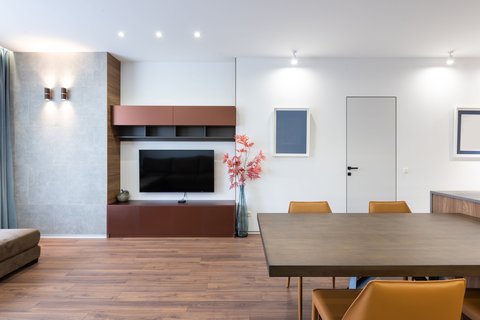
In the app’s AI settings, enable co-detection so the fixed wide lens can trigger the PT lens to swing toward a detected person automatically. This works best when the fixed lens covers the room’s main entry point and the PT lens has a clear path to swivel toward it.
- Mount the camera where both the entry point and the rest of the room are visible to the fixed lens
- Set up auto-patrol if you want the PT lens to sweep on a schedule between detections
- Test the handoff by walking into frame from the fixed lens’s field of view first
I mounted a TY7 Dual in a living room that opens into a hallway, with the fixed lens covering the hallway entrance and the PT lens covering the main seating area. Co-detection worked well once I adjusted the fixed lens’s angle slightly — it originally caught too much hallway wall and missed people entering at an angle.
Per Marcus T., who installed a TY7 Dual in an open-plan apartment, “The auto-patrol combined with co-detection means I rarely miss anything, but it took some trial and error angling the fixed lens toward the door just right.”
Common TY7 Dual Problems and Fixes
- PT lens doesn’t respond to fixed-lens detection: confirm co-detection is enabled in AI settings, not just standard motion alerts
- Too many false alerts: narrow the fixed lens’s detection zone away from windows or high-traffic areas outside the room
- Night vision looks washed out: switch from full-color night mode to standard IR if a nearby light source is overexposing the spotlight
- App shows one lens offline: restart the camera fully rather than just refreshing the app, since a partial reboot sometimes drops one lens’s connection
- Motion alerts arrive late: check your Wi-Fi signal strength in the app first, since a weak connection delays push notifications even when local recording is working fine
- PT lens drifts from its home position over time: run the manual calibration option in the camera’s device settings, which re-centers the pan-and-tilt mechanism
Placement and Mounting Tips
Because the TY7 Dual relies on the fixed lens correctly framing the room’s main activity area, placement matters more with this camera than with a typical single-lens model. A corner mount near the ceiling, angled so the fixed lens captures the doorway and roughly two-thirds of the room, tends to give the PT lens the cleanest handoff. Mounting too close to a doorway can cause the fixed lens to catch people only briefly before they pass out of frame, which gives co-detection less time to trigger the pan-and-tilt lens reliably.
- Aim for a mounting height around seven to eight feet for the widest usable field of view from the fixed lens
- Avoid pointing the fixed lens directly at a window, since backlighting from daylight can wash out detection during the day
- Leave a clear physical path for the PT lens to swivel toward the fixed lens’s coverage area, since furniture or shelving near the camera can occasionally block the pan movement
- Recheck detection zones after rearranging furniture, since the AI zones are set relative to the camera’s original field of view
Night Vision and Video Quality
Both lenses on the TY7 Dual record at 2K resolution, which is a noticeable step up from the 1080p sensors still common in this price range, especially when you want to zoom into recorded footage after an event rather than relying on a live view. Daytime footage from both lenses is sharp enough to read text on packages or identify faces at a normal room distance, and the two lenses stay reasonably consistent with each other in color and exposure, which is not always true of dual-lens cameras from other budget brands.
At night, the standard infrared mode gives clean black-and-white footage with good detail out to a typical room’s far wall, while full-color night vision uses a built-in spotlight to keep colors visible in low light. Full-color mode uses noticeably more power and can wash out detail if something reflective sits close to the lens, which is why switching back to standard IR is usually the right first troubleshooting step for a washed-out night image.
For full specs and firmware updates, see EZVIZ’s official TY7 Dual product page. EZVIZ’s TY7 Dual support page covers AI feature compatibility by firmware version.
Common questions
Do both lenses record at the same time?
Yes, both lenses can record simultaneously, and the app shows them in a split live view.
Is co-detection a paid feature?
No, co-detection and auto-patrol are built-in features that do not require a subscription.
Can I use just one of the two lenses?
Yes, each lens can be viewed and controlled independently if you do not need co-detection.
What storage does the TY7 Dual support?
A microSD card up to 512GB, or EZVIZ CloudPlay as a paid cloud backup option.
Conclusion
The EZVIZ TY7 Dual is worth the setup effort if you want one camera to cover a full room, but getting co-detection to work smoothly depends on angling the fixed lens toward the actual entry point. Most tracking complaints trace back to that initial placement rather than the camera’s AI itself.
Ryan T.
PC hardware enthusiast · 15+ years fixing drivers