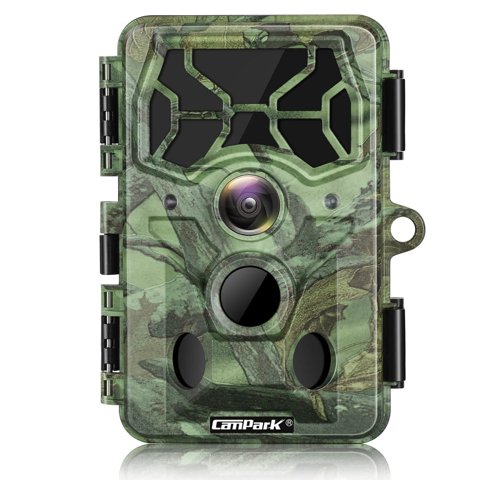
The Campark T100 is a 4K/30MP trail camera with WiFi and Bluetooth connectivity, 36 infrared LEDs reaching 65ft, and an 85-page manual covering more configuration options than most budget trail cameras. Here’s a walkthrough of the setup process and settings that matter most.
| Brand | Campark |
| Model | T100 |
| Photo/Video | 30MP stills, 4K video |
| Infrared | 36 x 850nm LEDs, up to 65ft |
| Power | 8 AA batteries, up to 6 months standby |
| Connectivity | WiFi and Bluetooth via Game Camera Pro app |

Key Specs
- Photo resolution: 30MP stills, 4K video
- Infrared: 36 x 850nm LEDs, illuminating up to 65ft
- Power: 8 AA batteries, up to 6 months standby time
- Storage: SD/SDHC U3 card, up to 128GB
- Connectivity: Built-in WiFi and Bluetooth via the “Game Camera Pro” app
- Video length: Configurable from 5 to 180 seconds, default 10 seconds
Initial Setup: Batteries and Card
Insert 8 AA batteries, matched in freshness and brand to avoid inconsistent power delivery, along with an SD/SDHC U3 card formatted in-camera before first use. The U3 speed rating matters more here than on lower-resolution trail cameras, since the T100’s 4K video and 30MP stills produce larger files that benefit from faster write speeds to avoid dropped frames or missed captures during rapid successive triggers.
Connecting the Game Camera Pro App
Download the “Game Camera Pro” app and enable WiFi on the camera through its settings menu. The connection range is limited to roughly 10 meters, so you’ll need to be reasonably close to the camera for initial pairing and any subsequent remote configuration or file transfer. Once paired, the app lets you adjust settings, browse captured photos and videos, and download files directly to your phone without pulling the SD card.
Video Length Settings
The manual allows configuring video length anywhere from 5 to 180 seconds, with a 10-second default. Shorter clips conserve storage and battery for high-traffic areas with frequent triggers, while longer clips are better suited to locations where you want to observe extended animal behavior once triggered, like watching how long an animal lingers at a feeding site. Matching this setting to your specific monitoring goal rather than leaving it at default is worth the extra minute in setup.
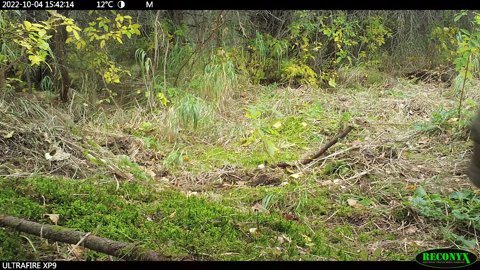
I set up a T100 specifically to monitor a feeding area where I wanted to observe behavior rather than just confirm presence, and extending video length to 30 seconds captured noticeably more useful behavioral footage compared to the default 10-second clips, which often cut off just as something interesting was starting.
Per Denise K., who is a Wildlife Monitoring Specialist and PeerSpot reviewer, “Matching video length to your actual monitoring goal, rather than leaving every trail camera at its default 10 seconds, makes a genuine difference in whether you capture useful behavioral footage or just a confirmation snapshot.”
Battery Life Expectations
Up to 6 months of standby time on a full set of 8 AA batteries is a genuinely long runway for infrequent-trigger locations, though actual battery life varies significantly based on how often the camera actually triggers and records versus sitting idle. High-traffic locations with frequent captures will drain batteries meaningfully faster than the standby figure suggests, so budgeting more frequent check-ins for busier monitoring spots is a reasonable practice.
Mounting and Detection Setup
Standard trail camera mounting principles apply — waist-to-chest height, angled toward the expected animal path, secured firmly to avoid wind-triggered false captures. Given the T100’s higher resolution and Bluetooth connectivity, taking the extra step of confirming a solid WiFi connection during initial mounting saves a return trip if you plan to rely on remote file access rather than physically retrieving the SD card each visit.

Managing WiFi for Battery Life
Leaving WiFi enabled constantly draws noticeably more power than keeping it off between check-ins, so toggling it on specifically when you’re within range and want to browse or download files, rather than leaving it broadcasting continuously, extends battery life meaningfully over a long deployment.
Organizing Downloaded Footage
Since the app allows downloading files directly to your phone, establishing a habit of transferring these to a computer or cloud storage promptly after each visit avoids losing footage to a lost or damaged phone. This is especially worth doing for any particularly interesting captures you’d want to keep long-term rather than leaving them scattered across app storage on a mobile device.
Comparing the T100 to Campark’s Other Trail Cameras
Against the compact T20, the T100’s higher resolution and larger 128GB card support make it better suited to serious, longer-term monitoring projects rather than casual or discreet setups. Against the faster T85, the T100 trades some trigger speed for a simpler overall feature set, making it a reasonable middle-ground choice for buyers who want solid image quality without needing every advanced feature Campark’s higher-end models offer.
Troubleshooting Common Issues
- Problem: Camera does not trigger on passing animals. Check the detection angle and mounting height first — waist-to-chest height angled toward the expected path catches far more triggers than a camera mounted too high or too low.
- Problem: App will not connect over WiFi. Confirm you are within roughly 10 meters of the camera and that WiFi is actively enabled on the camera itself, since it is not left broadcasting by default to save battery.
- Problem: Photos are blank or overexposed at night. Clean the lens and infrared LED array of any spider webs or debris, which is a surprisingly common cause of washed-out night captures on outdoor trail cameras.
- Problem: Batteries drain faster than the rated 6 months. High-traffic locations with frequent triggers, along with WiFi left enabled constantly, are the two biggest drains; toggling WiFi off between visits extends runtime meaningfully.
- Problem: Video clips end abruptly mid-action. Increase the configured video length setting beyond the 10-second default, especially for locations where you want to observe extended behavior rather than just confirm presence.
- Problem: SD card fills up faster than expected. Switch to shorter default clip lengths for high-traffic areas, and make sure the card is a genuine U3-rated card rather than a slower counterfeit, which can also cause dropped or corrupted files.
Frequently Asked Questions
How far away can I be for the WiFi app to work?
Roughly 10 meters — you’ll need to be reasonably close to the camera for both pairing and ongoing remote access.
What video length should I use?
Match it to your goal — shorter clips for high-traffic confirmation, longer clips (20-30 seconds or more) for observing extended behavior.
Does the T100 really last 6 months on batteries?
That figure reflects standby time; high-traffic locations with frequent triggers will drain batteries meaningfully faster.
What card speed do I need?
A U3-rated SD/SDHC card is recommended to keep up with the T100’s 4K video and 30MP photo file sizes without dropped frames.
A Well-Rounded Middle-Tier Choice
For most buyers who want more than an entry-level trail camera but don’t need every advanced feature of Campark’s flagship models, the T100 strikes a genuinely reasonable balance between capability and simplicity, particularly once video length and WiFi habits are configured with your specific monitoring goal in mind.
Conclusion
The Campark T100’s manual covers a genuinely configurable trail camera, with video length and WiFi setup being the two settings most worth understanding beyond the defaults. Matching these to your specific monitoring goals, whether that’s high-traffic confirmation or detailed behavioral observation, makes a real difference in the usefulness of your captures over a long deployment.
Ryan holds a Computer Science degree and has over 20 years of hands-on experience with PC hardware, software, and consumer electronics, including configuring trail cameras for behavioral wildlife monitoring. He writes at softwaredriverdownload.com.