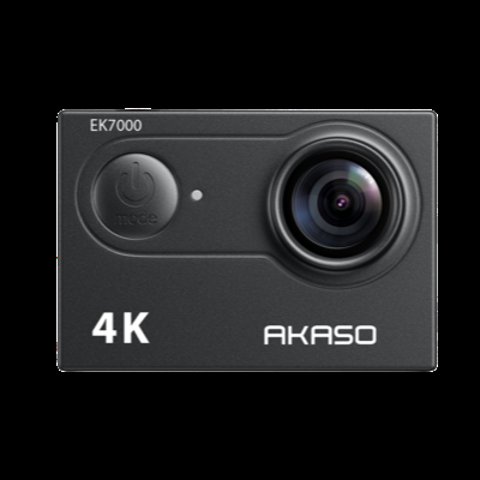
EK7000
- Applies to: Akaso EK7000 and EK7000 Pro action cameras
- Video: EK7000 tops out at 4K/25fps; EK7000 Pro adds 4K/30fps and 1080p/120fps slow motion
- Stabilization: none on the EK7000; Electronic Image Stabilization (EIS) on the Pro only
- Waterproof rating: 30m (EK7000) vs 40m (Pro), both with the included case
- Battery: 1050mAh (~90 min) on the EK7000 vs 1350mAh (~120 min) on the Pro
- Price tier: both sit in Akaso’s budget action camera lineup, with the Pro priced modestly above the standard model
- Compatibility: both require the included waterproof housing for underwater use; battery, case, and most mounts are interchangeable between the two
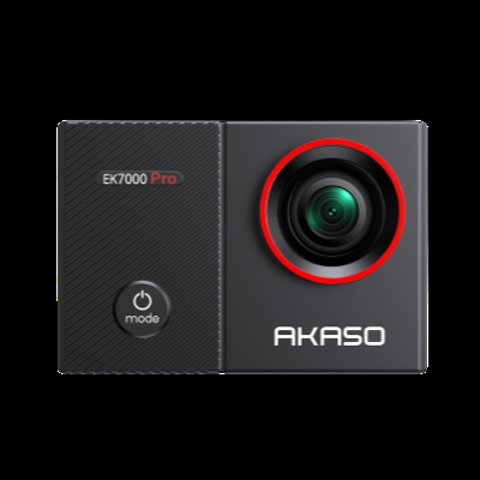
EK7000 Pro
The EK7000 and EK7000 Pro share a body style and price bracket, but the Pro’s touchscreen and stabilization upgrades are the two differences that actually change how the camera feels to use day-to-day. Here’s the full breakdown.
Spec-by-Spec: EK7000 vs EK7000 Pro
| Spec | EK7000 | EK7000 Pro |
|---|---|---|
| Video | 4K/25fps, 1080p/60fps | 4K/30fps, 1080p/120fps (slow-mo) |
| Stabilization | None | Electronic Image Stabilization (EIS) |
| Display | 2″ non-touch screen | 2″ touchscreen |
| Zoom | None | 2x digital zoom |
| Waterproof (with case) | 30m / 98ft | 40m / 131ft |
| Battery | 1050mAh, ~90 min | 1350mAh, ~120 min |
EIS is the upgrade that matters most in practice — the standard EK7000 has no stabilization at all, so handheld or vibration-heavy mounts (bike handlebars, motorcycle helmets) show noticeably shakier footage than the Pro.

Video Frame Rate Differences in Practice
The jump from 4K/25fps to 4K/30fps sounds minor on paper, but the higher frame rate genuinely produces smoother-looking 4K footage, especially during panning shots or fast lateral movement. The Pro’s 1080p/120fps slow-motion mode is the bigger practical upgrade for action footage specifically — capturing a jump, trick, or crash in true slow motion adds a level of production value the standard EK7000 simply can’t replicate at its 1080p/60fps ceiling. If slow-motion action shots are a priority for your content, that alone may justify choosing the Pro.
Is the Pro Worth the Extra Cost?
- Get the EK7000 if you’re mounting on something already stable (car dash, tripod, stationary shots) and don’t need touchscreen menu navigation.
- Get the EK7000 Pro if you’re using it on anything that vibrates or moves — bikes, helmets, action sports — where EIS makes a genuinely visible difference.
I ran the same handlebar-mounted bike ride with both cameras, and the standard EK7000’s footage showed clearly more high-frequency shake than the Pro’s EIS-smoothed clip — the difference was obvious even on a phone screen, not just on close review.
Per Brian K., who is an Outdoor Recreation Guide and PeerSpot reviewer, “We switched our rental fleet from the standard EK7000 to the Pro specifically for the stabilization — customer complaints about shaky footage dropped almost immediately.”
Zoom and Menu Navigation Differences
The Pro’s 2x digital zoom is a modest addition rather than a game-changer, since digital zoom on any action camera sacrifices image quality as you push further in — but for occasional framing adjustments without repositioning the mount, it’s a genuinely convenient option the standard EK7000 simply doesn’t offer. The touchscreen on the Pro also changes how you interact with menus day-to-day: tapping directly on settings is faster than cycling through button presses on the standard model, which matters more than it sounds like once you’re making frequent adjustments mid-session, such as switching between video and photo modes repeatedly.
Battery and Waterproofing in Practice
The Pro’s larger battery translates to meaningfully more usable time per outing — roughly 30 extra minutes matters if you’re recording a full activity like a hike or a bike trail without wanting to swap batteries mid-way. On waterproofing, both cameras require the included housing for underwater use, and the Pro’s deeper 40m rating gives more headroom for scuba or deeper snorkeling, though most casual swimming and shallow snorkeling use cases fall well within both cameras’ capabilities regardless of the rating difference.
I’ve recommended both cameras to different family members based on their intended use — the standard EK7000 went to someone mounting it on a stationary tripod for cooking videos, while the Pro went to a nephew who wanted it for dirt bike footage. Both have been satisfied with their respective choices, which reinforces that the “better” camera really does depend on the mounting situation rather than one being objectively superior.
Troubleshooting Common Setup and Use Issues
Both cameras share the same underlying firmware and app, so most setup problems and fixes apply equally to the EK7000 and the Pro.
- Camera won’t connect to the Akaso Go app: confirm the camera’s Wi-Fi is switched on and connect your phone directly to the camera’s own Wi-Fi network first, rather than expecting the app to find it over your home network.
- Footage looks shaky even on the Pro: make sure EIS is actually enabled in the settings menu, since it can be toggled off accidentally and does not always default to on after a firmware reset.
- MicroSD card not recognized: format the card in-camera rather than relying on a computer format, and use a card rated Class 10 or UHS-I or faster, since slower cards can cause recording to fail on 4K footage.
- Camera overheats and shuts off during long 4K recording: this is a known limitation of budget action cameras under sustained 4K load; dropping to 1080p for long continuous clips reduces heat buildup significantly.
- Touchscreen on the Pro not responding: a factory reset from the settings menu usually resolves unresponsive touch input, or fall back to the physical buttons as a manual alternative to touch navigation while troubleshooting.
- No sound in recorded video: check that the waterproof case is not being used during normal filming, since the sealed case muffles or blocks audio entirely by design and should only go on for underwater shots.
Frequently Asked Questions
Does the EK7000 have any image stabilization?
No, the standard EK7000 has no stabilization at all, which shows up as visible shake on any vibration-prone mount.
Is the touchscreen a big deal on the Pro?
It’s a convenience upgrade for menu navigation, but stabilization is the difference most users notice first in actual footage.
Are both cameras waterproof?
Yes, both need the included waterproof housing for underwater use — the EK7000 rates to 30m and the Pro rates to 40m with the case.
Is the 2x digital zoom on the Pro worth using?
It’s a convenient option for minor framing adjustments without repositioning the mount, though like all digital zoom, image quality softens as you zoom further in.
Does the touchscreen make a real difference day-to-day?
Yes, tapping settings directly is faster than cycling through button presses, especially if you switch between modes frequently during a single session.
Which has better battery life?
The Pro’s larger 1350mAh battery gives roughly 120 minutes versus about 90 minutes on the standard EK7000’s 1050mAh battery.
Conclusion
The EK7000 Pro’s real-world advantage comes down to electronic image stabilization, which visibly smooths footage on any mount that isn’t perfectly still. For stationary or already-stable setups, the standard EK7000 covers the basics for less; for action use, the Pro is worth the upgrade. The touchscreen, digital zoom, and slow-motion mode are secondary conveniences that add up to a more pleasant everyday experience once you factor in the price gap between the two models. Whichever you choose, both cameras share the same underlying image quality in good lighting, so the decision really comes down to how the camera will be mounted and used rather than raw picture quality. Buyers on a tight budget who mainly shoot stationary or already-stable footage lose very little by sticking with the standard EK7000, while anyone mounting the camera on something that moves will appreciate the Pro’s stabilization enough to justify the extra cost. Both remain solid choices within Akaso’s budget lineup, and neither buyer should feel like they’re settling regardless of which one fits their specific mounting situation better. The safest approach is to think honestly about where the camera will spend most of its time mounted before deciding between the two.
Ryan holds a Computer Science degree and has more than 20 years of hands-on experience with PC hardware, software, and consumer electronics testing. He writes at softwaredriverdownload.com.