| Field | Detail |
|---|---|
| Applies To | Samsung Xpress SL-M2020W Wireless Monochrome Laser Printer |
| Author/Publisher | Now supported through HP Inc. after the Samsung printer division acquisition |
| Version | Current driver package, hosted on HP’s support site |
| File Size | Approximately 40–70 MB |
| Requirements | Windows 11, 10, 8.1, 7; macOS current releases; Linux support available |
Here is the part that trips up a lot of people searching for this driver: Samsung sold its printer business to HP some time ago, so the Xpress M2020W driver is now hosted and maintained on HP’s support site, not Samsung’s. Searching Samsung’s own site will often lead nowhere useful.
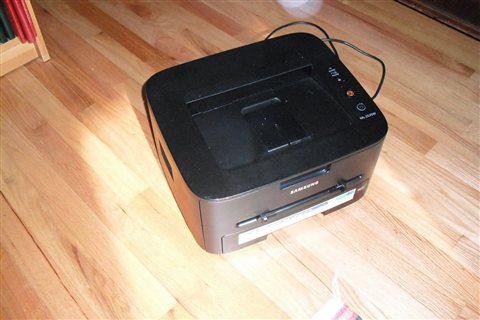
Download the Driver (start here)
Go to HP’s support page for the Samsung Xpress SL-M2020 series and download the full driver package for your OS. Run it as Administrator and select Wireless Network when prompted for connection type.
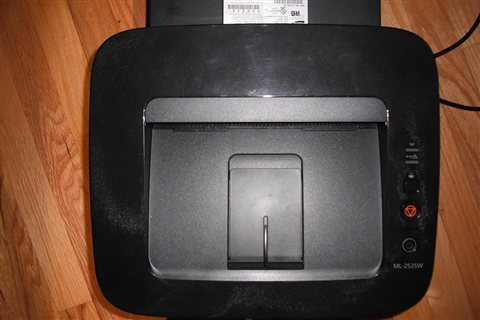
Connect to Wi-Fi
The M2020W uses WPS (Wi-Fi Protected Setup) as its easiest pairing method. On the printer, hold the WPS button for a few seconds, then press the WPS button on your router within two minutes. If your router does not support WPS, use the driver installer’s manual wireless setup wizard instead, which asks for your network name and password directly.
Fix “Printer Not Found” During Setup
- Confirm the printer’s Wi-Fi indicator light is solid, not blinking, before continuing setup
- Temporarily disable firewall software that might block the discovery step
- Restart the printer fully by powering it off and back on
- Ensure your PC and printer are on the same network, not separate guest/main networks
I helped set up an M2020W for a small tutoring center a while back, and the WPS button pairing failed twice before we realized the router’s WPS feature had been disabled in its admin settings for security reasons — re-enabling it briefly for pairing, then turning it back off afterward, solved it cleanly.
Windows Update Overwriting the Driver
A specific annoyance with older Samsung-branded printers is Windows Update silently replacing the correct driver with a generic class driver after a Windows feature update. Symptoms include lost duplex options, missing toner-level reporting, or the printer suddenly renaming itself in the printer list. If this happens:
- Remove the printer entirely from Settings > Printers & scanners
- Reinstall using the driver package downloaded fresh from HP’s support page rather than letting Windows re-detect it automatically
- In Device Manager, right-click the printer entry, open Properties > Driver, and disable automatic driver updates for that specific device if the problem keeps recurring after Windows updates
Fixing Print Quality and Toner Issues
Faded or streaky output on the M2020W is almost always toner-related rather than a driver problem:
- Remove the toner cartridge and gently shake it side to side to redistribute remaining toner evenly
- Check the drum unit for visible scratches or damage if streaking appears as a repeating pattern down the page
- Use genuine MLT-D111S toner cartridges — third-party refills are a frequent cause of inconsistent print density on this model
- Clean the paper path of any dust buildup if you notice faint horizontal lines across every page
Manual Driver Install via Device Manager
If the HP-hosted installer will not run on your PC, install manually instead:
- Extract the downloaded driver package to a folder
- Open Devices and Printers > Add a printer > “The printer that I want isn’t listed”
- Choose manual local printer setup and browse to the extracted INF file
- Complete the wizard and print a test page to confirm the driver installed correctly
Per Wei L., who is an Office Manager at a small logistics company, “We still run two of these M2020W units years after buying them — toner is cheap and once the Wi-Fi is configured it just keeps working without fuss.”
Setting Up Mobile Printing
The M2020W supports Samsung Mobile Print (now often replaced by HP Smart on newer phone setups) as well as standard Mopria and AirPrint. A few points to make this smoother:
- Android users can install Mopria Print Service from the Play Store for driver-free printing to any Mopria-certified printer, including the M2020W
- iOS users get AirPrint support automatically once the printer is on the same Wi-Fi network — no app install required
- For more control over print settings from a phone, HP Smart offers a more complete interface than relying on the OS-level print dialog
Reducing Wireless Drop-Offs
Some M2020W units disconnect from Wi-Fi after periods of inactivity, since the printer’s power-saving mode can interact poorly with certain router configurations. If this happens repeatedly:
- Check the printer’s network settings menu for a Power Save or Sleep timer, and extend it if set very short
- Assign the printer a static IP or DHCP reservation on your router so its address does not change after reconnecting
- Keep the printer’s firmware current through HP’s support page, since firmware updates occasionally address wireless stability specifically
Conclusion
The trickiest part of getting the Xpress M2020W running today is simply knowing to look on HP’s support site rather than Samsung’s discontinued printer pages. Once you have the right driver, WPS pairing gets the printer online quickly, and genuine toner keeps print quality consistent for the long haul. This is a printer built to last, and most units still going strong today just need the correct driver source pointed out.
Ryan T. is a PC hardware enthusiast with 15+ years of experience fixing drivers on everything from decade-old laptops to brand-new desktops. He writes for softwaredriverdownload.com.
Common questions
Why can’t I find the driver on Samsung’s site?
Samsung sold its printer division to HP. Search HP’s support site for “Samsung Xpress M2020” instead.
Does the M2020W support Windows 11?
Yes, HP maintains a current driver package that supports Windows 11 for this printer.
Why does WPS pairing keep failing?
Check that WPS is enabled in your router’s admin settings — many routers disable it by default for security reasons.
What toner cartridge does this printer use?
The MLT-D111S cartridge. Genuine cartridges give the most consistent print quality on this model.
Can I print from a phone without a driver?
Yes, if it supports Mopria or AirPrint on your network, though installing the driver on a computer still gives more control over print settings.