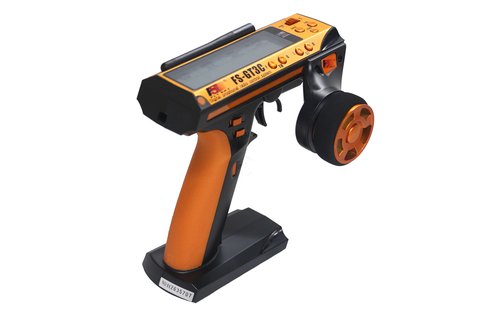
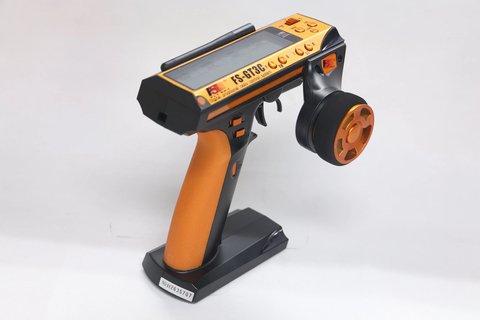
Updating the firmware on a Flysky FS-GT3C means downloading the correct file from Flysky’s official GT3C support page, flashing it with the matching update tool, then recalibrating and rebinding the transmitter to your receiver. The GT3C does not get new firmware often compared with Flysky’s newer ANT-protocol radios, but knowing the official process, the community alternative, and how to recover from a failed flash is worth a few minutes of reading before you plug anything in.
- Applies To: Flysky FS-GT3C 3-channel pistol-grip transmitter (surface radio for cars and boats)
- Protocol: AFHDS, 2.4-2.48GHz, 160 frequency bands, GFSK modulation
- Range: roughly 100-200m on the ground
- Power: built-in rechargeable 3.7V Li-ion pack, USB charging
- Bundled Receiver: FS-GR3E (also used with the GT2, GT2B, and GT3B)
- Price Tier: budget-friendly; typically sold as a transmitter-and-receiver combo in the entry-level price bracket for surface radios
- Compatibility: official firmware is hardware-revision specific; community firmware built for the GT3B is only compatible with some GT3C boards
| Spec | Detail |
| Protocol | AFHDS, 2.4-2.48GHz, 160 frequency bands, GFSK modulation |
| Channels | 3-channel pistol-grip transmitter |
| Range | Roughly 100-200m on the ground |
| Power | Built-in rechargeable 3.7V Li-ion pack, USB charging |
| Bundled Receiver | FS-GR3E (also used with GT2, GT2B, GT3B) |
| Firmware Tool | Official cable-based updater, or USB programmer for community firmware |
| Price Tier | Budget-friendly, entry-level surface radio combo |
Official Firmware Path
Flysky keeps a dedicated GT3C downloads page on its official site, listing the current firmware file alongside the manual. Because the GT3C is an older, simpler radio than newer ANT-protocol transmitters like the G11P, official releases are infrequent, but that page is still the safest starting point before you consider anything unofficial.
- Check the official GT3C downloads page for the latest firmware version number before assuming yours is out of date
- Confirm your hardware revision first, since early and later production runs of the GT3C are not all identical internally
- If the update tool offers a backup or export option, save a copy of your current firmware before flashing anything new
Confirming Your Hardware Revision
Before downloading anything, power on the transmitter and check the version details shown in the system or info menu on the LCD. Match that against what the download page lists for your firmware file. Flashing a file meant for a different revision is one of the more common ways a GT3C ends up bricked, so this five-minute check is worth doing even if you are in a hurry.
Step-by-Step Official Update Process
- Download the firmware file that matches your confirmed GT3C hardware revision from Flysky’s official downloads page
- Connect the transmitter to your PC with the cable or USB programmer specified for your revision
- Power on the transmitter and enter firmware update or bootloader mode using the sequence listed on the download page
- Open the flashing utility on your PC and point it at the firmware file you downloaded
- Start the flash and leave the cable and power connected until the tool reports it finished
- Power cycle the transmitter, then recalibrate the steering wheel and trigger from the setup menu
- Rebind the FS-GR3E receiver and run the servos or ESC through their full range to confirm normal response
Community Firmware: The GT3B/GT3C Alternative
Because the GT3B and GT3C share most of their internal hardware, an open-source alternative firmware originally built for the GT3B (maintained on GitHub by developer psx) runs on many GT3C boards as well. It adds adjustable mixing, extra dual-rate curves, and menu options the stock firmware does not offer. This is genuinely useful for racers who want finer steering and throttle control, but it is unofficial: it requires a low-cost USB programmer (an ST-Link V2 clone is the common choice) instead of the standard update cable, and it voids any remaining manufacturer support.
When I flashed a GT3C that had been sitting in a drawer for a long stretch, the stock firmware on it was several versions behind what Flysky currently lists. The official update itself took less than ten minutes end to end, and the improved dual-rate handling was noticeable on the very first test run with a rear-wheel-drive basher afterward.
Troubleshooting Setup, Pairing, and Update Failures
Most GT3C firmware problems fall into a handful of predictable categories. Work through these before assuming your transmitter needs professional repair.
- PC does not detect the transmitter in bootloader mode: double-check you used the exact button-and-power sequence listed for your firmware source, try a different USB cable (many cables are charge-only and carry no data), and try a different USB port directly on the motherboard rather than a hub
- Flash tool reports an error partway through: do not unplug or retry blindly. Re-enter bootloader mode using the same sequence and restart the flash from the beginning; interrupting a flash mid-write is what leads to a bricked board
- Receiver will not rebind after the update: power cycle both transmitter and receiver, confirm you are using the correct bind procedure for AFHDS (not AFHDS 2A, which the GT3C does not use), and hold the bind button on the FS-GR3E for the full duration the manual specifies
- Trims or centering feel off after flashing: this is normal. Run the steering and trigger calibration routine in the setup menu before doing anything else
If the official update tool genuinely will not recognize your board even after trying a different cable and port, the manual/alternate pathway is a hardware-level recovery flash using a USB programmer connected directly to the board’s programming header, the same tool the community firmware route uses. This bypasses the transmitter’s own USB port entirely and can recover a board that the standard update process can no longer talk to, though it is a more advanced repair step than most owners will need.
Deciding If You Actually Need to Update
Not every GT3C owner needs to chase the newest firmware right away. Ask yourself:
- Are you seeing a specific issue the changelog mentions, like a mixing bug or trim drift?
- Do you want a feature that only exists in a newer release, such as additional dual-rate curves?
- Has the radio been reliable as-is for a long stretch without complaint?
If your GT3C works fine and you are not chasing a specific fix, there is a reasonable case for leaving a stable radio alone rather than introducing risk for a marginal gain. Firmware updates are worth doing, but they are not mandatory maintenance the way replacing worn battery contacts would be.
Frequently Asked Questions
Is GT3B firmware compatible with the GT3C?
Some community firmware projects support both because of the shared hardware, but this varies by board revision. Confirm compatibility with your specific GT3C before flashing anything not explicitly listed for it.
Does the GT3C need a special USB programmer for updates?
It depends on the source. Official Flysky updates typically use a standard cable, while the community firmware route requires a separate low-cost USB programmer connected to the programming header.
Will updating firmware improve the transmitter’s range?
Not usually. Firmware updates mainly affect mixing options, menu behavior, and bug fixes. Raw RF range is largely a hardware characteristic that firmware does not change much.
What should I do if the update fails halfway through?
Do not repeatedly retry without checking first. Re-enter bootloader mode using the exact sequence for your firmware source and restart the flash from the beginning; a hardware-level recovery flash with a USB programmer is the fallback if the standard tool stops recognizing the board.
Conclusion
The FS-GT3C does not receive frequent firmware updates compared with Flysky’s newer radios, but staying current on the official release is still worth doing, especially on a unit that has been sitting unused. Stick to the official Flysky downloads page unless you specifically want the extra mixing depth the community firmware offers, keep your hardware revision straight before flashing anything, and always recalibrate and rebind after any update.
Ryan keeps a small collection of RC transmitters on hand specifically to test firmware update workflows like this one, and has spent years working through consumer hardware and software troubleshooting more generally. He writes at softwaredriverdownload.com.