Both the H8c and C8c are outdoor pan-tilt cameras in EZVIZ’s lineup, and on paper they look close — 1080p, color night vision, similar pan-tilt range. The differences that actually matter show up in the sensor aperture, the physical size and mounting style, and the storage ceiling on local recording. Here’s how they compare spec by spec, and which one fits which situation.
Neither camera is EZVIZ’s newest release, but both remain in active production because they cover the mid-range price point well — a step up from fixed cameras like the C3N, but well below the 4K Pro pan-tilt models in cost. That makes the choice between them less about generation and more about which physical tradeoffs (aperture vs. antenna range, compact housing vs. storage headroom) fit a specific mounting location best.
Full Specification Comparison
| Spec | H8c | C8c |
|---|---|---|
| Resolution | 1080p (1920 × 1080) | 1080p (1920 × 1080) |
| Sensor | 1/3″ CMOS, F2.0 | 1/2.7″ CMOS, F1.6 |
| Lens options | 4mm (89°) or 6mm (52°) | 4mm (87°) or 6mm (55°) |
| Pan / tilt range | 350° pan, 80° tilt | 352° pan, 95° tilt |
| Night vision | Up to 30m, color/B&W/smart modes | Up to 30m, color/B&W/smart modes |
| Local storage | MicroSD up to 512GB | MicroSD up to 256GB |
| Connectivity | 2.4GHz Wi-Fi or wired RJ45 | 2.4GHz Wi-Fi or wired RJ45 |
| Power | DC 12V/1A, max 12W | DC 12V/1A, max 6W |
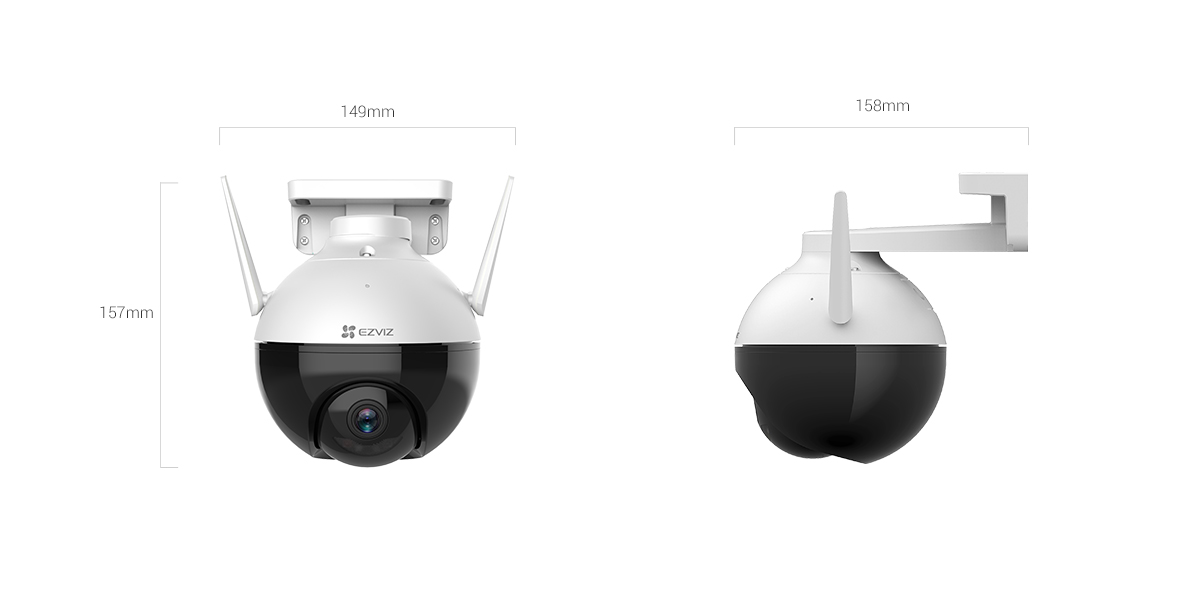
| Dimensions | 100 × 129 × 150mm | 158 × 157 × 149mm |
| Weight | 550g | 510g |
| Mounting style | Compact dome, wall bracket | Larger housing with external Wi-Fi antennas |
Sensor and Low-Light Difference
The C8c’s F1.6 aperture is a full stop wider than the H8c’s F2.0, which means it pulls in more light before the sensor has to compensate with gain or slower shutter speeds. In practice this shows up most at dusk and dawn, where the C8c holds a cleaner, less noisy image while the H8c starts to look grainier a little earlier in the fading light. Once full night vision or spotlight color mode kicks in on either camera, the gap narrows considerably.
Size, Mounting, and Wi-Fi Range
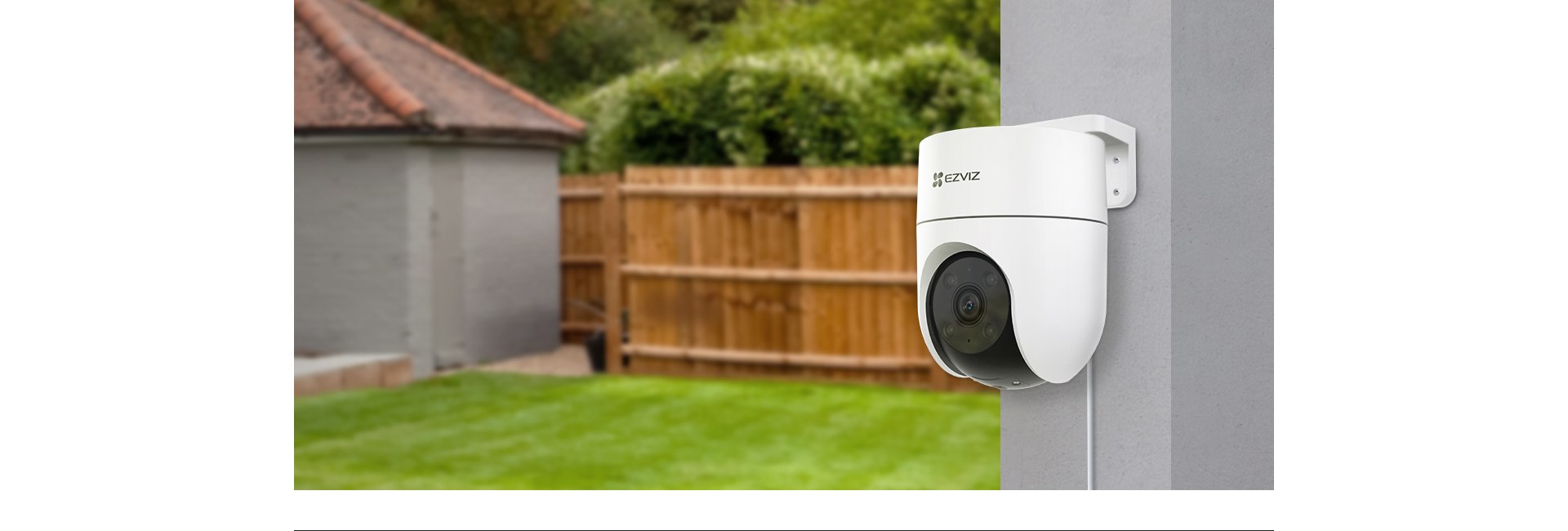
- The H8c has a smaller, rounder housing that mounts flush and blends into a wall or eave more easily.
- The C8c is physically larger with two external antennas, which generally gives it a stronger Wi-Fi signal at distance from the router — a real advantage for garages, sheds, or back corners of a property.
- If the mounting spot is highly visible (a front entrance, a porch ceiling), the H8c’s lower profile is less noticeable; if it’s a distant fence line or detached structure with a weak signal, the C8c’s antennas earn their bulk.

Storage and Power Draw
The H8c supports microSD cards up to 512GB against the C8c’s 256GB ceiling, which matters more for continuous recording than for motion-triggered clips — most owners running event-based recording won’t come close to filling either card within a normal replacement cycle. The H8c also draws a higher maximum wattage (12W vs 6W), largely because of a more powerful pan-tilt motor and slightly wider tilt-adjacent electronics; this is only relevant if you’re running several cameras off one PoE injector or power budget.
App Experience and Tracking
Both cameras run through the same EZVIZ App, so the interface, notification style, and detection-zone setup are identical between them — the difference is purely in what the hardware feeds into that software. Neither model has the AI auto-zoom tracking found on higher-tier cameras like the H8 Pro or H8c Pro; both rely on basic motion detection with human-shape filtering rather than actively following a subject with camera movement. If tracking that zooms in on a moving person is a priority, neither the H8c nor the C8c delivers that — that feature is reserved for the Pro-tier models in EZVIZ’s lineup.
Video Compression and Bandwidth
Both cameras support H.265 compression, which roughly halves the storage and upload bandwidth compared to the older H.264 standard at the same visual quality. This matters most if you’re running several cameras on the same home network or uploading clips to CloudPlay over a limited-upload internet connection — H.265 should be left on by default in the app rather than switched to H.264 for compatibility with older NVR software, unless you specifically need that older-format compatibility.
Which One Should You Buy
For most driveways, backyards, and porches within normal Wi-Fi range of the router, the H8c’s cleaner mounting profile and higher storage ceiling make it the easier default. The C8c is the better pick specifically when Wi-Fi signal strength is a known problem at the install location, or when the wider F1.6 aperture’s low-light advantage matters more than blending into the wall. Price differences between the two are usually small enough that signal range and mounting visibility should decide it rather than cost.
Common Setup Issues
- Camera won’t join Wi-Fi: both models are 2.4GHz only — confirm the router broadcasts a separate 2.4GHz SSID rather than a combined band.
- C8c antennas point the wrong way after mounting: they rotate independently of the housing, so re-aim them toward the router after final placement rather than leaving them at the factory angle.
- H8c image looks dim at dusk: this is expected given the narrower aperture — enabling smart night mode earlier in the app schedule can compensate.
- Recordings stop early on a full card: both cameras overwrite oldest footage by default once a card is full; confirm this setting is enabled rather than assuming it.
Frequently Asked Questions
Can I mix an H8c and a C8c on the same EZVIZ account?
Yes, both connect through the same EZVIZ App and can be managed side by side without any compatibility issues.
Does either camera support 5GHz Wi-Fi?
No, both are 2.4GHz only, which is a common trip-up during setup on mesh routers with a combined SSID.
Is the C8c’s larger size a problem for most installs?
Only cosmetically — it needs a bit more wall clearance for the antennas, but the mounting hardware and process are otherwise the same as the H8c.
Which one has better night vision color accuracy?
They’re close, but the C8c’s wider aperture gives it a slight edge in dim transitional light before full spotlight illumination kicks in.
Do both work without a CloudPlay subscription?
Yes, local microSD recording and live view work fully on both without any subscription.
Ryan
Computer Science grad · tests and writes about smart home hardware