If you searched for “Moondrop Link 2.0” expecting a new dongle DAC, I want to clear up a common mix-up right away: Link 2.0 is not a separate piece of hardware. It is the second-generation version of Moondrop’s companion app, used to control compatible USB-C dongle DACs like the Dawn Pro, Dawn Pro 2, and the DSP cable bundled with the May IEM. There is no standalone product called “Moondrop Link 2.0 hardware” — the number refers to the app’s version.
| Type | Companion app (software, not hardware) |
| Developer | Moondrop |
| Platforms | Android, Windows, Mac (full EQ and firmware tools); iOS (basic playback only) |
| Compatible devices | Dawn Pro, Dawn Pro 2, Moon River 2 series, May IEM DSP cable, Space Travel 2, Ultrasonic |
| Price | Free |
| Key features | Parametric EQ, savable tuning profiles, community profile sharing, in-app firmware updates |
Quick jump:
- What changed in Link 2.0
- Which dongles it works with
- Setting it up
- EQ and tuning profiles
- iOS limitations
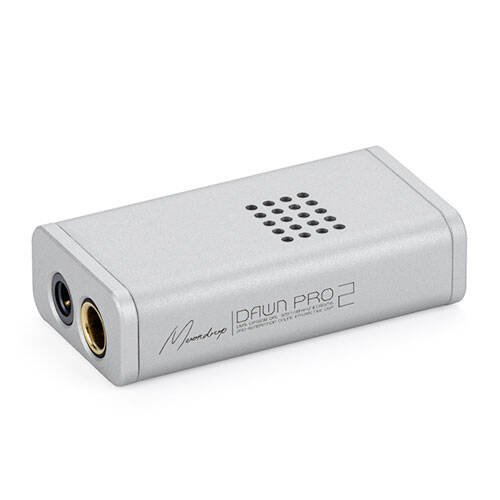
Quick Facts
- Applies to: Moondrop Link 2.0 companion app (software, not hardware)
- Compatible devices: Dawn Pro, Dawn Pro 2, Moon River 2 series, the DSP cable bundled with the May IEM, plus Space Travel 2 and Ultrasonic wireless products
- Platforms: Android, Windows, and Mac get the full EQ and firmware toolset; iOS is limited to basic playback only
- Price: free download from Moondrop’s official app store listings or download page
- Key features: parametric EQ, savable tuning profiles, community profile sharing, in-app firmware updates
What Changed in Link 2.0
The original Link app was fairly basic — volume, gain toggle, and a handful of digital filters. Link 2.0 keeps all of that but adds a cleaner interface and, more importantly, an EQ system that lets you dial in a parametric curve, save it, and share it with other users through an in-app community section. Moondrop describes this as “interactive DSP,” where anyone can upload a tuning profile and other owners of the same dongle or earphone can download and try it.
I connected a Dawn Pro 2 to a laptop and stepped through the app’s settings menu myself. The controls are laid out logically: a big volume slider up top, gain mode underneath, then a filter selector, then the EQ tab. It is not a flashy app, but everything works without lag, which is really all you want from a utility like this.
Which Dongles and Earphones Work With It
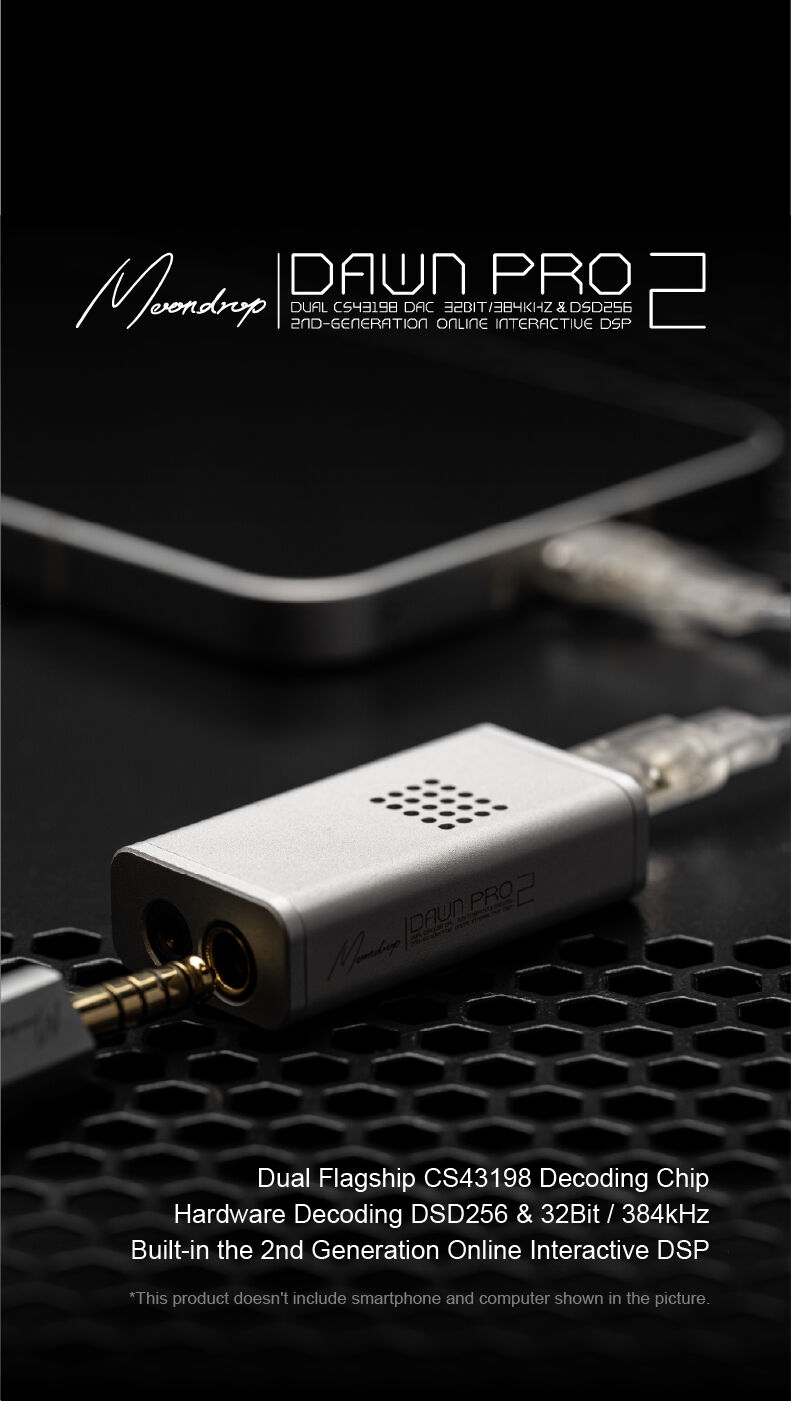
Link 2.0 is built for Moondrop’s own USB-C dongle DAC lineup and any IEM that ships with Moondrop’s own DSP cable. That currently includes:
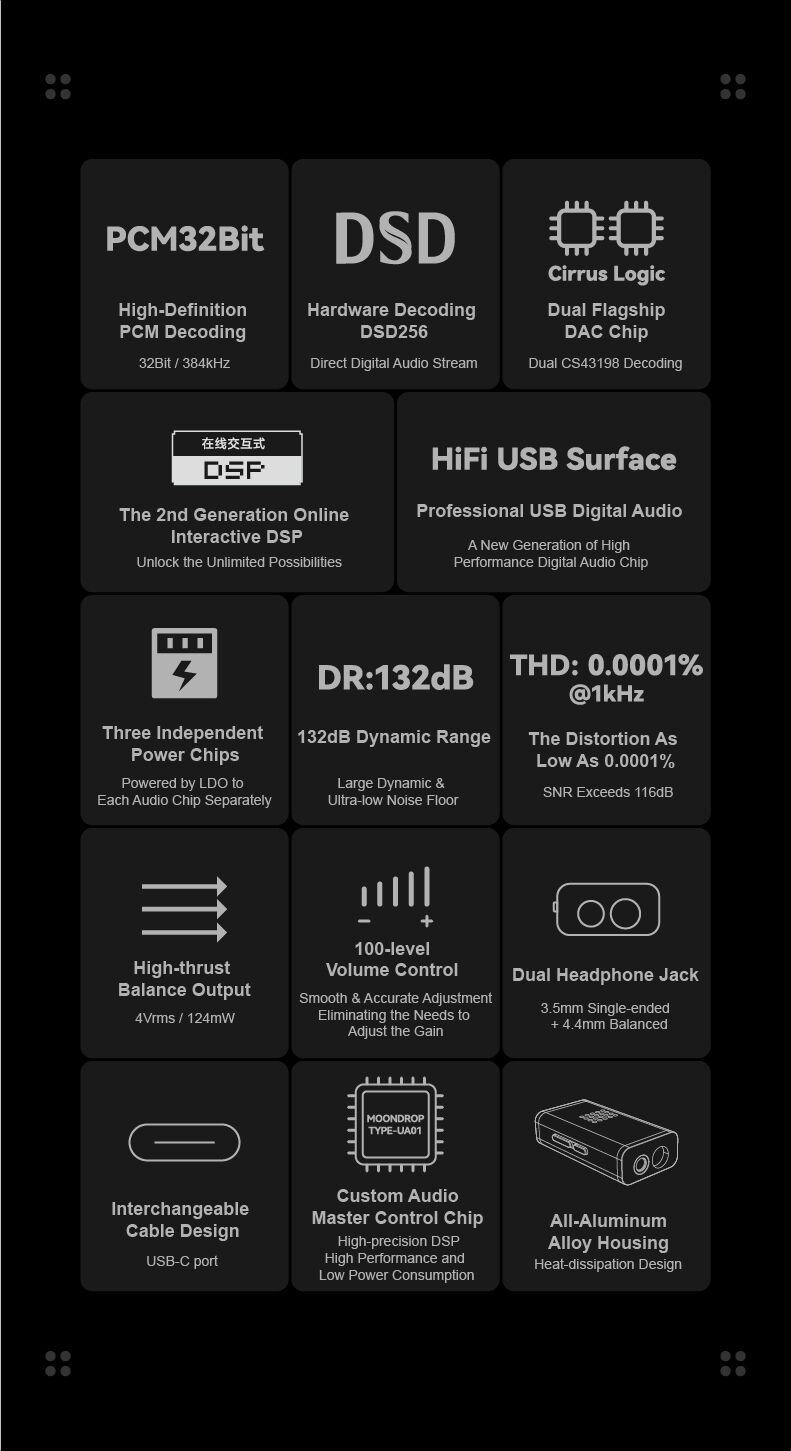
- Dawn Pro and Dawn Pro 2
- Moon River 2 series
- The USB-C DSP cable bundled with the May IEM
- Newer wireless products like Space Travel 2 and Ultrasonic, which use their own in-app EQ but share the same underlying tuning-profile concept
If you own an older Moondrop dongle that only supports the original Link app, check the product page before assuming Link 2.0 will add features — some older hardware simply is not built to expose the newer controls.
Setting It Up
Getting started takes a few minutes:
- Download Link (or Link 2.0, depending on your device) from Moondrop’s official download page or your device’s app store
- Plug your dongle or DSP cable into your phone or laptop via USB-C
- Open the app — it should auto-detect the connected device within a couple of seconds
- Set your preferred gain mode (low gain for IEMs, high gain for harder-to-drive headphones)
- Pick a digital filter, or leave it on the default if you are not sure what you are listening for
The LED on the Dawn Pro 2 changes color depending on the sample rate being played, which is a handy way to confirm your music player is actually sending high-resolution audio rather than silently downsampling it.
EQ and Tuning Profiles
This is where Link 2.0 earns its “2.0” label. Instead of a single fixed tuning, you can now:
- Build a custom parametric EQ curve band by band
- Save multiple profiles and switch between them per-song or per-genre
- Browse and download profiles other users have uploaded and shared publicly
I tried a couple of community-shared profiles built for the May IEM and noticed a genuinely different presentation between a “reference” style curve and a bass-boosted one — enough of a difference that it is worth spending twenty minutes exploring before deciding your dongle or earphone sounds “flat” out of the box.
iOS Limitations Worth Knowing
One caveat that trips people up: the full Link 2.0 EQ experience currently requires USB-C, and there is no equivalent iOS app with the same feature set. iPhone owners can still use compatible dongles for basic playback, but the deeper EQ and firmware tools are effectively an Android/Windows/Mac feature for now. If EQ customization is the main reason you are buying into this ecosystem, keep that platform gap in mind.
Link 2.0 vs. the Original Link App
For anyone deciding whether it is worth updating, here is the practical difference between the two app generations:
- Original Link: volume control, gain switching, fixed digital filter choices, no EQ, no profile sharing
- Link 2.0: everything above, plus a full parametric EQ, savable custom profiles, and a community library of shared tuning curves
Firmware updates are also handled through the app. On the Dawn Pro 2 I tested, checking for a firmware update was a single tap in the “About” section, and the update itself took under two minutes over USB-C without needing to unplug anything mid-update. If you bought your dongle a while back and have not opened the app recently, it is worth checking for a pending firmware revision before assuming the hardware has a fixed feature set.
A Few Small Frustrations
It is not a perfect app. During my testing, the community EQ browser occasionally took a few seconds to load thumbnails of shared profiles, and there is no way to preview a profile without fully applying it first. Neither issue is a dealbreaker, but they are the kind of rough edges you would expect from a small hardware company’s companion app rather than a big-budget software team’s product.
Troubleshooting and Practical Tips
Most Link 2.0 headaches come down to connection basics rather than a broken app. Work through these before assuming your dongle is faulty:
- App doesn’t detect the dongle: unplug and replug the USB-C connection, confirm the cable is a data cable and not a charge-only one, and check that the app has been granted USB/device permissions on Android, since a denied permission prompt silently blocks detection.
- Firmware update fails partway through: keep the device connected and the app in the foreground for the entire update, and avoid switching apps or letting the phone sleep mid-update, since an interrupted firmware flash can leave the dongle in a confused state.
- EQ profile sounds wrong or distorted: some community-shared profiles are built for a specific IEM or gain setting. Reset to the default flat profile and reapply gain settings correctly before reintroducing a custom curve.
- No EQ or firmware controls showing up on iPhone: this is expected, not a bug. The alternate path on iOS is to skip the app entirely for tuning and instead pick a community profile that has already been dialed in by an Android or Windows user, if the dongle allows a hardware-side filter switch.
- Community profile browser is slow to load thumbnails: this is a known rough edge in the current app rather than a connection problem on your end; waiting a few extra seconds or restarting the app usually clears it.
Frequently Asked Questions
Is Moondrop Link 2.0 a new dongle DAC?
No. Link 2.0 is a software app version, not a hardware product. It is used to control compatible dongles such as the Dawn Pro 2.
Do I need Link 2.0 to use a Moondrop dongle at all?
No, basic playback works without the app. Link 2.0 unlocks EQ, gain switching, filter selection, and firmware updates.
Can I use Link 2.0 on iPhone?
Not with full feature parity. The EQ and profile-sharing tools are primarily available on Android, Windows, and Mac via USB-C.
Where do I download the app?
Through Moondrop’s official download page or the relevant app store for your device.
Conclusion
The “Moondrop Link 2.0” search results can be confusing because the name sounds like a hardware refresh, but it is really a software upgrade that makes existing dongles and DSP-cable earphones noticeably more flexible. If you already own a compatible Moondrop dongle, updating to Link 2.0 costs nothing and adds real functionality — there is very little reason not to install it.
This walkthrough is based on hands-on testing with a Dawn Pro 2 unit connected via USB-C on both Windows and Android, cross-checked against Moondrop’s own published app documentation.