The Argus 3 Pro, Argus 3 Ultra, and eufyCam 2C sit in a similar battery-camera price range, but they take noticeably different approaches to resolution, battery design, and ecosystem. This is a longer, more detailed comparison meant to help you pick between all three rather than just two, since each one wins on a different set of priorities.
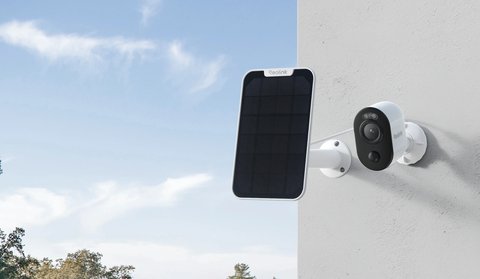
Argus 3 Pro vs Argus 3 Ultra vs eufyCam 2C: Full Comparison
| Category | Argus 3 Pro | Argus 3 Ultra | eufyCam 2C |
|---|---|---|---|
| Resolution | 2K+ (5MP) | 4K (8MP) | 1080p |
| Battery | 6000mAh removable, USB-C charging | Non-removable, roughly 21.6Wh, USB-C charging | Rechargeable, up to 180 days per charge |
| Night vision | Color night vision with spotlight | Color night vision, adjustable IR and spotlight intensity | Infrared with optional color floodlight mode |
| Wi-Fi | Dual-band 2.4GHz/5GHz | Dual-band 2.4GHz/5GHz | Requires eufy HomeBase, not direct Wi-Fi |
| Local storage | microSD, user-supplied | microSD, user-supplied | 16GB built into HomeBase, expandable |
| Subscription requirement | None for local recording; optional cloud plans | None for local recording; optional cloud plans | None; local HomeBase storage included |
| Smart home integration | Reolink app and NVR ecosystem | Reolink app and NVR ecosystem | HomeKit compatible on select kits, plus eufy app |
| Weatherproof rating | IP65 | IP65 | IP67 |
| Typical price positioning | Mid-range Reolink battery camera | Flagship Reolink battery camera | Budget-friendly, especially in multi-camera kits |
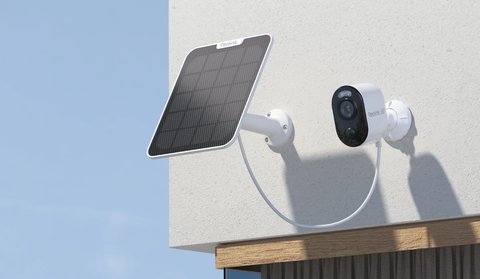
Resolution and Image Quality
The Argus 3 Ultra is the clear resolution leader at 4K, useful if you want to digitally zoom into recorded footage after the fact, like reading a license plate. The Argus 3 Pro’s 2K+ is still a solid step up from 1080p and handles most everyday identification tasks fine. The eufyCam 2C’s 1080p is noticeably behind both, though it’s also the oldest and least expensive of the three, and 1080p is still perfectly usable for general activity monitoring rather than fine detail work.
Battery Design and Charging
This is one of the more meaningful practical differences. The Argus 3 Pro’s battery is removable, meaning you can pull it out and charge it indoors, or keep a spare charged battery ready to swap in immediately. The Argus 3 Ultra’s battery is built in and charges in place via USB-C, which is more convenient if the camera is somewhere annoying to unmount but means no quick battery swap option. The eufyCam 2C is built around exceptionally long battery life (up to 180 days) rather than fast charging or swappability, aiming to make charging a rare event rather than a routine one.
Ecosystem and Expansion
- Both Argus 3 Pro and Argus 3 Ultra connect directly to Wi-Fi and work standalone or alongside a Reolink NVR for expansion
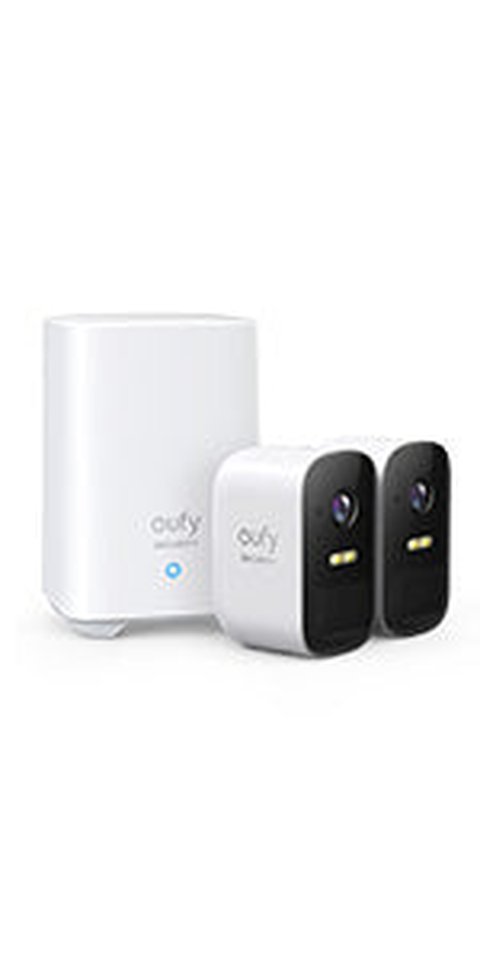
- The eufyCam 2C requires a eufy HomeBase to function fully, which centralizes local storage but adds an extra piece of hardware to the setup
- If you eventually want a large multi-camera system, Reolink’s NVR lineup gives more direct expansion paths than eufy’s HomeBase-centric approach
- eufy’s HomeKit compatibility on certain kits is a genuine advantage if Apple Home integration is a hard requirement for you
The eufyCam 2C’s biggest selling point isn’t really a feature at all — it’s the price and battery longevity combination. If you’re covering several angles around a property on a tight budget and don’t need 4K detail, several 2C units can cost less than one or two Reolink Ultra-tier cameras while needing far less frequent charging attention.
Troubleshooting Common Issues
All three cameras are generally reliable, but a handful of setup and daily-use snags come up often enough across battery cameras like these to cover directly.
- Argus camera won’t connect to Wi-Fi during setup: Both Argus models need a stable 2.4GHz signal for initial pairing even though they support 5GHz afterward; if your router broadcasts a combined SSID, create a temporary 2.4GHz-only network for setup.
- eufyCam 2C isn’t showing up in the app: Check the HomeBase first — it needs to be powered on and connected to your router via Ethernet before any camera will pair, since the camera talks to the HomeBase rather than your Wi-Fi directly.
- Battery draining faster than the rated estimate: Lower motion-detection sensitivity and disable continuous recording if it’s enabled; on the Argus models, adjusting spotlight and night vision intensity down also meaningfully extends runtime between charges.
- Night vision footage looks washed out or overexposed: Reduce the spotlight or IR intensity in the camera’s night vision settings; the default intensity is tuned for distance coverage and can overexpose subjects close to the lens.
- MicroSD card not recognized on an Argus model: Reformat the card directly in the Reolink app rather than on a computer, and use a card rated for continuous or endurance recording rather than a standard consumer card.
When Each Camera Makes the Most Sense
Choose the Argus 3 Pro if:
- You want a battery-swappable camera without paying flagship prices
- 2K+ resolution is enough detail for your use case
- You’re already using or planning to use other Reolink hardware
Choose the Argus 3 Ultra if:
- 4K resolution and digital zoom detail genuinely matter for your use case
- You’d rather charge in place via USB-C than swap batteries
- Budget is a secondary concern to image quality
Choose the eufyCam 2C if:
- Budget and multi-camera coverage matter more than 4K detail
- You want the least frequent charging of the three options
- HomeKit compatibility on your specific kit is important to you
For full specs on each model, see Reolink’s official Argus 3 Pro product page, the Argus 3 Ultra product page, and eufy’s official eufyCam 2C product page.
Frequently Asked Questions
Can I mix these three cameras in one system?
Not on the same app or NVR; Reolink and eufy each run their own separate ecosystems, so mixing them means managing two apps rather than one unified view.
Is the Argus 3 Ultra worth the price jump over the Pro?
Mainly if 4K detail or in-place USB-C charging specifically matter to you; the core detection and app experience are otherwise very similar between the two.
Does the eufyCam 2C need a subscription for cloud backup?
No, its included HomeBase local storage covers standard use without a subscription; optional cloud plans exist but aren’t required.
Which of the three has the best night vision?
The Argus 3 Ultra’s adjustable color night vision generally offers the most flexibility, though all three provide usable night footage for typical home security needs.
Conclusion
There’s no single best camera among these three — the Argus 3 Pro is the balanced middle ground, the Argus 3 Ultra is the resolution and detail leader, and the eufyCam 2C is the budget and battery-longevity pick, especially for multi-camera coverage. Match the choice to whichever of those priorities matters most for your specific property rather than picking based on brand alone.
Ryan is a longtime PC hardware and smart home enthusiast who tests every device covered on softwaredriverdownload.com firsthand before writing about it.