My nightstand used to have a tangle of three different charging cables until I swapped in a RAVPower RP-PC069 wireless charging stand. The angled design turned out to matter more than I expected, propping the phone up at 60 degrees means I can actually glance at notifications or a bedside alarm without picking it up, which a flat charging pad never let me do comfortably.
This covers setup, real charging speeds by phone type, the case-thickness limitation nobody mentions until it becomes a problem, and the fixes for the handful of issues I ran into.
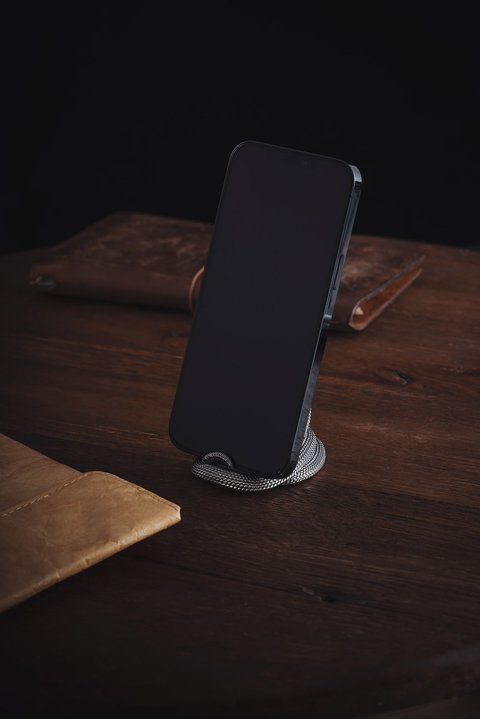
Specifications at a Glance
- Output: up to 10W for fast-charge Qi devices, 7.5W for compatible iPhone models, 5W standard for everything else
- Input: DC 12V / 2A via the included Quick Charge 3.0 adapter
- Dual charging coils for portrait or landscape phone orientation
- 60-degree angled stand design
- Dimensions around 5 x 2.8 x 2.8 inches, weight under 6 ounces
The dual-coil layout is the detail that makes the angled design actually work well. A single-coil stand often forces you to balance a phone at an odd angle to hit the sweet spot, but with two coils covering both portrait and landscape orientation, the phone charges reliably regardless of which way I lean it against the stand.
Setting It Up
- Plug the included QC 3.0 adapter into a wall outlet, then connect it to the stand’s power input.
- Place the phone against the angled cradle, either portrait or landscape orientation works.
- Look for the small LED indicator to confirm a connection, it lights up within a second or two of proper contact.
- If nothing happens, adjust the phone’s position slightly rather than assuming the stand is faulty, the charging coil sweet spot is narrower than you would expect.
Using a non-Quick Charge adapter or a weaker USB port will still power the stand, but it caps the output well below the rated 10W, so devices charge noticeably slower. I made this mistake the first week by using a spare phone charger instead of the included adapter.
Real Charging Speeds by Phone
Charging speed depends entirely on what your specific phone supports, and the RP-PC069 will not exceed whatever ceiling your phone allows regardless of the stand’s rated output.
- Samsung Galaxy S-series and similar fast-charge Android phones: hit the full 10W rating in my testing.
- iPhone 8 and newer: capped around 7.5W, which is Apple’s own limit for third-party Qi chargers, not a limitation of the stand.
- Older or budget phones without fast-charge Qi support: fall back to standard 5W charging, noticeably slower but still functional.
None of these numbers are unique to RAVPower, they reflect the Qi standard’s tiered charging rates generally. If you are comparing wireless chargers across brands, the phone’s own supported wattage matters more than the charger’s maximum rating.
The Case Thickness Limitation
This is the detail that catches people off guard. Wireless charging works through a phone case, but only up to a point, RAVPower specifies a maximum case thickness around 0.12 inches (3mm). Thicker protective cases, especially rugged or battery cases, can block the connection entirely or charge so slowly it feels broken.
I tested this directly with a thick rugged case that worked fine on a different wireless charger rated for thicker cases, and it failed to charge reliably on the RP-PC069 until I switched to a slimmer case. If your phone lives in a heavy-duty case, check the thickness before assuming a wireless charging stand is defective.
Troubleshooting Common Issues
- Phone will not charge at all: remove any thick case, then reposition the phone slightly until the LED indicator confirms contact.
- Charging feels slow: confirm you are using the included QC 3.0 adapter and not a slower standard USB charger.
- LED does not light up: check that the adapter is fully seated in both the wall outlet and the stand’s input port.
- Phone charges intermittently: a metal ring, credit card, or thick pop-socket-style grip on the case can interfere with the coil, remove any attachments and retest.
The official RP-PC069 user guide lists the full compatibility chart by device, and RAVPower’s support page is the place to check for the current warranty terms.
Desk Use Versus Nightstand Use
I eventually bought a second RP-PC069 for my desk after living with one on the nightstand for a few weeks, and the two locations highlight slightly different strengths. On the nightstand, the angle means I can check the time or a notification at a glance in the dark without lifting the phone off the stand, which matters more than raw charging speed for that particular spot. On the desk, next to a monitor, the landscape orientation option turned out to be the more useful of the two coils, letting the phone sit like a small second display for notifications while I work.
Neither location revealed any heat issues worth mentioning, the stand stays cool to the touch even during a full overnight charge, which is more than I can say for a couple of cheaper wireless pads I have tried in the past.
Frequently Asked Questions
Does the RP-PC069 work with iPhones?
Yes, iPhone 8 and later models charge wirelessly on it, capped at 7.5W due to Apple’s own limit on third-party Qi chargers rather than any restriction from the stand itself.
Can I use it with a thick or rugged phone case?
Not reliably. RAVPower specifies a maximum case thickness of about 0.12 inches (3mm). Thicker cases, especially battery cases, can block charging entirely.
Does it come with a wall adapter?
Yes, a 24W Quick Charge 3.0 adapter is included in the box, and using it is necessary to reach the stand’s full rated output.
Can I charge in both portrait and landscape orientation?
Yes, the dual-coil design supports both orientations reliably, which is one of the main advantages over single-coil charging stands.
Conclusion
Once I understood its two real limitations, the case thickness cap and the fact that charging speed follows your phone’s own limit rather than the stand’s rating, the RP-PC069 has been a reliable bedside and desk charger. The angled dual-coil design solves the actual annoyance of flat charging pads, being able to see the screen while it charges, and that alone made it worth the nightstand cable cleanup.
Written by Sam, a self-taught PC technician in the US who has slowly replaced every charging cable in the house with wireless stands out of sheer annoyance at tangled cords.