The QCY T13 is one of the brand’s best-known budget earbuds, and I still get questions from readers who just unboxed a pair and cannot find a clear, plain-English manual anywhere. The printed insert that ships in the box is usually tiny and easy to lose, so here is the practical version of the T13 manual covering pairing, resetting, and the basics you actually need on day one.
| Connection | True wireless Bluetooth |
| Controls | Touch panel per earbud |
| Mono Mode | Yes, single-earbud use supported |
| Companion App | QCY app (EQ, firmware updates) |
| Reset Method | Hold case button 10–15 seconds |
| Eartips Included | Multiple silicone sizes |
Pairing the QCY T13 for the first time
- Take both earbuds out of the charging case; they should power on automatically and enter pairing mode the very first time you use them.
- On your phone, open Bluetooth settings and look for a device named “QCY T13” in the list of available devices.
- Tap to connect. Both earbuds should chime or flash to confirm a successful pairing.
- If only one earbud connects, place both back in the case for a few seconds, then remove them again to force them to resync with each other before reconnecting to your phone.
If you want more granular control over ANC modes or an equalizer, download the free QCY app from QCY’s official site or your phone’s app store and let it detect the connected earbuds automatically.
How to reset the QCY T13
A reset solves most stubborn pairing issues, and the process is simple even though it is easy to forget the exact timing:
- Delete the T13 from your phone’s Bluetooth device list first, so it does not try to auto-reconnect mid-reset.
- Place both earbuds into the charging case, but leave the lid open.
- Press and hold the button on the outside of the case for roughly 10 to 15 seconds.
- Watch the case’s indicator light: it should flash red and blue alternately a few times to confirm the reset succeeded.
- Close the lid, wait a moment, then start the pairing steps above again as if it were brand new.
Volume and playback controls
The T13 relies on touch controls on each earbud, and while exact tap patterns can vary slightly between firmware revisions, the general layout is consistent: a single tap plays or pauses, a double tap skips forward, and a triple tap goes back a track. Holding a tap for a couple of seconds on most firmware versions adjusts volume up or down depending on which earbud you press, and it takes a few tries the first day to build the muscle memory before it feels natural.
Using just one earbud at a time
The T13 supports mono mode, so you can take just the right earbud out of the case and use it on its own for a quick call without draining both batteries. Take the left one out too whenever you want to switch back to stereo playback, and it should rejoin automatically.
Adjusting fit and getting a proper seal
Before assuming anything is wrong with pairing or sound quality, it is worth spending a minute on fit, since the T13 ships with more than one silicone tip size for a reason. A loose seal will make the earbuds sound thin and can even make ANC or passive isolation feel weaker than it actually is. Try each included tip size, gently twist the earbud into place rather than just pushing it straight in, and do a quick jaw-open test — if the seal breaks when you open your mouth wide, size up or down a tip until it holds.
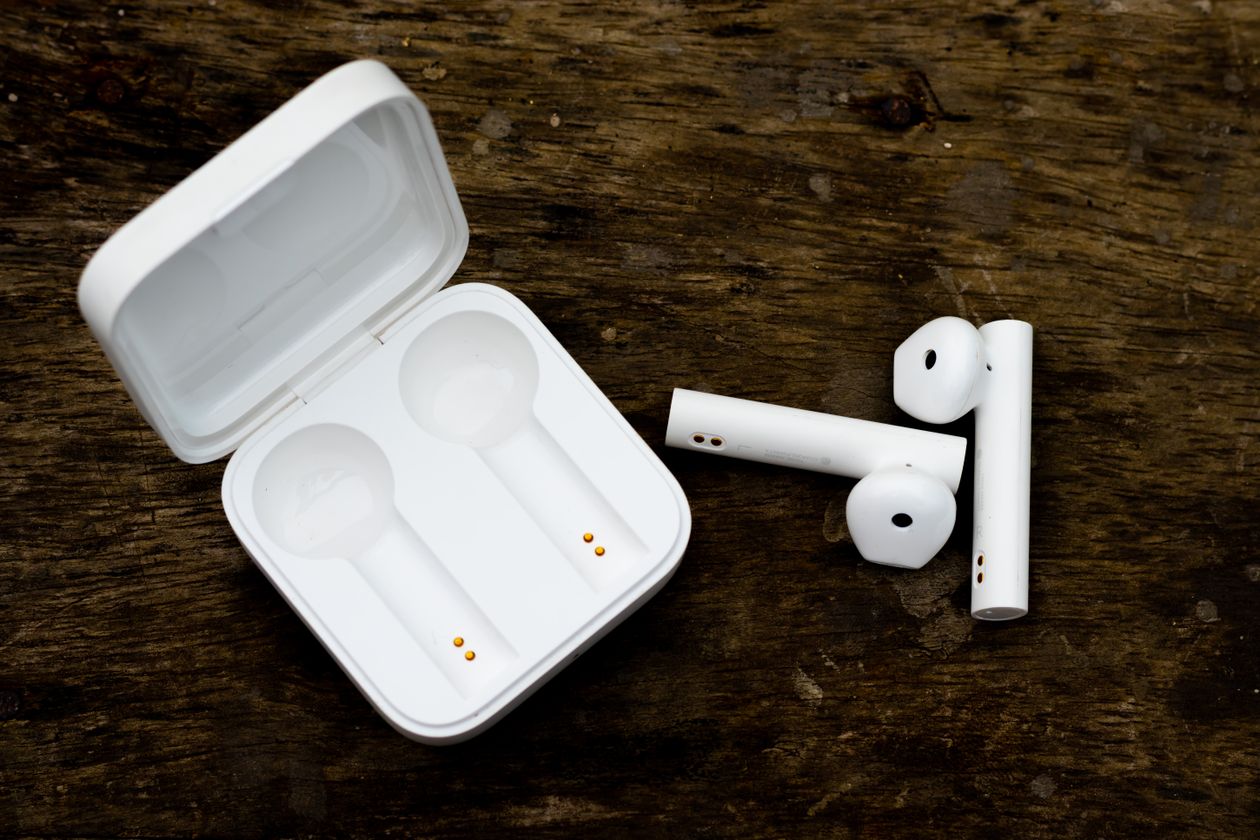
I also recommend checking the charging contacts inside the case every so often. Pocket lint and dust can build up on the little gold charging pins over weeks of daily use, and a dirty contact is one of the more common reasons an earbud shows as fully charged in the case but dies unexpectedly fast once removed. A dry cotton swab wiped gently across the contacts every couple of weeks prevents most of these issues before they start.
Keeping the case and earbuds clean
Earwax and dust buildup around the mesh grille on each earbud can muffle sound over time, and it is easy to mistake this for a hardware fault. A soft dry brush or a dry cotton swab run gently around the mesh every couple of weeks keeps sound quality consistent and is a much cheaper fix than assuming your earbuds have failed.
Common problems and quick fixes
Most T13 issues I hear about boil down to a short list of causes: a phone holding onto an old Bluetooth pairing record, one earbud not seated fully in the case for charging, or a firmware quirk that a reset usually clears up. Before assuming the hardware is faulty, try forgetting the device on your phone entirely and re-pairing from scratch, since that resolves the majority of connection complaints according to both my own testing and detailed community troubleshooting threads like those on Manuals Plus.
Frequently asked questions
Why won’t my QCY T13 earbuds pair with each other?
Place both earbuds in the case together for about 10 seconds, then take them out; this usually forces them to resync before you attempt to pair with your phone again.
Does the T13 have an official companion app?
Yes, the QCY app supports EQ adjustments and firmware updates for compatible T13 units, though some earlier revisions may have limited app support.
How long does the QCY T13 battery last?
Expect roughly the same ballpark as other budget QCY earbuds in this class, with the case extending total playtime well beyond a single charge.
When to consider replacing rather than troubleshooting
If one earbud consistently fails to hold a charge even after cleaning the contacts and trying a full reset, that usually points to battery wear rather than a software issue, and no amount of re-pairing will fix a genuinely degraded battery cell. At that point, checking whether your unit is still within its warranty window through the retailer you purchased from is worth doing before assuming a full replacement is your only option.
Conclusion
The QCY T13 is genuinely simple to pair, reset, and live with once you know the basic steps, even without the tiny printed manual in hand. Bookmark this if you ever need to reset it again down the line, since it is the same handful of steps every time.
I answer QCY support questions from readers often enough that I keep a running set of notes on pairing and reset steps across their earbud lineup, which is what this guide is built from.