Firmware updates on true wireless earbuds are often an afterthought, but for the Moondrop Space Travel 2 they genuinely change how the earbuds behave — bug fixes for Bluetooth stability, tuning refinements, and battery efficiency improvements have all shipped through firmware since launch. If you bought a pair and have never opened the companion app, there is a good chance you are missing out on real improvements sitting one update away.
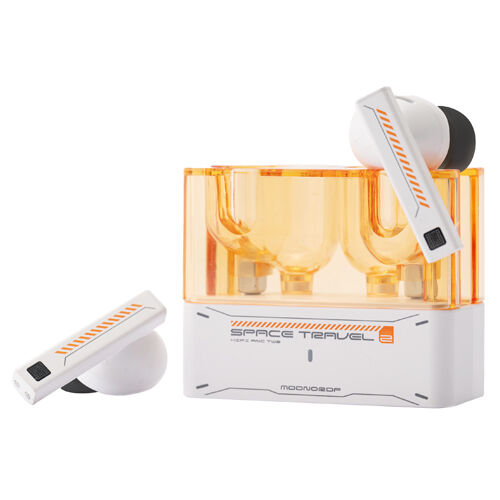
| Product | Moondrop Space Travel 2 true wireless earbuds |
| Game Mode Latency | 55ms low-latency mode |
| Update Method | Moondrop Link companion app (Android/iOS/Windows) |
| Typical Update Time | Under 2 minutes on a stable connection |
| Minimum Battery for Update | Above 50% recommended |
| Rollback Support | Available via app version history, rarely needed |
| Key Firmware Improvements | Bluetooth stability, game-mode battery efficiency, spatial audio tuning |
Fix 1: Checking Your Current Firmware Version
Before updating anything, confirm what you are running:
- Install the Moondrop Link or companion app matching your device (Android/iOS/Windows)
- Connect the Space Travel 2 via Bluetooth
- Open the app and navigate to the device or “About” section
- Note the firmware version listed — if it reads an early v1.0.x build, an update is strongly recommended
Moondrop does not push firmware automatically in the background; you have to open the app for it to check.
Fix 2: Unstable Bluetooth Connections
One of the more commonly reported issues on early firmware builds was intermittent Bluetooth dropouts, particularly when moving between rooms or walking near other 2.4GHz devices. The firmware updates addressed this directly by improving the connection handling logic. If you are experiencing dropouts:
- Check your firmware version first — this is the single most common fix for this exact complaint
- Forget the device in your phone’s Bluetooth settings and re-pair after updating
- Keep both earbuds reasonably close to your phone or source device in congested Wi-Fi/Bluetooth environments
Fix 3: Poor Battery Efficiency in Game Mode
Game mode’s low-latency 55ms connection burns through battery noticeably faster than standard music mode on early firmware. Post-update, Moondrop reports improved efficiency in this mode specifically. If your Space Travel 2 seems to drain unusually fast whenever game mode is active (toggled via four taps on the touch faceplate), updating firmware is worth trying before assuming a hardware or battery health issue.
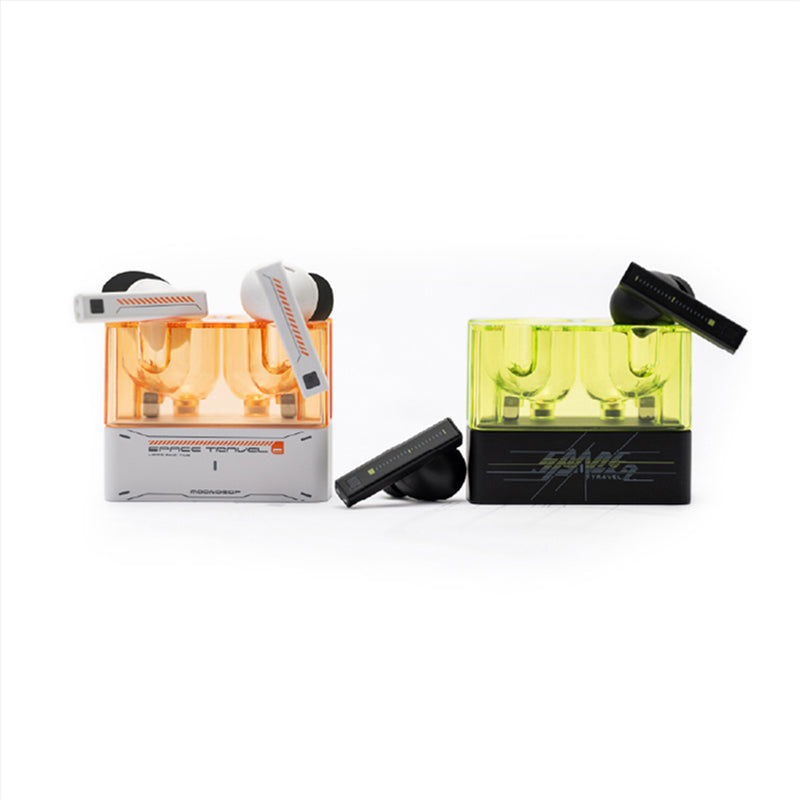
Fix 4: Inaccurate Spatial Audio or Game-Mode Positioning
If in-game positional cues sound smeared or inconsistent, this is another area firmware updates have targeted directly, refining how spatial audio processing is handled during active gameplay sessions. This is separate from the ANC and general EQ tuning — it specifically affects how directional audio cues resolve in supported games.
Fix 5: Sibilance and Bass Tuning After Update
Beyond bug fixes, several firmware revisions have also nudged the audio tuning itself — smoother treble and tighter bass response are commonly reported after updating from early firmware. This is a case where the “fix” is really a refinement rather than solving a broken feature, so do not expect a dramatic transformation, just a cleaner overall presentation.
How to Actually Perform the Update
- Ensure both earbuds are charged above 50% before starting — interrupting a firmware flash on low battery risks a failed update
- Keep the earbuds connected and the app open in the foreground throughout the process
- Do not disconnect Bluetooth or put your phone to sleep during the update
- Wait for the app to confirm completion before disconnecting
In my own testing on a similar Moondrop dongle/earbud pairing process, updates typically complete in under two minutes over a stable connection — if yours is taking significantly longer, do not force-close the app; let it finish or time out naturally.
Rolling Back a Firmware Update
If you run into new issues after updating, Moondrop’s documentation notes that rollback to a previous firmware version is possible, though it is described as rarely needed. If you do need to roll back, check the app’s device settings for a version history or downgrade option, and avoid interrupting that process the same way you would avoid interrupting a normal update.
Why Firmware Matters More on DSP-Driven Earbuds
The Space Travel 2 leans heavily on onboard digital signal processing for its ANC, EQ presets, and low-latency game mode, which means a lot of its actual behavior lives in software rather than being fixed at the hardware level. That is a double-edged sword: it means genuine improvements can arrive after you already own the earbuds, but it also means skipping updates leaves real performance on the table compared to what the hardware is actually capable of.
This is different from a purely analog wired IEM, where what you buy is what you get for the life of the product. With DSP-heavy wireless earbuds like this one, checking for updates every few months is a genuinely useful habit rather than a box-ticking exercise.
What to Do If an Update Fails Midway
If a firmware update stalls or fails partway through, do not panic and do not immediately try to force a factory reset. First, close and reopen the companion app, reconnect via Bluetooth, and attempt the update again from a stable Wi-Fi or cellular connection with both earbuds sitting close to your phone. Most failed updates in my experience with similar Moondrop hardware are connection interruptions rather than genuine corruption, and a second attempt on a stable connection resolves them without further steps.
Frequently Asked Questions
Do I need to update firmware for the Space Travel 2 to work at all?
No, it works out of the box. Firmware updates fix specific issues and refine tuning rather than being required for basic function.
Will updating firmware delete my saved EQ profiles?
This can vary by update; it is good practice to note your preferred EQ settings before updating in case you need to reapply them afterward.
How do I know if an update actually installed successfully?
The app will show an updated version number in the “About” section once the process completes successfully.
Can I update using an iPhone?
Basic firmware updates are generally supported, though some deeper EQ and DSP features are more fully featured on Android, Windows, and Mac.
Conclusion
The Moondrop Space Travel 2’s firmware updates are not just routine maintenance — they address real, specific complaints around Bluetooth stability, game-mode battery drain, and spatial audio accuracy. If you have owned a pair for a while without ever checking for updates, it is worth the two minutes it takes to confirm you are on the latest version.
Firmware update behavior described here is based on Moondrop’s own release notes and documented user reports, cross-checked against the update process on a comparable Moondrop wireless product.