Both the Moondrop Rays and the Moondrop May pair a dynamic driver with a planar magnetic driver in a hybrid configuration and both use a USB-C cable with built-in digital signal processing, so on paper they look closer to siblings than the Rays and Aria 2 comparison I wrote up separately. The difference here is subtler and comes down to what each one is actually tuned and marketed to do.
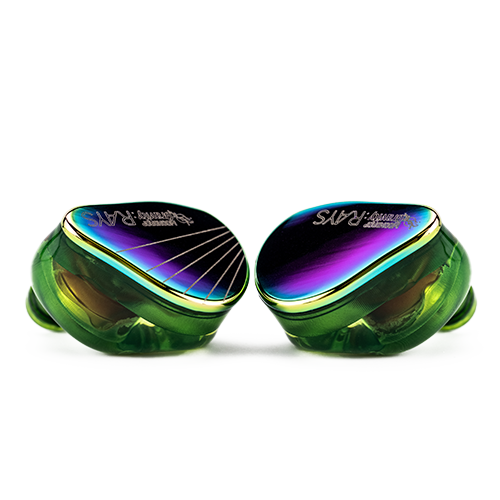
Spec Comparison
| Spec | Moondrop Rays | Moondrop May |
|---|---|---|
| Approx. price | $99.99 | Mid-range, positioned above Rays |
| Driver configuration | 10mm sapphire-plated dynamic + 6mm annular planar (hybrid) | 10mm sapphire-diaphragm dynamic + 6mm annular planar treble driver (UWBS hybrid) |
| Cable | Fixed USB-C cable with built-in gaming DSP sound card | 0.78mm interchangeable cable; ships with a USB-C DSP cable option |
| Tuning focus | Gaming positional cues, 20+ game-specific presets | VDSF Target Response, general HiFi listening |
| Cable flexibility | Fixed, no swapping to analog cable | Can swap between the DSP USB-C cable and a standard analog cable |
Where the Similarity Ends
The shared hybrid driver layout is a real technical similarity, but Moondrop tunes and packages the two very differently. The May uses its DSP to chase a reference-leaning VDSF target response and is explicitly marketed as a portable HiFi solution, with the option to swap to a normal analog cable if you would rather use it with a dedicated amp instead of relying on the built-in DSP.
The Rays keeps its DSP fixed and non-negotiable, because the entire product is built around that always-on gaming tuning layer. You cannot remove the DSP from the Rays experience the way you can step away from it with the May.
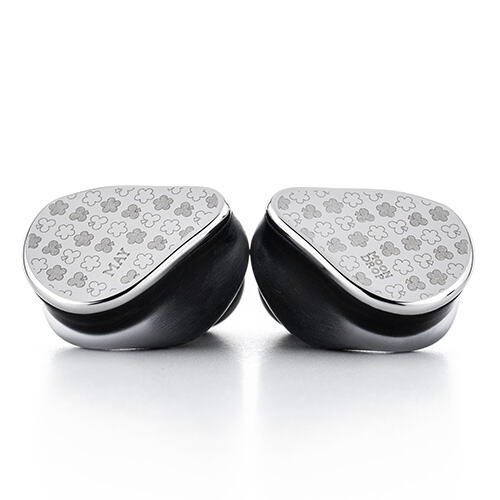
Cable Flexibility: The Deciding Factor for Many Buyers
If cable flexibility matters to you, the May is the clear winner in this pairing. Because it uses a standard 0.78mm interchangeable cable, you can run it as a normal analog IEM with your existing amp or dongle collection, then switch to the included USB-C DSP cable when you want the tuning assistance. The Rays offers no such choice — its DSP and cable are one fixed unit.
This matters practically: if you already own a stable of aftermarket cables or a favorite balanced amp setup, the May slots into that ecosystem. The Rays asks you to commit to its single connection method entirely.
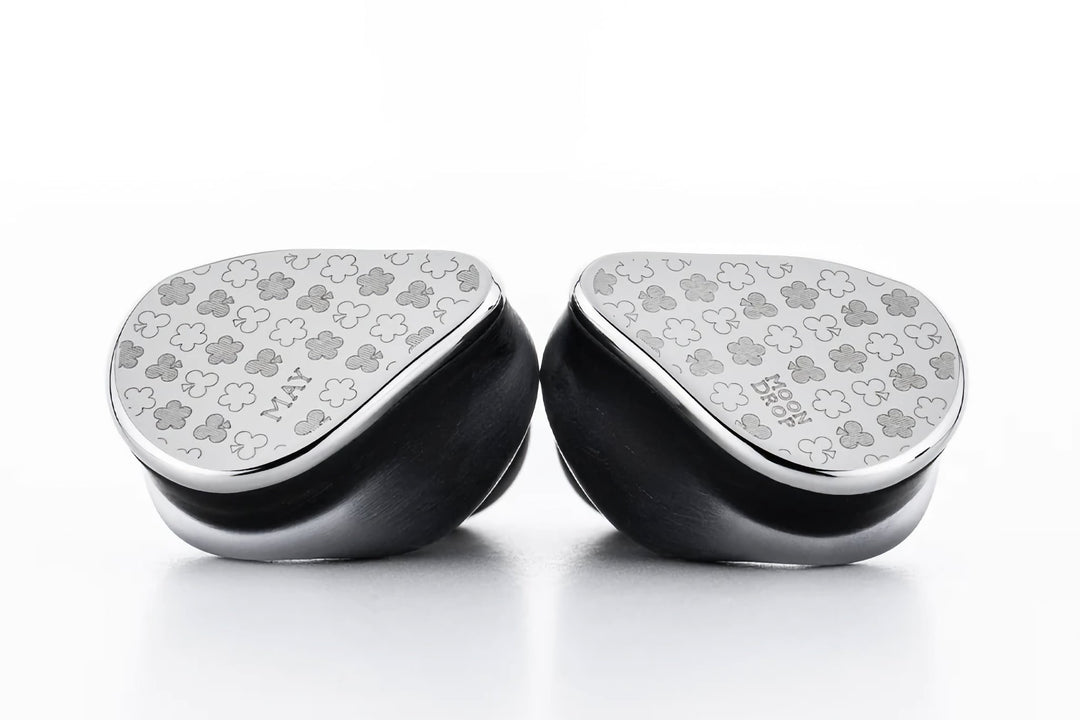
Sound Comparison
Listening to the same tracks on both, the May’s VDSF-guided tuning felt more evenly balanced across the frequency range, with treble extension from the planar driver adding air without becoming fatiguing. The Rays, tuned more aggressively for positional cues and clarity in busy in-game audio, felt slightly more forward and less “neutral” by comparison — which is exactly the point of its design, just not ideal for casual music listening.
Who Should Buy Which
- Buy the Rays if: gaming is your primary use case and you want zero-setup DSP tuning built into the cable
- Buy the May if: you want a hybrid IEM for general music listening with the flexibility to use your own amp or cable setup
- Buy neither if: your budget is tight and you have not yet tried a simpler single-driver IEM like the Quark2 or Aria 2 first
Comfort and Shell Design
Both use a similarly compact faceplate-style shell, and in my time with each, neither caused fatigue over an hour-plus session. The May’s shell has a slightly smoother transition where the faceplate meets the housing, which I noticed mostly when inserting and removing them rather than during actual wear. Neither model felt heavy or unbalanced in the ear, which is a fair expectation at this price tier from a company with as much shell-design experience as Moondrop has.
App Support and Firmware
Both the Rays and the May connect to Moondrop’s companion app for firmware updates and additional tuning options, though the practical use differs. On the Rays, the app is mostly about managing and downloading the game-specific tuning presets. On the May, the app leans more toward general EQ adjustment and profile sharing with the wider Moondrop community, consistent with its more general-purpose positioning.
I checked both for pending firmware updates during testing and found the process identical on both: connect via USB-C, open the app, and confirm the update from the “About” or device info screen. Neither took more than a couple of minutes.
Frequently Asked Questions
Can the Moondrop May be used without its DSP cable?
Yes, it supports swapping to a standard analog 0.78mm cable, unlike the Rays which is locked to its fixed USB-C DSP cable.
Do the Rays and May sound similar since they share a driver layout?
They share a similar hybrid dynamic-plus-planar concept, but tuning intent differs significantly — gaming-focused for the Rays, general HiFi for the May.
Is the May more expensive than the Rays?
Yes, the May is generally positioned as the pricier, more general-purpose hybrid IEM in Moondrop’s lineup.
Which is better for critical music listening?
The May, thanks to its VDSF-tuned, more neutral presentation and cable flexibility for pairing with dedicated amps.
A Note on Long-Term Value
Because the May’s cable is swappable, it tends to hold value better over time — a worn or damaged cable is a small, cheap fix rather than a reason to retire the whole earphone. The Rays trades that long-term flexibility for a simpler, more consistent out-of-box experience, which is a reasonable tradeoff for a product whose entire pitch is “plug in and it just works” during a match.
Troubleshooting Common Issues
One earpiece sounds quieter or different than the other
Start by reseating the eartip and checking the nozzle for wax or dust buildup, since a partial seal is the most common cause of a perceived channel imbalance on both models. If the issue persists on the May, try swapping to the alternate cable to rule out a loose connector at the 0.78mm pin.
Rays won’t load a specific gaming preset
Disconnect and reconnect the USB-C cable, then reopen Moondrop’s companion app and check for a pending firmware update before retrying — preset syncing occasionally stalls if the app was mid-update when you last closed it.
May produces no sound after switching cables
Confirm the analog cable is fully seated at the 0.78mm connector on both earpieces; a cable that looks connected but isn’t fully clicked in is an easy thing to miss and the most frequent cause of silent output after a cable swap.
App won’t detect either device for a firmware check
Try a different USB-C cable and port first, since some cables are charge-only and won’t pass data. If detection still fails, restart the app and reboot the device you’re connecting from before assuming it’s a hardware fault.
Conclusion
The Rays and May share more hardware DNA than most Moondrop comparisons, but their intended use cases still point buyers in different directions. If you want a dedicated gaming tool that requires zero setup, the Rays fits that job perfectly. If you want a flexible hybrid IEM that can grow with a broader audio setup over time, the May’s cable-swapping flexibility makes it the more adaptable long-term purchase.
Both IEMs were tested side by side using matched volume levels across gaming sessions and a shared music playlist.