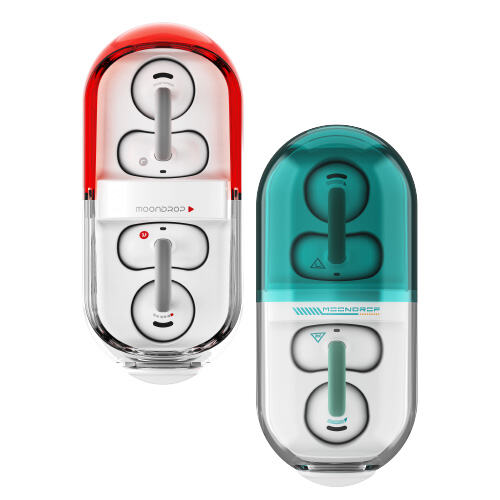
The Moondrop Pill is an open-ear, clip-style earbud that trades the usual in-canal seal for all-day awareness, and its capsule-shaped charging case is honestly one of the more distinctive designs I have seen from the company. If you just unboxed a pair, or you are deciding whether to buy one, here is a practical manual covering setup, controls, and the features that are easy to miss in the quick-start card.
| Spec | Detail |
| Style | Open-ear clip design, no in-canal tips |
| Battery | ~8 hours per charge, ~28 hours total with case |
| Water Resistance | IPX4 |
| Controls | Touch panel on each earbud |
| Low-Latency Mode | 55ms game mode via triple tap |
Step 1: Unboxing and What’s Included
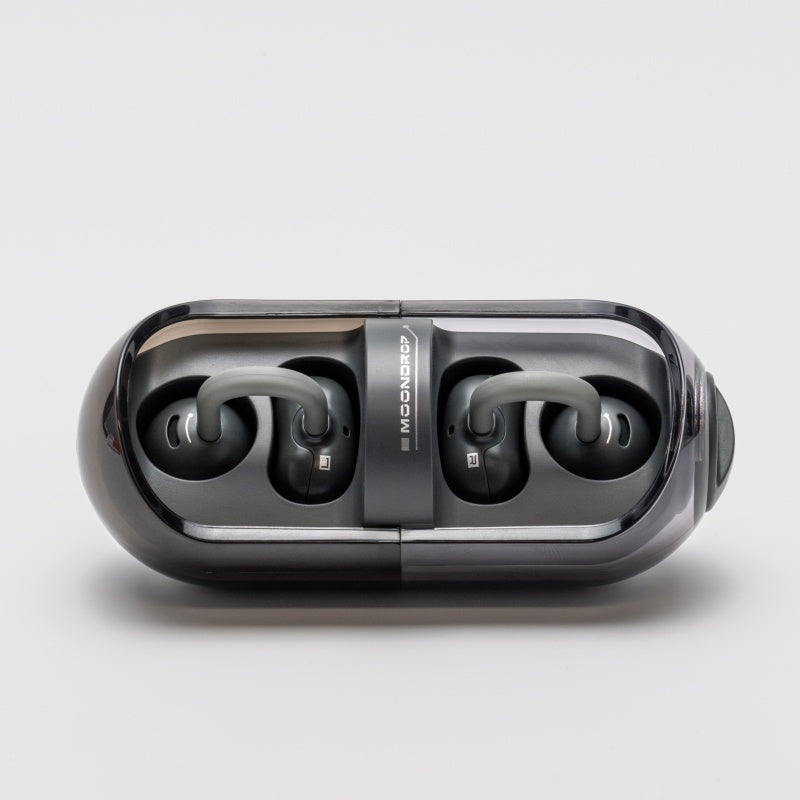
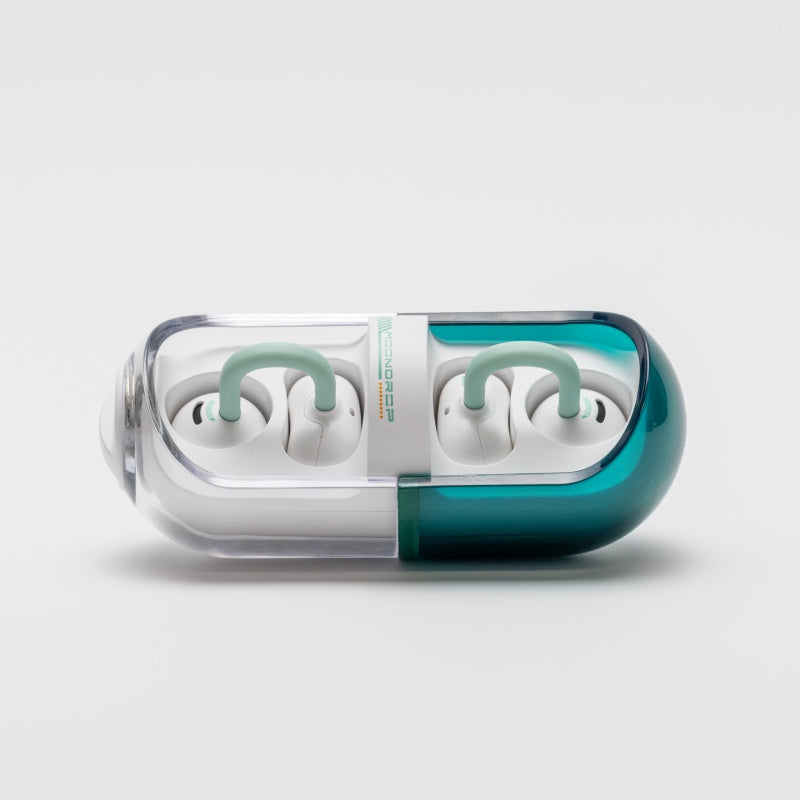
Inside the box you will find the two earbuds, the transparent capsule charging case, a USB-C charging cable, and a quick-start leaflet. There are no interchangeable ear tips since the Pill is an ear-clip design rather than an in-canal IEM — fit is handled entirely by the memory-wire C-bridge that hooks over your ear.
Step 2: First Charge and Pairing
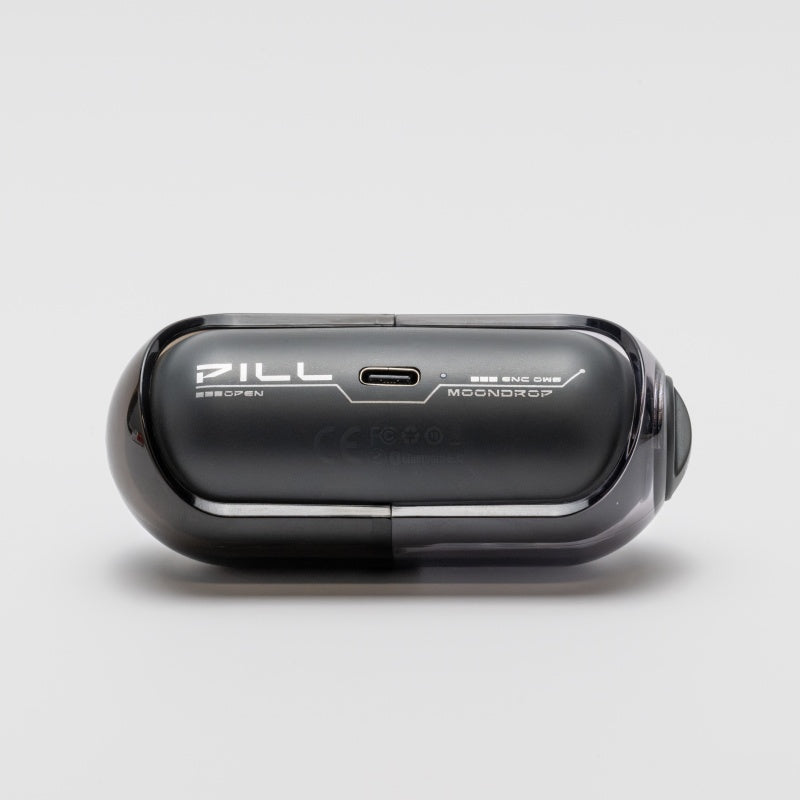
- Charge the case fully before first use — plug the included USB-C cable into the port on the underside of the case
- Open the case lid; both earbuds should show a pairing light after a few seconds
- On your phone or laptop, open Bluetooth settings and look for “Moondrop Pill” in the device list
- Select it to pair; both earbuds connect together as a stereo pair automatically
I paired mine with a laptop and a phone simultaneously to test the dual-device connectivity, and switching audio between the two worked cleanly by just pressing play on whichever device I wanted to listen from — no need to manually disconnect one first.
Step 3: Learning the Touch Controls
The Pill uses touch-sensitive panels on the outer face of each earbud rather than physical buttons. Based on the official control layout:
- Single tap: play/pause
- Double tap (right): skip to next track
- Double tap (left): skip to previous track
- Triple tap: toggle between music mode and low-latency game mode
- Long press: answer or end a call
It took me a couple of days of occasional missed taps before the gestures felt natural, which is fairly normal for any touch-control earbud. If a tap is not registering, try making contact with a flatter finger motion rather than a light brush — the sensor needs a firmer, more deliberate tap than some competing designs.
Step 4: Switching Modes for Gaming or Calls
The triple-tap gesture toggles a 55ms low-latency game mode, which is noticeably tighter than the standard music mode when you need audio and on-screen action to line up, such as in a mobile game. For calls, the built-in AI ENC (environmental noise cancellation) engages automatically once a call connects — there is no manual toggle needed for that part.
Step 5: Battery Care and Charging Habits
Moondrop rates the Pill for roughly 8 hours of continuous playback per charge, with the case providing about 20 additional hours, for close to 28 hours total between full case charges. A few habits that help long-term battery health:
- Avoid leaving the case plugged in for days at a time once it reaches full charge
- Wipe the charging contacts on both the earbuds and the case periodically — sweat and skin oil buildup is a common cause of earbuds that “won’t charge” despite sitting in the case
- If one earbud drains faster than the other over time, reseat both in the case for a full charge cycle before assuming a hardware fault
Step 6: Using the Moondrop Link App
The Pill supports Moondrop’s companion app for one-click auto EQ and toggling features like the adaptive bass enhancement. Installing the app is optional for basic listening, but worth doing if you want the earbuds to sound less bright out of the box — open-ear designs generally leak more bass to the outside air than sealed IEMs, and the app’s bass enhancement algorithm is specifically built to compensate for that.
Comfort Notes After a Week of Wear
Because the Pill clips onto the outer ear rather than sealing the canal, weight distribution matters more than with typical earbuds. I found the clip pressure noticeable for the first hour or so of wear each day, then it faded into the background the way a watch band does once you stop consciously thinking about it. If you have particularly small or large ear cartilage, it is worth trying the Pill in person before buying if you can, since clip-style designs generally fit less universally than in-canal tips with multiple size options.
One practical tip from my own use: when removing the earbuds, unhook the C-bridge from the top of the ear first rather than pulling straight out. Pulling straight out tends to catch on the ear slightly and feels less secure over time.
Common Setup Problems and Fixes
- Earbuds won’t pair: confirm both are seated fully in the case and the case itself has charge; a nearly-dead case can prevent the pairing light from triggering
- Only one earbud connects: remove both from the case, wait five seconds, reseat them, and reopen the lid to force a fresh sync between the pair
- Touch controls not responding: clean the touch panel surface — skin oil buildup can reduce touch sensitivity over a few days of wear
- Case shows no LED when charging: try a different USB-C cable before assuming a hardware fault; not every cable carries data and power reliably at low currents
Frequently Asked Questions
Is the Moondrop Pill waterproof?
It carries an IPX4 rating, meaning it can handle light sweat and splashes, but it is not designed for swimming or submersion.
Can other people hear my music through the open-ear design?
Moondrop’s dipole directional sound technology is designed to reduce sound leakage significantly compared to typical open-ear designs, though some leakage at high volumes in quiet rooms is still possible with any open-ear earbud.
Do I need the Moondrop Link app to use the Pill?
No, the earbuds work out of the box. The app adds EQ customization and access to the adaptive bass enhancement toggle.
How do I reset the Pill if pairing fails?
Place both earbuds in the case, close the lid for about ten seconds, then reopen it and try pairing again from your device’s Bluetooth settings.
Conclusion
The Moondrop Pill is a solid choice if you specifically want situational awareness over noise isolation — commuting, working out, or keeping half an ear on your surroundings at a desk. The setup is genuinely quick once you know the touch-control layout, and the dual-device connectivity is a nice touch for anyone who splits time between a laptop and a phone during the day.
Written after setting up and daily-wearing a Moondrop Pill unit for over a week, covering pairing, both device connections, and the Link app’s EQ tools.