People searching for a “Chu 2 manual” are usually expecting something more complicated than what’s actually involved. The Chu 2 is fundamentally a simple, high-value in-ear monitor — there’s no pairing process, no firmware to flash, and setup mostly comes down to picking the right eartips and, if you have the DSP version, installing one companion app. Here’s what actually matters in day-to-day use.
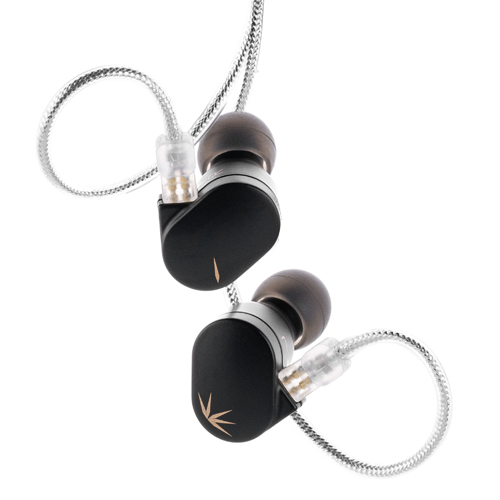
| Driver | 10mm dynamic, Aluminum-Magnesium diaphragm |
| Impedance | 18Ω |
| Sensitivity | 119dB/Vrms (DSP version) |
| Frequency Response | 15Hz–38kHz |
| Cable | 0.78mm 2-pin detachable |
| Connection Options | Standard 3.5mm or USB-C DSP |
| Companion App | Moondrop Link (DSP version only) |
Which version do you have
Moondrop sells the Chu 2 in two flavors that behave differently enough to matter here:
- Standard 3.5mm Chu 2: a fully analog wired IEM. Plug it into any 3.5mm jack or a basic USB-C/Lightning dongle and it just works, no app needed.
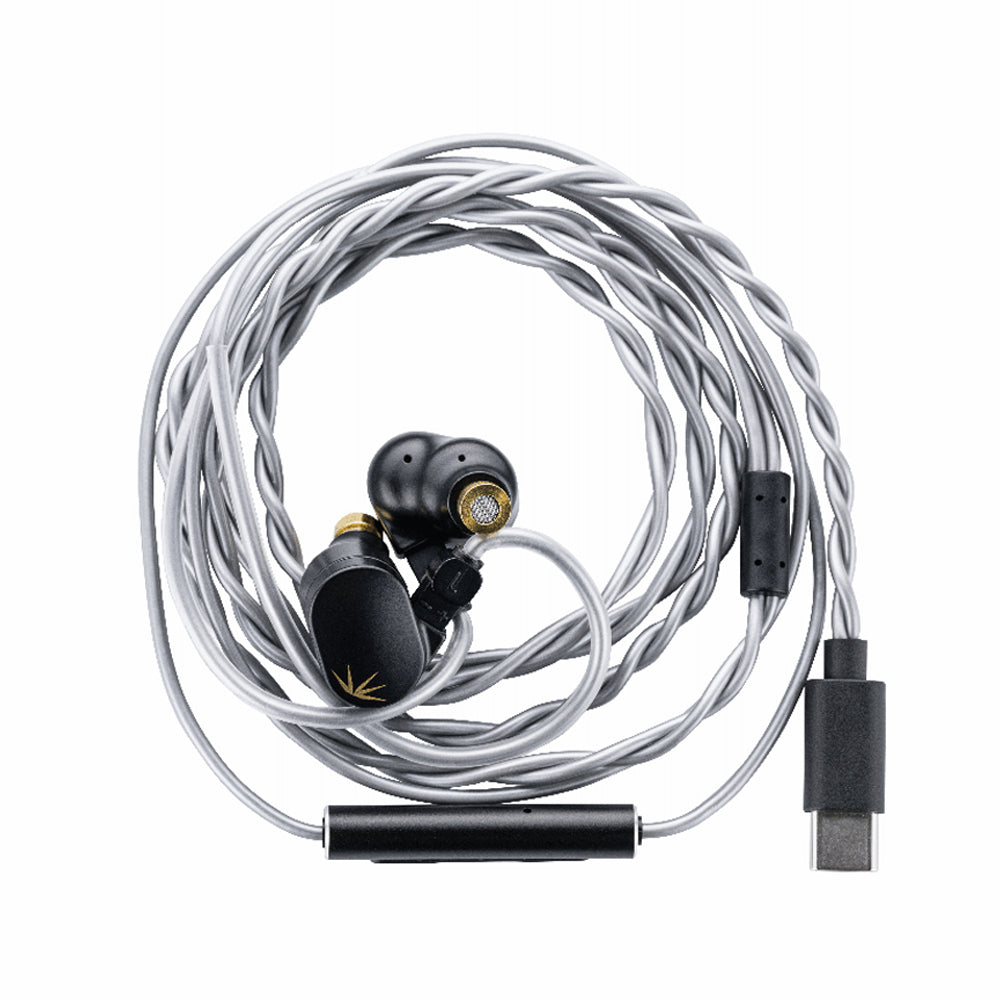
- Chu 2 DSP (USB-C): uses digital signal processing over a USB Type-C connection, with three switchable bass tuning presets accessible through the Moondrop Link app.
If your unit has a plain 3.5mm plug, skip the app section below entirely — there is nothing to install, and the “manual” for that version really is just fit, cable care, and eartip selection.
Getting set up
The Chu 2 ships with several silicone tip sizes. A proper seal changes bass response more than almost anything else you can do, so try each size before deciding the tuning isn’t for you.
The DSP version plugs directly into a phone or laptop’s USB-C port. No drivers are required for basic playback — the DAC and DSP chip are built into the inline module on the cable.
Download Moondrop’s companion app to access the three onboard bass tuning presets. The app communicates with the earphone over the same USB-C connection.
The 0.78mm 2-pin connectors are detachable, so avoid yanking the cable at the earpiece itself. Unplug by gripping the connector housing, not the wire.
Coil the cable loosely rather than wrapping it tightly, and store the earpieces in a case to avoid nozzle damage or debris buildup in the mesh filters.
Basic specs worth knowing
- 10mm dynamic driver with an Aluminum-Magnesium alloy composite diaphragm
- 18Ω impedance, 119dB/Vrms sensitivity (DSP version)
- Frequency response 15Hz–38kHz, effective range 20Hz–20kHz
- 0.78mm 2-pin detachable cable, CNC-machined brass nozzles
Common fit and sound questions
A loose or shallow seal is the most common reason people think a Chu 2 sounds thin or bass-light. Because the nozzle bore and tip size directly affect how much low end reaches your ear canal, spend the ten minutes it takes to try two or three tip sizes before assuming the tuning itself is the problem.
If you have the DSP version and the three built-in presets don’t quite land right for your taste, check for app updates through Moondrop’s official product page periodically, since companion apps for budget DSP earphones do get incremental tuning refinements over time.
Wearing the cable correctly
Most people default to wearing IEM cables hanging straight down, the way old wired earbuds worked, but the Chu 2’s cable is designed to be worn over-ear, looped up and behind the ear before running down to your device. This isn’t just a style choice — over-ear wearing reduces microphonics, the thumping noise you hear when a cable brushes against clothing or bumps into something while you move. If you’ve been wearing the Chu 2 cable-down and noticing distracting noise during walks or workouts, switching to the over-ear style usually solves it immediately.
The 0.78mm 2-pin connectors are marked left and right, usually with a small colored dot or an L/R printed marking near the connector housing. Double-check this when reattaching the cable after cleaning or swapping to an aftermarket option, since an incorrectly wired channel swap is a common and completely avoidable mistake.
Cleaning and long-term maintenance
- Wipe the shell and cable with a dry or slightly damp cloth after use, avoiding harsh solvents that can degrade the resin finish
- Check the nozzle mesh periodically for wax buildup, since a clogged mesh will noticeably dull treble clarity over time
- Store in a case rather than loose in a bag or pocket to avoid nozzle damage or debris entering the mesh filter
- If using the DSP version, keep the Moondrop Link app updated for the latest tuning refinements and bug fixes
Frequently asked questions
Does the Moondrop Chu 2 need a manual to set up?
Not really. The standard version is plug-and-play analog. The DSP version only needs the Moondrop Link app if you want to use the built-in bass presets — basic playback works without it.
Why does my Chu 2 sound different from reviews I’ve read?
Eartip seal is the most common culprit. A loose seal reduces bass and can make the treble sound thinner than intended. Try different tip sizes before assuming a tuning mismatch.
Can I use the DSP version without installing any app?
Yes, it will pass audio over USB-C using its default tuning without the app. The app is only needed to switch between the three bass presets or access deeper EQ options.
Is the cable replaceable if it gets damaged?
Yes, both versions use a standard 0.78mm 2-pin detachable connector, so third-party replacement cables are widely available.
Troubleshooting common issues
If one channel suddenly sounds quieter than the other, check the 2-pin connector seating first — a loose connection is the most common cause and is easily fixed by firmly reseating the cable. If the DSP version isn’t recognized by your phone or laptop, try a different USB-C cable or port first, since cheap USB-C cables occasionally lack full data lines needed for digital audio, then check for app updates if the hardware itself checks out fine.
Wrapping up
The Chu 2 doesn’t need a complicated manual because it isn’t a complicated product — get the seal right, install the app only if you have the DSP version and want the tuning presets, and take basic care of the detachable cable. That’s really the whole story.
About the author: I write about budget audio gear partly because I enjoy finding products where the actual user manual is shorter than the marketing copy.