I keep an Anker power bank in every bag I own, and the 10000mAh size is the one I reach for most because it is small enough to forget about until I actually need it. If you just bought one, or you are staring at the blinking lights wondering what they mean, this guide walks through exactly how to charge it, how to charge your devices from it, and how to read the indicators so you are never caught guessing.
Anker has sold several 10000mAh models over the years under the PowerCore name, including the original PowerCore 10000 and the slimmer PowerCore Slim 10000 variants. The steps below apply to the current PowerCore 10000 (model A1263), which is the most common 10000mAh unit Anker sells today, but the charging process is nearly identical across the whole 10000mAh lineup since they all share the same basic input port, LED indicator system, and single-button design.
Charging the Power Bank Itself
Before you can charge anything else, the power bank needs its own charge. Here is the process I follow every time I unbox a new one or top it off after a trip.
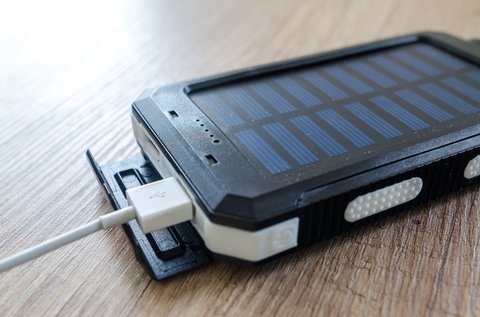
- Plug a USB cable into the power bank’s input port (Micro USB on most 10000mAh Anker models, USB-C on newer revisions).
- Connect the other end to a wall adapter rated at least 5V/2A, or to a laptop USB port if a wall adapter is not available.
- Press the power button once if the unit does not start charging automatically — most Anker power banks begin charging as soon as power is applied, but a quick press confirms the indicator lights turn on.
- Leave it connected until all four LED indicators turn off, which signals a full charge.
A full recharge from empty typically takes six to seven hours with a 2A charger. Using a weaker 1A charger will roughly double that time, so it is worth digging out a proper 2A adapter rather than the small charger that came with an old phone.
Reading the LED Indicator Lights
The four LEDs on the side of the unit are the only feedback you get, so learning what they mean saves a lot of confusion. Each LED represents roughly 25% of the battery capacity:
- One LED lit means the battery is critically low, below about 25%.
- Two LEDs lit means the battery is between 25% and 50%.
- Three LEDs lit means the battery is between 50% and 75%.
- All four LEDs lit means the battery is fully charged or close to it.
While charging, the LEDs blink in sequence to show progress, and once charging is complete every light turns off on its own to save power. A quick tap of the power button at any time will show you the current charge level for a few seconds, which is handy before you leave the house.
Charging Your Phone or Tablet From the Power Bank
Once the power bank itself has a charge, using it to top up a phone is straightforward:
- Press the power button once to wake the unit up (on some models output starts automatically the moment a cable is connected).
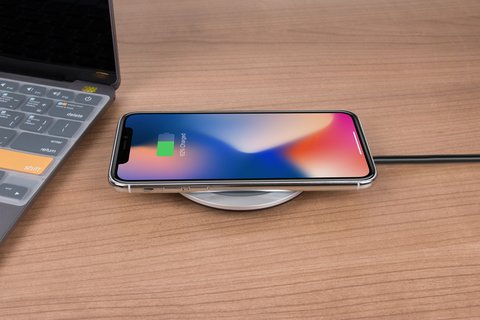
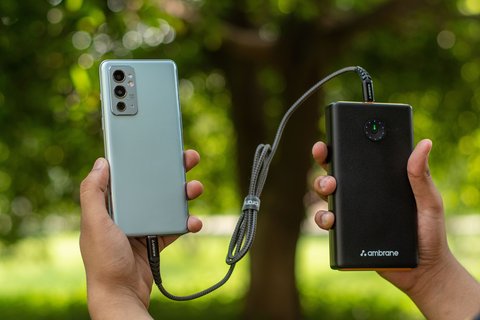
- Plug your device into the output port using its own charging cable.
- Watch for the LEDs to confirm the power bank recognizes a connected load.
- Unplug once your device reaches the charge level you want, or let it run until the power bank shuts off automatically.
One detail that trips people up: the standard PowerCore 10000 does not support pass-through charging, meaning you cannot charge the power bank itself and use it to charge a phone at the same time. If you plug it into the wall while a phone is attached, the internal circuitry is not designed to route power through, and in some cases it will not charge either device properly. Charge the bank fully first, then use it separately.
How Many Charges Can You Expect?
A 10000mAh rating refers to the raw cell capacity, not the usable output, since some energy is lost to voltage conversion. In real-world use I typically get:
- About 2 to 2.5 full charges for an average smartphone with a 4000-4500mAh battery.
- Around 1.5 charges for larger phones with bigger batteries.
- A partial charge, roughly 30-40%, for a small tablet.
Tips I Wish I Knew Earlier
A few habits make a real difference in how long the battery inside the power bank lasts over the years:
- Use a certified or original cable. Cheap cables can undercharge the unit or trigger safety cutoffs.
- Do not let the power bank sit fully drained for long stretches. Anker recommends recharging it at least once every four months even if you are not using it, to avoid deep-discharge damage to the lithium-ion cell.
- Store it somewhere that is not too hot. Leaving a power bank in a car on a summer day is one of the fastest ways to degrade battery capacity.
- If you ever notice the case feeling warm beyond normal, or swelling slightly, stop using it and check Anker’s support resources for that model.
For full technical specifications and safety documents for your exact model, Anker’s own official site and their support knowledge base are the best sources, since they list the precise input requirements and recall notices for each revision.
Frequently Asked Questions
Can I use my phone charger to charge the power bank?
Yes, as long as it outputs at least 5V/2A. Lower-power chargers will still work but take considerably longer.
Why won’t my power bank charge my phone?
Check that the power bank itself has charge remaining (press the button to check the LEDs), try a different cable, and confirm you are plugging into the output port rather than the input port, since some models label them differently.
Is it safe to leave the power bank charging overnight?
Anker units include overcharge protection, so the circuitry stops accepting current once full. It is still good practice to unplug it once you notice all LEDs off, simply to reduce unnecessary wear on the charging port.
Does the 10000mAh size support fast charging?
Some newer 10000mAh Anker models support Power Delivery or Quick Charge output, but the original PowerCore 10000 uses standard 5V/2.4A output. Check the printed specs on the bottom of your unit to confirm which version you own.
Conclusion
An Anker 10000mAh power bank is about as close to fuss-free portable charging as you can get, once you know the basic rhythm of charging it fully, reading the LED lights, and giving it a rest between deep cycles. I have carried mine through several years of daily commutes and it still holds a reliable charge, which says a lot about how simple and durable this design really is.
Ryan has spent years testing and writing about consumer chargers, cables, and portable power gear for everyday tech users, breaking down manufacturer manuals into steps that actually make sense.