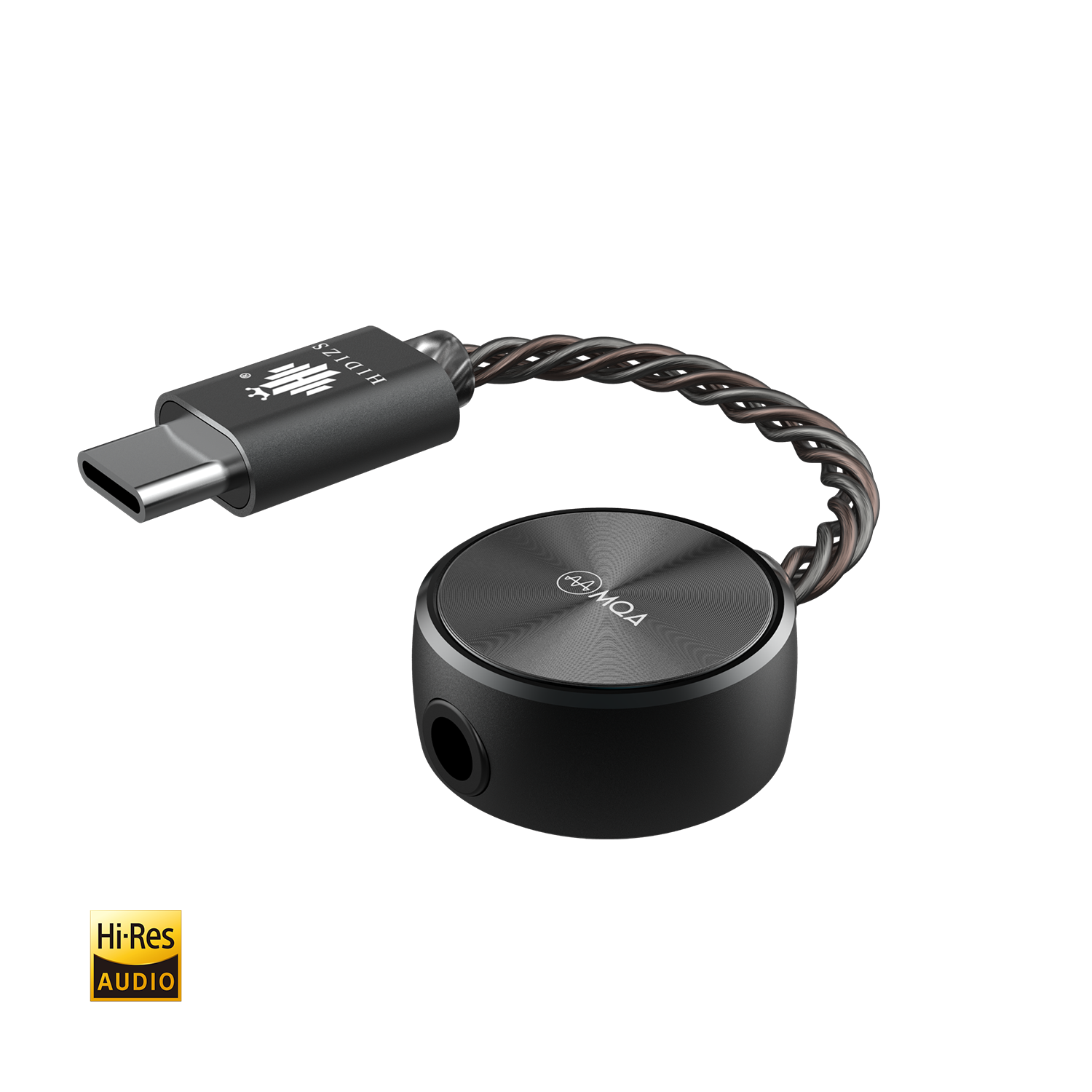
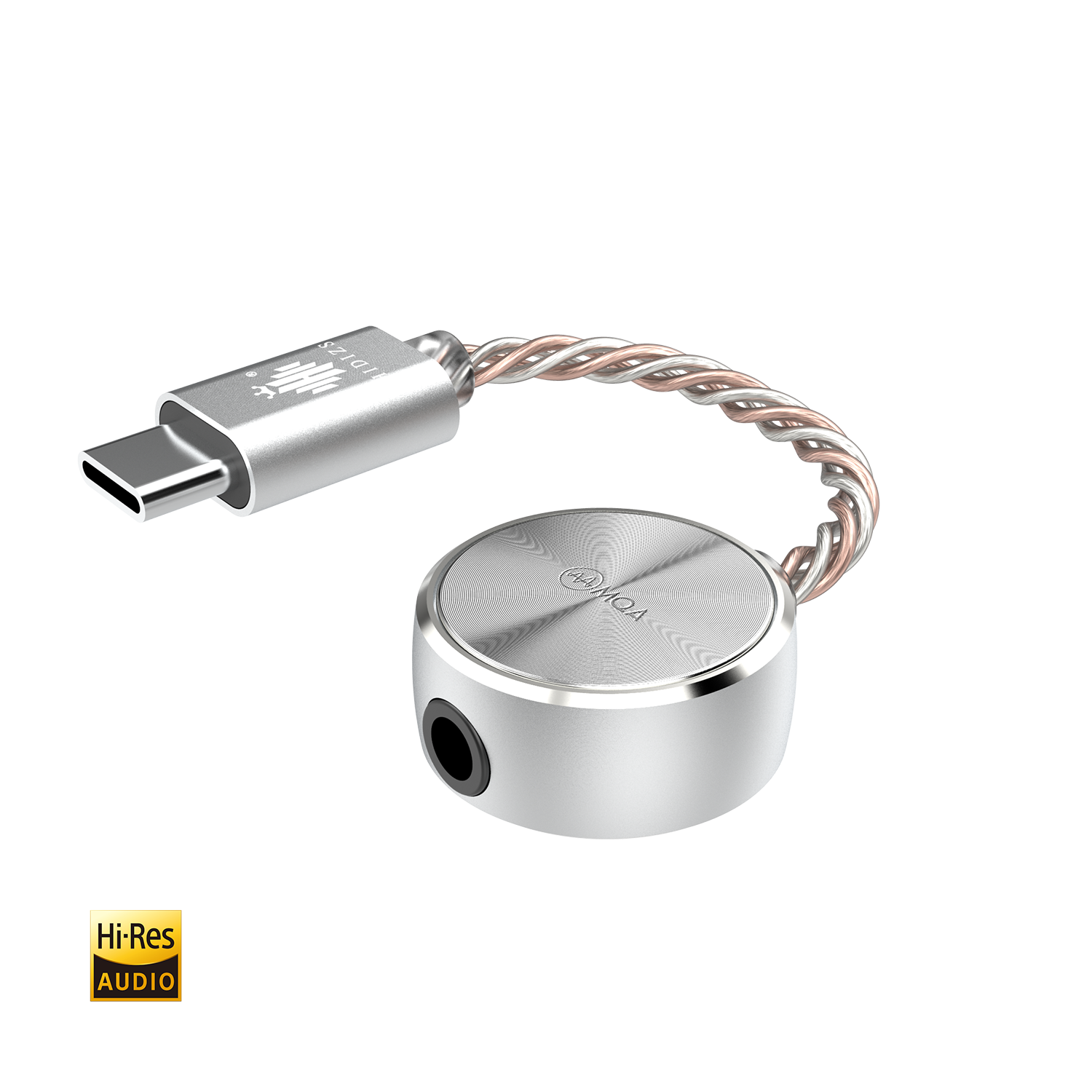
The Hidizs S3 Pro is not an earphone, even though the S-series naming sometimes gets lumped in with Hidizs’ IEM lineup in casual conversation. It is a USB-C dongle DAC and amplifier — a small stick that plugs into your phone or laptop’s USB-C port and gives you a proper 3.5mm headphone jack with a real DAC chip behind it, instead of relying on your device’s built-in (and usually mediocre) audio output.
I have kept an S3 Pro in my laptop bag for a while now specifically because it solves a problem a lot of modern phones and laptops share: no headphone jack, and the USB-C audio that is built in is often noisy or underpowered. Here is how it actually performs and who it makes sense for.
| Brand | Hidizs |
| Model | S3 Pro |
| Type | USB-C dongle DAC / amplifier |
| DAC chip | ESS Sabre ES9281C PRO (single) |
| Output power | Up to 55mW |
| Format support | PCM 32-bit/384kHz, DSD128, 8x MQA |
| Weight | Approximately 6g |
What the S3 Pro actually is
Inside the aluminum shell sits a single ESS Sabre ES9281C PRO DAC chip, which handles both the digital-to-analog conversion and part of the amplification duties. It supports PCM audio up to 32-bit/384kHz and native DSD up to DSD128, along with 8x MQA rendering for streaming services that use that format. Output power tops out around 55mW, which is modest by dedicated desktop amp standards but plenty for the vast majority of IEMs and easy-to-drive headphones.
Key specifications
- DAC chip: ESS Sabre ES9281C PRO (single)
- Audio support: PCM up to 32-bit/384kHz, DSD up to DSD128, 8x MQA
- Output power: up to 55mW
- Signal-to-noise ratio: -117dB
- Connectivity: USB Type-C input, 3.5mm single-ended output with inline microphone support
- Dimensions: approximately 90 x 20 x 10mm, about 6g
- Body: aluminum chassis
Sound quality and real-world performance
Compared with a phone’s built-in USB-C audio, the jump is immediately obvious — background hiss drops, dynamic range opens up, and quieter IEMs stop sounding thin and compressed. Compared with other dongle DACs in a similar price bracket, the S3 Pro sits solidly in the “does the job well without pretending to be a flagship” category. It is clean, reasonably neutral, and has enough power on tap for typical IEMs and easy over-ear headphones, but it will run out of steam if you try to drive a demanding planar or a high-impedance headphone.
One detail worth calling out: the S3 Pro ships with three tuning options implemented as firmware installs rather than physical switches, so you can flash a different sound profile if you want a bit more warmth or brightness than the default tuning offers.
Setting it up
- Plug the USB-C end directly into your phone, tablet, or laptop’s USB-C port.
- Most modern operating systems (Android, iOS with a USB-C port, Windows, macOS) recognize it automatically as a USB audio device without needing a driver install.
- Plug your headphones or IEM into the 3.5mm jack on the dongle itself, not your device’s built-in jack if it has one.
- If you want to try a different sound signature, check Hidizs’ support page for the current firmware tuning files and flashing instructions.
One practical note: because it draws power from your device rather than having its own battery, expect a modest hit to battery life during long listening sessions, especially on phones.
Living with it in a laptop bag
The main reason I keep an S3 Pro around rather than a bigger dongle is how little it asks of me. It does not need a case, it does not add meaningful bulk to a laptop sleeve, and I have genuinely forgotten it was plugged in more than once while switching apps on my laptop, which says something about how unobtrusive it is in daily use. The aluminum shell has held up fine to being tossed into a bag alongside keys and a phone charger for months without visible wear, which matters more than it sounds for something this small and easy to lose track of.
One practical annoyance worth flagging: because it is a fairly slim, elongated dongle, it can put a bit of strain on a USB-C port if your headphone cable pulls at an angle, especially on phones where the port is on the bottom edge and the dongle hangs down while you are holding the phone. It has never caused a problem for me, but I am mindful of the angle when I am walking rather than just sitting still, and I would recommend the same caution to anyone using it primarily with a phone rather than a laptop.
Compared with going without any dongle at all and just using a phone’s built-in DAC (on devices that still have a 3.5mm jack) or a generic no-name USB-C adapter, the improvement in clarity and reduced background noise is immediately noticeable within the first track, which is really the whole value proposition of a budget dongle DAC like this one.
Who it is for
The S3 Pro makes the most sense for anyone with a modern phone or laptop that lacks a headphone jack, who wants noticeably better sound than the built-in USB-C audio without spending on a bulkier desktop DAC/amp setup. It is not for anyone trying to drive power-hungry planar headphones or high-impedance studio cans — for that, look at a desktop amplifier or a more powerful balanced dongle instead.
Full specifications and firmware downloads are available on the official Hidizs S3 Pro product page.
Common Setup Problems and Fixes
- Problem: Device does not recognize the dongle at all. Try a different USB-C port or cable first, since some phones and laptops are picky about USB-C alt-mode support; also confirm the device is not in a restricted charging-only mode.
- Problem: No sound even though the device shows it is connected. Check your operating system’s audio output settings — some phones and laptops default back to the built-in speaker or a previously paired Bluetooth device instead of switching to the new USB audio output automatically.
- Problem: Volume seems unusually low. Confirm the OS-level volume is not separately muted from the media volume, and check that you have not accidentally selected a lower-gain firmware tuning profile if you previously flashed one.
- Problem: Battery drains noticeably faster than usual. This is expected behavior since the dongle draws power from your device; if the drain feels excessive, try disabling always-on background apps that also compete for power during playback.
- Problem: Firmware flash for a different tuning profile fails or hangs. Use a direct USB-C connection rather than through another adapter or hub, and make sure the device stays connected for the full duration of the flashing process.
Frequently asked questions
Is the S3 Pro an earphone or a DAC?
It is a dongle DAC and amplifier, not an earphone. You plug your existing headphones or IEMs into its 3.5mm jack.
Does it work with iPhones?
Yes, provided your iPhone has a USB-C port. Older Lightning-port iPhones would need a separate Lightning-to-USB-C adapter, which is not guaranteed to work reliably with all dongle DACs.
Can it drive planar magnetic headphones?
It can drive easy-to-power planar IEMs reasonably well, but demanding full-size planar headphones will likely need more power than the S3 Pro’s 55mW can provide.
Does it need a separate app or driver?
No, it works as a standard USB audio class device on most modern operating systems without additional software, though firmware updates for tuning changes are handled through Hidizs’ own tools.
Conclusion
The Hidizs S3 Pro is a compact, well-built dongle DAC that solves a real problem for phones and laptops without a headphone jack, without costing a fortune or requiring you to carry a second device. It will not satisfy anyone chasing maximum output power, but for typical IEMs and easy headphones on the go, it is a dependable upgrade over built-in audio.
Written by Ryan, who has cycled through more USB-C dongle DACs than he would like to admit while looking for the right balance of size and sound quality for daily carry.