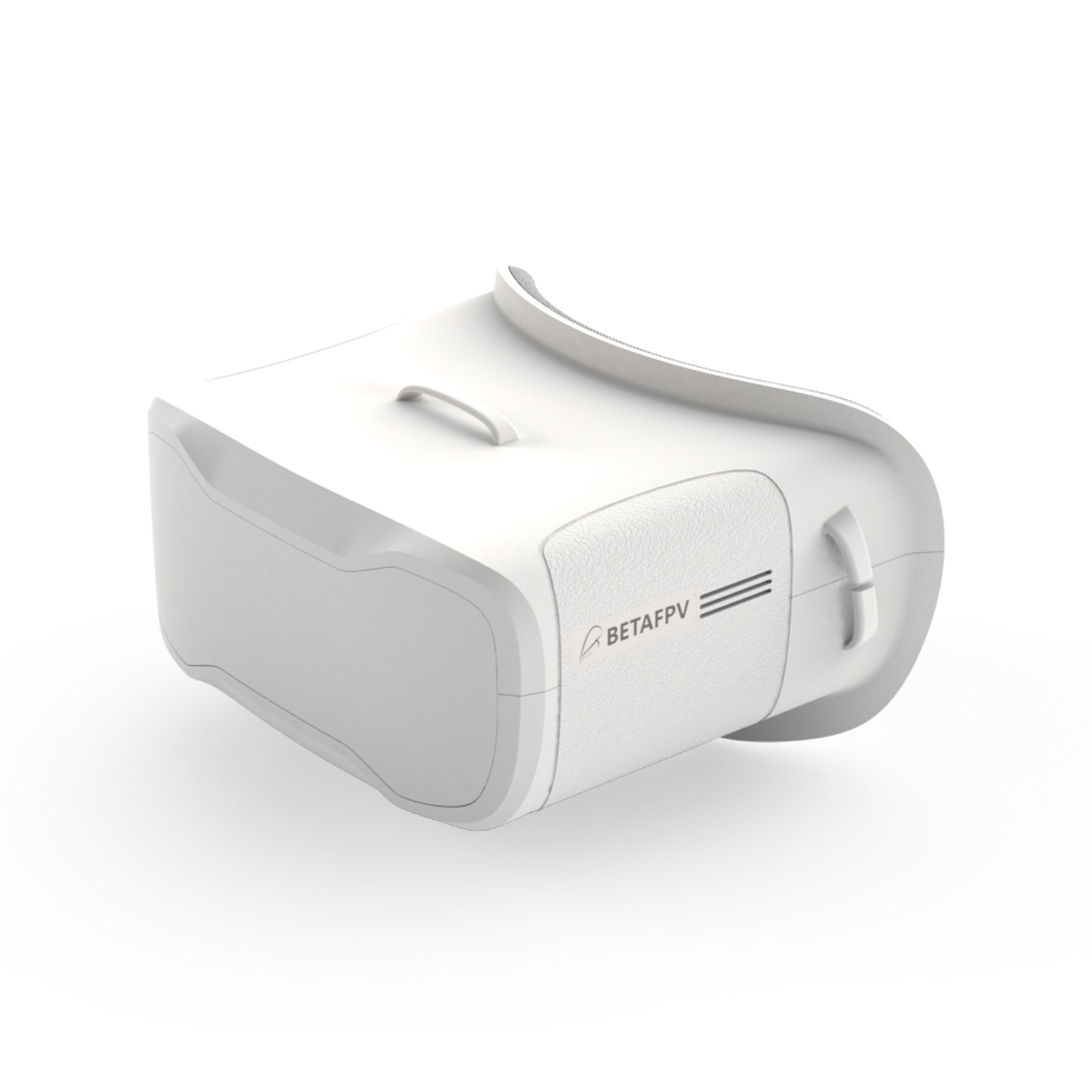
The BETAFPV VR02 is a box-style analog FPV goggle built for beginners who want a simple, affordable way to see through their drone’s camera without stepping up to a dual-screen or digital headset yet. It uses a single 4.3-inch display instead of two separate screens, which keeps the price down and the learning curve short, and it ships with the receiver and antennas already built in so there is nothing extra to buy before your first flight.
I set up a VR02 for a friend’s first mini quad and the single-screen box design took a bit of adjustment coming from true dual-screen goggles — but spending a few minutes on eye relief and focus before the first flight made the image noticeably sharper and far more comfortable to fly with.
| Model | BETAFPV VR02 |
| Type | Box-style analog FPV goggle |
| Display | Single 4.3-inch screen |
| Receiver | Built-in analog receiver |
| Antennas | Included |
| Best for | Beginner FPV pilots |
Key Specs
- Model: BETAFPV VR02 analog FPV goggles
- Display: 4.3-inch LCD, 800×480 resolution, high-brightness panel
- Receiver: Built-in 5.8GHz 40-channel receiver
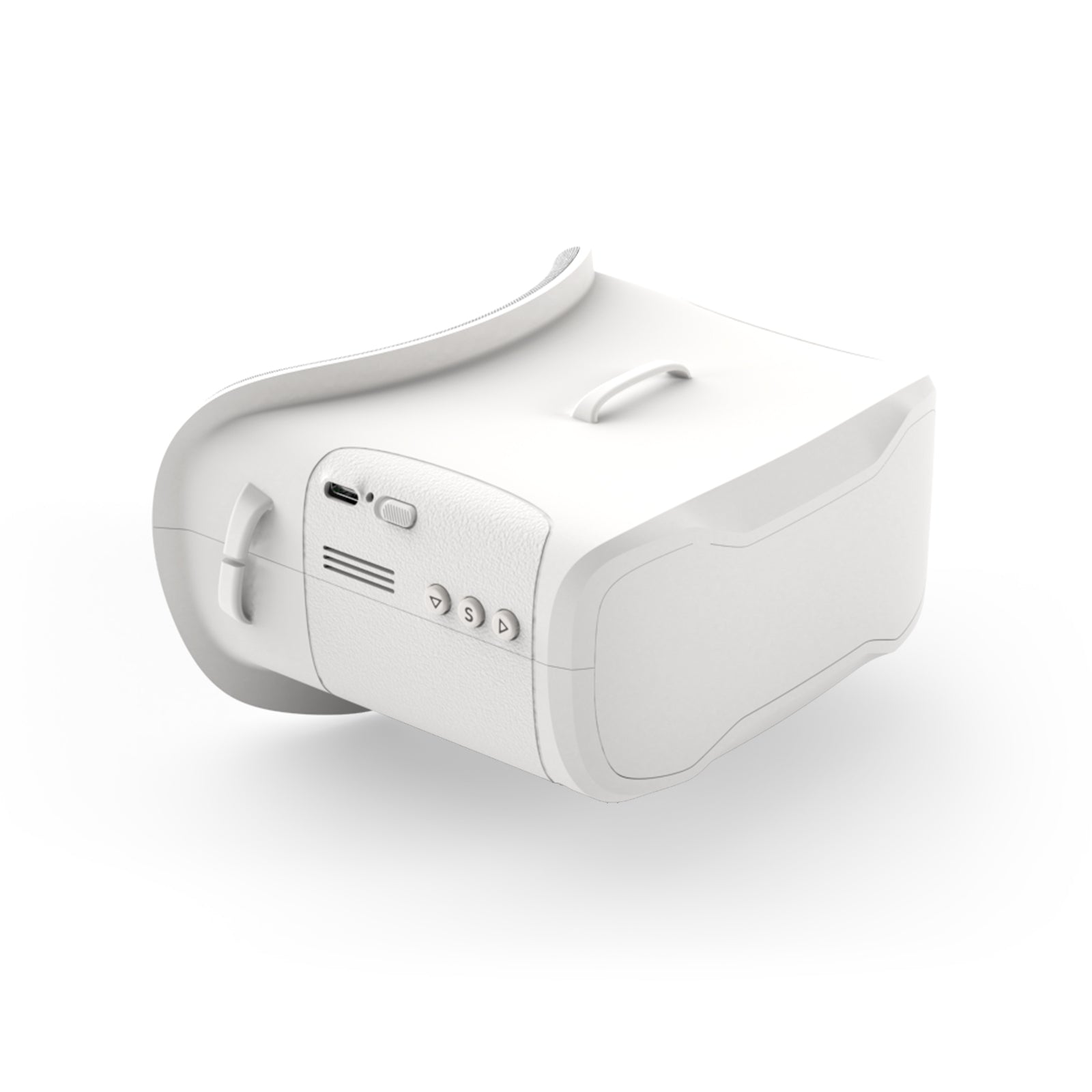
- Antennas: Built-in 5.8G 14dBi antennas, no external antenna needed
- Battery: Built-in 3.7V / 2000mAh rechargeable pack
- Weight: Under 300 grams including antennas
- Frequency search: Auto-scan function, roughly 2.5 seconds per full sweep
- Price tier: Around $76, budget/entry-level segment
- Compatibility: Any analog 5.8GHz FPV video transmitter (standard band, not DJI digital)
What You Actually Get With a Box-Style Goggle
Unlike dual-screen goggles that put a separate small display in front of each eye through a lens system, the VR02 uses one 4.3-inch LCD panel viewed through a shared eyepiece, similar to looking through a small television mounted close to your face. This design is simpler and cheaper to manufacture, which is part of why box goggles remain the default starting point for new pilots.
The tradeoff is field of view and immersion. A box goggle will not feel as enveloping as a true dual-screen headset, and the image will not appear as large. For learning the basics of manual flight, orientation, and throttle control, though, the difference matters far less than most beginners expect, and the lower price means less money at risk while you are still crashing regularly.
Setting It Up for the First Flight
Getting a VR02 ready to fly does not take long, but a few steps in the right order avoid most first-session frustration:
- Charge the built-in 2000mAh battery fully before the first use, since a partially charged pack can shut off mid-session with no warning.
- Adjust the headband and faceplate foam so the display sits centered and the picture fills your view without cutting off the edges.
- Power on the goggles and run the auto frequency search so they lock onto your drone’s video transmitter automatically rather than requiring a manual channel hunt.
- Fine-tune focus and eye relief once a stable image is showing, since a slightly blurry picture is almost always a focus issue rather than a signal problem.
- Do a short bench test with the quad powered on but the props off, confirming a clean, stable picture before your first real flight.
Signal, Range, and What Limits Them
Because the VR02 uses standard analog 5.8GHz video rather than a digital system, picture quality is a direct tradeoff against distance and interference. Analog goggles degrade gradually as you fly further away — you get static and noise creeping in at the edges of range rather than a hard cutoff — which many beginners actually prefer, since a fading picture is an early warning rather than a sudden total loss of view.
The built-in 14dBi antennas are a reasonable stock option for line-of-sight flying in open areas, but like any analog setup, range and clarity will drop around obstacles, buildings, or in electrically noisy environments with a lot of other 5.8GHz transmitters nearby, such as a busy flying field. This is normal analog behavior and not specific to a fault with this particular unit.
Who the VR02 Actually Makes Sense For
- First-time FPV pilots who want a complete, ready-to-fly goggle without buying a receiver module separately
- Anyone building a budget-conscious tiny whoop or micro quad setup where spending heavily on goggles does not make financial sense yet
- Pilots who plan to upgrade to dual-screen or digital goggles later and want an inexpensive way to learn the fundamentals first
- Buyers who specifically fly analog video systems, since this model will not work with a DJI digital FPV air unit
You can check current stock and full specifications on BETAFPV’s official VR02 product page, and general setup and firmware guidance is available through BETAFPV’s support center.
Troubleshooting and Practical Tips
Most VR02 problems reported by new pilots come down to setup basics rather than a defective unit. Work through these before assuming something is broken:
- No picture at power-on: confirm the goggles are actually charged, then run the frequency auto-search again rather than assuming the drone’s video transmitter is off. A dead goggle battery is the most common cause of a blank screen.
- Picture is blurry or hard to focus: this is almost always the physical focus adjustment on the lens housing rather than a signal issue. Take the goggles off, look at a fixed object a few feet away, and adjust slowly until text or edges look sharp.
- Static or a noisy, snowy image mid-flight: this is expected analog behavior as you approach the edge of range or fly behind an obstacle. Fly back toward your starting position rather than continuing further out.
- Auto-scan won’t lock onto the drone’s signal: confirm the drone’s video transmitter is actually powered on and set to a standard analog band, since digital-only video transmitters are not compatible with these goggles at all.
- Alternate path if auto-scan keeps failing: switch to manual channel selection and step through the bands one at a time while the drone is powered a few feet away, which sidesteps any quirk in the auto-search routine entirely.
Frequently Asked Questions
Does the VR02 work with a DJI digital FPV system?
No. The VR02 is an analog-only goggle. It will not display video from a DJI digital air unit or any other digital FPV video system, since those use a completely different transmission format.
Do I need to buy antennas or a receiver separately?
No, the VR02 ships with its 5.8GHz 40-channel receiver and 14dBi antennas already built in, so it is ready to fly as soon as it is charged.
How long does the built-in battery last?
The 2000mAh built-in battery is rated for several hours of typical use per charge, which comfortably covers a full session of short quad flights before needing a recharge.
Is the VR02 a good first pair of FPV goggles?
Yes, it is specifically positioned as a beginner-friendly, budget analog goggle. The single-screen box design and lower price make it a sensible starting point before investing in pricier dual-screen or digital headsets.
Can the VR02 be upgraded to digital later?
Not directly. The VR02’s receiver is analog-only, so moving to a digital system like DJI’s FPV goggles means buying a separate digital-compatible headset rather than upgrading this unit.
Conclusion
The BETAFPV VR02 fills a specific and useful role: an inexpensive, ready-to-fly analog goggle for pilots who are just getting started and do not want to commit to a pricier dual-screen or digital setup yet. The single-screen box design and built-in receiver keep the cost down while still delivering everything a beginner needs to learn to fly on FPV video rather than line of sight.
Ryan has spent years testing PC hardware, gadgets, and FPV gear side by side, and still remembers how much a clear, well-focused picture matters on a first flight. He writes at softwaredriverdownload.com.