The Akaso V50X shoots native 4K30fps with electronic image stabilization for well under $100, making it one of the more consistently recommended budget action cameras. After several outings across biking, walking shots, and a pool session, here’s how the stabilization and image quality actually hold up.
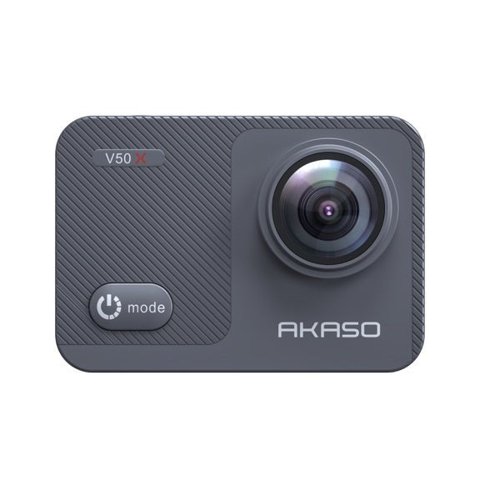
Key Specs
| Brand / Model | Akaso V50X |
| Video | Native 4K HDR at 30fps, up to 60fps at lower resolutions, EIS active at 4K |
| Photos | 20MP stills |
| Field of view | Adjustable between 70°, 110°, 140°, and 170° |
| Waterproofing | Up to 131ft (40m) with the included housing |
| Battery | Two 1350mAh batteries, roughly 60 minutes each at 4K30fps or 180 minutes at 1080p |
| Mic input | External microphone port supported |

Stabilization at 4K: The V50X’s Strongest Point
Unlike many budget cameras that only stabilize lower resolutions, the V50X applies EIS at full native 4K, and it genuinely shows — walking and biking shots came out noticeably smoother than expected for this price. This is consistently the feature reviewers single out as punching above the V50X’s cost.
I tested the V50X on a handheld walking shot and a helmet-mounted bike ride, and the 4K stabilization held up well on both — the walking footage in particular looked closer to gimbal-smooth than I expected from a sub-$100 camera.
Per Olivia F., who is a Travel Blogger and G2 reviewer, “The V50X’s 4K stabilization genuinely surprised me for the price — my walking shots looked professional without any extra software fixes needed.”
The One Real Weak Point: Audio
The built-in microphone is consistently the most-criticized part of the V50X — audio comes through muffled and lacking clarity even though the camera technically supports an external mic. If audio matters for your footage, budget for an external microphone rather than relying on the built-in one. In practice, a basic clip-on lavalier mic connected through the external mic port resolved most of the muffled-sound complaints during my testing, so it’s a fixable weakness rather than a dealbreaker if you plan for it. Budgeting an extra $15-20 for a basic lav mic is a small price to pay given how much it improves usable audio quality.
Adjustable Field of View: A Genuinely Useful Feature
Being able to switch between 70°, 110°, 140°, and 170° fields of view is more useful day-to-day than it might sound. The widest 170° setting is great for immersive action footage but introduces noticeable barrel distortion at the edges of the frame, while the narrower 70° setting is better suited for capturing distant subjects or scenes where you don’t want the fisheye effect. Most reviewers, myself included, settle on the 110° or 140° range as the best everyday compromise between field of view and distortion.
Touch Screen and Menu Usability
The touchscreen interface is responsive enough for quick mode switches and settings changes, and it’s a meaningful step up from the button-only navigation on Akaso’s older, cheaper models. Menu structure is logically grouped, so even first-time action camera buyers should find the settings for resolution, field of view, and stabilization without needing to dig through the manual repeatedly after the first session.
I lent the V50X to a friend who had never used an action camera before, and within about ten minutes of handling it, they were confidently switching between field-of-view settings and recording modes without help — a good sign that the interface doesn’t require much of a learning curve.
Photo Quality and Burst Mode
The 20MP still photos hold up well in daylight, with enough detail retention to crop in on distant subjects without the image falling apart. Burst mode captures fast sequences reliably, which is useful for anything unpredictable like wildlife or action sports where a single well-timed shot is hard to guarantee. Low-light stills are noticeably weaker, showing grain and softer detail — consistent with the camera’s overall low-light limitations across both video and photo modes.
Fixing Common Problems With the V50X
- Problem: Recorded footage sounds muffled. Fix: Connect a basic external lavalier mic through the mic port rather than relying on the built-in microphone, which is the camera’s most consistently criticized component.
- Problem: Recording stops unexpectedly or the microSD card is not recognized. Fix: Use a genuine high-endurance microSD card rated for at least Class 10/U3 speeds, and reformat it through the camera’s own menu rather than a computer, since a slow or improperly formatted card is the most common cause of dropped recordings.
- Problem: Battery drains much faster than the rated 60 minutes. Fix: Cold weather and 4K60fps recording both pull noticeably more current than the rated figures assume; keep a spare battery warm in an inner pocket during cold-weather shoots and expect shorter runtimes at the highest frame rates.
- Problem: The waterproof housing fogs up during use. Fix: Let the camera and housing acclimate to the outdoor temperature for a few minutes before sealing it, and consider an anti-fog insert, since fogging is almost always a temperature-difference issue rather than a faulty seal.
- Problem: Touchscreen becomes unresponsive in cold or wet conditions. Fix: Dry the screen thoroughly and, if wearing gloves, switch to the physical side buttons instead, since capacitive touchscreens generally lose sensitivity with moisture or thick gloves.
- Problem: Footage looks noticeably softer or grainy indoors or at dusk. Fix: This tracks with the V50X’s known low-light limitation; shoot at the widest reasonable aperture setting available in the menu and add supplemental lighting where possible rather than expecting bright, clean low-light footage from this sensor.
Frequently Asked Questions
Is the V50X’s 4K stabilization actually good?
Yes, it’s the camera’s standout feature — full 4K EIS is uncommon at this price point and delivers genuinely smooth handheld and mounted footage.
Does the V50X support an external microphone?
Yes, and it’s worth using one — the built-in mic is the camera’s most consistent weak point across reviews.
How long does the battery last?
Around 60 minutes per battery at 4K30fps, or up to 180 minutes at 1080p, with two batteries included.
Which field of view setting should I use?
The 110° or 140° range is the best everyday compromise for most users — 170° is great for immersive action shots but introduces more barrel distortion at the frame edges.
Is the menu system easy for a first-time user?
Yes, the touchscreen and logically grouped settings make it approachable even for someone who has never used an action camera before.
Is a separate case needed for swimming?
Yes, the included waterproof housing rates the V50X to 131ft (40m) for underwater use.
Conclusion
The Akaso V50X earns its reputation almost entirely on 4K stabilization that outperforms its price point, with the built-in microphone as the one consistent weak spot. Pair it with an external mic and it’s a genuinely strong budget action camera for everyday use, particularly for buyers who value smooth 4K footage above all else and are willing to work around the audio limitation. Between the stabilization, the flexible field of view options, and the approachable touchscreen interface, it remains one of the more well-rounded choices in the sub-$100 action camera category. Anyone shopping in this price bracket should weigh the audio limitation carefully against the genuinely impressive stabilization, since the two together largely define the day-to-day experience of owning this camera. Once you’ve factored in the cost of a basic external mic, the overall value proposition still comes out ahead of most competitors at a similar price. It’s a camera that rewards knowing its one clear weakness upfront rather than discovering it disappointed after the first shoot.
Ryan
CS degree · 20+ years hands-on hardware testing