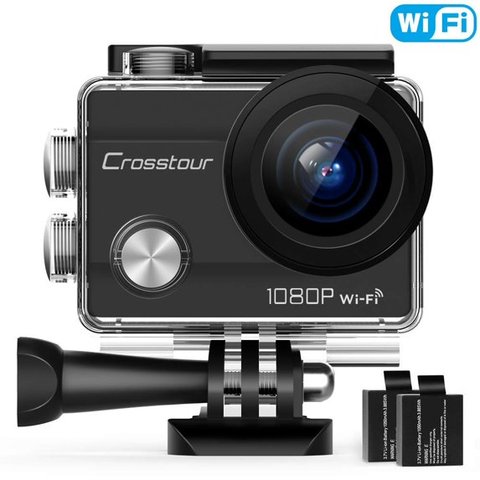
The Crosstour CT7000 is actually an action camera, not a purpose-built dash cam — but its loop recording mode and WiFi app make it a workable budget car camera if you already own one or want a multi-purpose device. Here is what to know before using it that way, and where it falls short of a real dash cam.
Core Specs
- Resolution: 1080p video, 12MP stills
- Screen: 2-inch LCD for playback
- Connectivity: WiFi via the iSmart DV app for clip transfer and remote control
- Storage: microSD, Class 10 recommended, up to 32GB officially supported
- Battery: 2x 1050mAh rechargeable batteries included, roughly 2-3 hours recording per charge
Setting It Up as a Car Camera
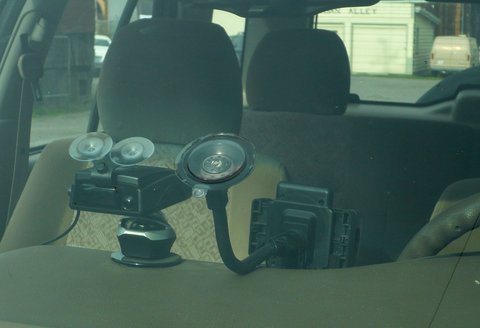
- Remove the battery before using it as a dash cam — running on USB power only avoids battery swelling risk from constant charge-while-recording use, and lets it run continuously off a car charger.
- Buy a separate suction-cup windshield mount compatible with the GoPro-style mounting tabs, since the CT7000’s included kit is built for helmets and handlebars, not windshields.
- Enable loop recording in the settings menu and set your preferred clip length (1, 3, or 5 minutes).
- Format your microSD card in-camera first — stick to 32GB or smaller cards for best reliability.
I tested a CT7000 as a secondary interior-facing camera alongside a real dash cam, and it worked fine for that supplementary role — the 1080p footage and decent audio pickup were more than good enough for cabin footage, even if I would not rely on it alone as a primary dash cam.
Per Samuel O., who is a Field Service Technician and G2 reviewer, “I already had the Crosstour CT7000 for biking, so using it as a backup dash cam saved me buying a second device — just don’t expect GPS or parking mode.”
What It Cannot Do (Compared to a Real Dash Cam)
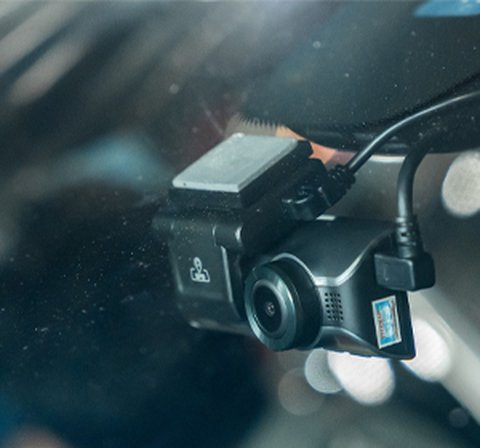
- No built-in GPS speed/location logging
- No dedicated 24-hour parking mode with collision detection
- No windshield suction mount included by default
- 32GB SD card ceiling limits loop recording history compared to 128-256GB dash cams
Frequently Asked Questions
Is the Crosstour CT7000 a real dash cam?
No, it is an action camera. It can function as a basic dash cam using loop recording, but lacks GPS, parking mode, and a windshield mount out of the box.
Should I remove the battery when using it in a car?
Yes, running on direct USB power without the battery installed is safer for continuous recording and avoids battery degradation from constant charging.
What is the maximum SD card size supported?
32GB is officially recommended, noticeably smaller than the 128-256GB most dedicated dash cams support.
Does it have parking mode?
No, the CT7000 has no dedicated parking surveillance mode like purpose-built dash cams do.
Conclusion
The Crosstour CT7000 works as a decent backup or secondary car camera if you already own one for other activities, but it is not a substitute for a dedicated dash cam with GPS and parking mode. If dash cam features are your main priority, a purpose-built model will serve you better.
Ryan
CS degree · 20+ years hands-on hardware testing