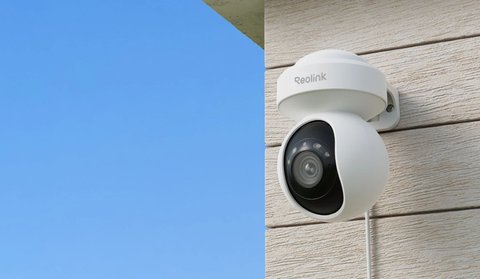
The Reolink E1 Outdoor is a 4K pan-tilt-zoom camera built specifically for exterior use, combining 355° pan, 3x optical zoom, and Wi-Fi 6 connectivity in a plug-powered design rather than battery operation. This covers its key specs, setup, storage options, and where it fits compared to other E1-series cameras.
| Spec | Detail |
|---|---|
| Resolution | 4K (8MP) with 3x optical zoom |
| Pan/tilt range | 355° pan, 50° tilt, motorized auto-tracking |
| Connectivity | Dual-band Wi-Fi 6 |
| Night vision | Dual-color spotlights plus standard infrared LEDs |
| Weatherproofing | IP65 rated for full outdoor exposure |
| Power | Plug-powered via included adapter, roughly DC 12V, no battery |
| Storage | Local microSD (up to 512GB) or NVR/hub, plus optional Reolink Cloud |
| Price tier | Mid-range single-camera security system |
Key Specs
- 4K (8MP) resolution with 3x optical zoom, useful for checking distant detail without losing sharpness
- 355° pan and 50° tilt, with motorized auto-tracking of detected motion
- Dual-band Wi-Fi 6 for a more stable connection than older Wi-Fi standards
- Dual-color night vision spotlights alongside standard infrared
- IP65 weatherproof rating for full outdoor exposure
- Plug-powered rather than battery, meaning no charging cycle to manage
Setting Up the E1 Outdoor
- Mount the camera and connect it to power using its included adapter and weatherproof cable connection
- Add the camera in the Reolink app by scanning its QR code and connecting to your Wi-Fi network
- Run the app’s pan-tilt calibration so auto-tracking has its full range mapped out
- Draw a detection zone and enable person/vehicle AI detection to reduce irrelevant alerts
The 3x optical zoom is the feature that separates this from a typical fixed 4K camera — being able to zoom in on a specific gate or driveway entrance without losing image quality is genuinely useful for properties with one specific point that matters more than the rest of the wide view.
Mounting and Placement Considerations
Where you mount the E1 Outdoor matters almost as much as the camera’s own specs. Because it relies on a wired power adapter rather than a battery, plan the mounting location around where a weatherproof outdoor cable run can actually reach, rather than picking the ideal viewing angle first and figuring out power later.
- Mount at roughly eight to ten feet high to keep the camera out of easy reach while still capturing usable facial detail within the spotlight’s effective range
- Angle the camera slightly downward rather than dead level, since a level angle wastes part of the frame on open sky and reduces usable ground coverage
- Keep the lens away from direct upward-facing eaves lighting or motion-triggered floodlights nearby, since bright fixed light sources in frame can cause the auto-exposure to darken the rest of the scene
- Route the power cable through weatherproof conduit or a drip loop so water cannot travel along the cable into the connector
Because the pan-tilt mechanism physically moves the lens rather than just cropping a wide sensor digitally, mounting height and tilt also affect how reliably auto-tracking follows a subject across the frame. A camera mounted too low tends to lose track of a person quickly as they walk past at close range, while a slightly higher, more downward-angled mount gives the motor more room to follow a full walking path.
Storage Options: Local vs Cloud
The E1 Outdoor supports a microSD card directly in the camera body, up to 512GB, which is enough for weeks of motion-triggered recording depending on activity levels in the covered area. This local-only setup requires no subscription and keeps footage entirely on your own hardware.
- MicroSD storage: simplest option, no ongoing cost, but footage is lost if the card or camera is physically damaged or stolen
- Reolink NVR or hub: centralizes storage from multiple cameras on one hard drive, worth considering if you plan to add more Reolink cameras later
- Reolink Cloud subscription: optional paid add-on that backs up clips off-site, useful mainly as protection against the camera itself being stolen or destroyed
For most single-camera setups, a good-quality microSD card is the simplest and most cost-effective route, with cloud backup being worth adding only if the camera covers an entry point where footage tampering or theft is a realistic concern.
Troubleshooting Common Setup and Performance Issues
Most problems with the E1 Outdoor trace back to Wi-Fi placement, detection zone settings, or the microSD card rather than the camera hardware itself.
- Camera won’t connect during setup: move your router or a Wi-Fi extender closer to the mounting location temporarily during initial pairing, since a weak signal during the QR code setup step is the most common cause of a failed connection.
- Too many false motion alerts: narrow the detection zone in the app so it excludes public sidewalks, roads, or moving tree branches, and make sure AI person/vehicle detection is enabled rather than relying on generic motion detection alone.
- Auto-tracking loses the subject quickly: re-run the pan-tilt calibration in the app, since a skipped or interrupted calibration step limits how far the motor believes it can travel.
- Night footage looks washed out: switch from full-color spotlight mode to standard infrared night vision in scenes with reflective surfaces nearby, like light-colored walls or vehicles, since the spotlight can overexpose close reflective objects.
- MicroSD card not recording: reformat the card inside the Reolink app rather than on a computer, and confirm it is rated at least Class 10 or UHS-I, since slower cards can silently fail to keep up with 4K recording.
- No power-only alternative if wiring isn’t possible: if running a permanent power line to the mounting spot is not practical, Reolink’s battery-powered Argus or Altas series covers the same general use case without needing a wired power run, though at the cost of periodic recharging.
How It Compares to Other E1-Series Cameras
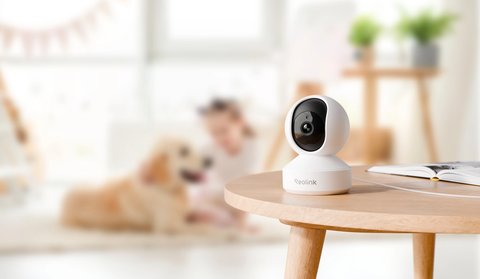
- The E1 Outdoor is built for exterior use with 4K and optical zoom; the E1 Pro is an indoor-focused 3K camera aimed more at baby monitoring and general indoor coverage
- Both share a similar pan-tilt design and auto-tracking approach, just tuned for different environments
- Neither runs on battery; both are plug-powered, which trades portability for not needing to manage charging
For full specs and mounting details, see Reolink’s official E1 Outdoor Pro product page.
Frequently Asked Questions
Does the E1 Outdoor need a subscription?
No, local recording and live viewing work without a subscription; cloud storage is an optional paid add-on.
Can it run on battery instead of being plugged in?
No, this model is plug-powered only; if you need battery operation, look at Reolink’s Argus or Altas series instead.
Is the 3x zoom digital or optical?
It’s optical zoom, which preserves image quality better than digital zoom at the same distance.
Does auto-tracking work at night?
Yes, tracking continues to function using the camera’s night vision, though tracking accuracy can vary slightly with lighting conditions.
What is the largest microSD card the E1 Outdoor supports?
Up to 512GB, which is generally enough for weeks of motion-triggered footage depending on how much activity the camera detects.
Conclusion
The E1 Outdoor is a strong pick if you want 4K coverage with real optical zoom and don’t mind a plug-powered installation over a battery one. Auto-tracking and the wide 355° pan range make it a solid single-camera option for covering an entire yard or driveway, and the flexible local or cloud storage options mean you can start simple with just a microSD card and add cloud backup later if your needs change.
Ryan holds a Computer Science degree and has over 20 years of hands-on experience with PC hardware, software, and smart home devices.