A walkthrough of what the TT-BA09 does differently from TaoTronics’ other Bluetooth adapters, based on using one with a soundbar-free TV setup.
- Model: TaoTronics TT-BA09 2-in-1 Bluetooth transmitter/receiver
- Bluetooth version: 5.0 with aptX Low Latency support
- Connections: digital optical (Toslink) input/output plus 3.5mm analog AUX
- Power: constant 5V Micro-USB supply, no internal battery
- Price tier: budget audio adapter, typically well under $50
- Compatibility: any Bluetooth headphones or speakers; TVs, soundbars, and receivers with optical or 3.5mm output
What makes the TT-BA09 different
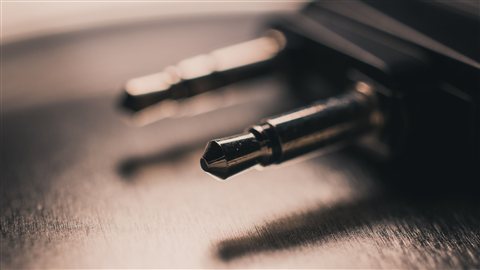
Unlike the TT-BA07 and TT-BA08, which stick to a 3.5mm jack, the TT-BA09 adds digital optical, or Toslink, input and output alongside the standard 3.5mm connection. That makes it a better fit for TVs and home theater gear that output audio digitally rather than through an analog headphone jack, which is common on newer television sets.
Power requirements are worth checking first
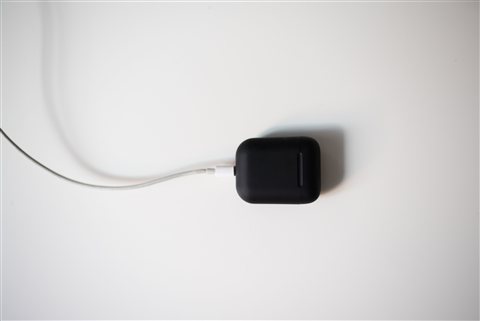
This is the one TaoTronics adapter in this lineup that runs off a 5V Micro-USB power supply rather than an internal rechargeable battery. That means it needs to stay plugged in to a USB port or wall adapter the whole time it is running, which is a different commitment than the battery powered TT-BA07 and TT-BA08. In practice this was not a downside for me since it sits permanently behind my TV plugged into a USB port on the set itself.
Switching between SPDIF and AUX mode
A physical switch lets you pick between the optical SPDIF input and the analog AUX input depending on what your source device supports. I run mine on optical from the TV, which sidesteps the small amount of extra noise you can sometimes pick up on a long analog cable run.
Pairing with your Bluetooth headphones
Set the TT-BA09 to TX mode, connect the appropriate cable from your TV, then put your Bluetooth headphones into pairing mode. The LED indicator turns solid blue once the connection is established, and it reconnects to the last paired device automatically the next time both are powered on.
Why I picked this over a 3.5mm-only adapter
My TV only outputs audio through an optical port and HDMI ARC, with no headphone jack at all, which ruled out the simpler TT-BA07 style adapters entirely. If your TV has a standard headphone jack, you likely do not need the optical support and can save a little money with a 3.5mm-only model instead. But for newer TVs, soundbars being replaced, or home theater receivers with a spare optical output, having that Toslink connection is the difference between this working at all and not working out of the box.
- Digital optical (Toslink) input and output, plus 3.5mm analog as a backup
- Bluetooth 5.0 with aptX low latency support on compatible devices
- Requires constant USB power rather than running on an internal battery
- Physical switch for SPDIF versus AUX mode selection
Latency and audio sync
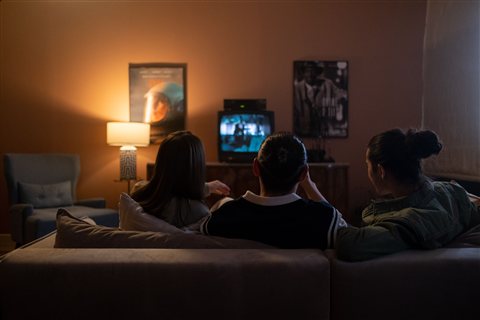
Because the TT-BA09 supports aptX low latency on compatible Bluetooth headphones, lip sync on TV content is noticeably tighter than what I experienced with the plain 3.5mm adapters in this lineup. It is not flawless, and if your headphones only support standard SBC you will still notice some drift on fast dialogue, but pairing this with aptX low latency capable headphones closed the gap considerably for me during regular TV watching.
If you want to understand more about how optical digital audio differs from analog connections, and why it tends to be less prone to interference over longer cable runs, this explanation of the Toslink standard covers the basics clearly without getting overly technical.
Troubleshooting notes from my own setup
The first time I connected the optical cable, I got no sound at all, and it turned out my TV’s optical output was set to a compressed audio format the adapter did not decode properly. Switching the TV’s digital audio output setting to PCM fixed it immediately. If you run into silence after connecting via Toslink, check your source device’s audio output format before assuming the adapter is faulty, since this is a common gotcha with optical connections in general, not specific to this product.
- Set your TV or source device’s digital audio output to PCM if you get no sound over optical
- Confirm the RX and TX switch matches what you are trying to do before troubleshooting further
- Use a fresh USB power source if the connection seems unstable, since some USB ports on older TVs supply inconsistent power
- Re-pair from scratch if reconnection stops working after a firmware update on your headphones
Once that PCM setting was sorted, I have not had to touch the setup again. It sits behind the TV, stays powered through a USB port on the back of the set, and reconnects to my headphones automatically every evening without any extra steps. For a device this cheap, that kind of reliability after a rocky first setup is honestly better than I expected going in.
Frequently asked questions
Does the TT-BA09 need to stay plugged in?
Yes, unlike some other TaoTronics adapters, this model runs on a constant 5V USB power supply rather than an internal battery, so it needs to stay connected to power while in use.
Can it work with a TV that only has a headphone jack?
Yes, the 3.5mm AUX input handles that case too, though the optical input is the bigger advantage if your TV supports it.
Does it reduce audio lag compared to other TaoTronics adapters?
Yes, when paired with aptX low latency compatible headphones, sync is noticeably tighter than the standard SBC-only adapters in this lineup.
Can I use it in receiver mode too?
Yes, switching to RX mode lets you stream Bluetooth audio from your phone out to a wired stereo or speaker system through either the optical or analog output.
Final thoughts
The TaoTronics TT-BA09 is the right pick specifically if your TV or audio source relies on optical output rather than a headphone jack, which is increasingly common on newer television models. The tradeoff of needing constant USB power instead of a battery has been a non-issue in my setup, and the tighter latency with aptX low latency headphones makes casual TV watching noticeably more comfortable than the analog-only adapters in this same product family.
Ryan
Longtime PC hardware tinkerer who has spent more hours than he would like fighting with TV audio setups