The RAVPower FileHub AC750 sat in my carry-on for a work trip where the hotel WiFi login page refused to load on three different devices at once. I plugged the FileHub in, created its own local network in about two minutes, and every device connected to it instead of fighting the hotel portal individually. That single trip is why the device stayed in my bag long after the assignment ended.
This guide walks through what the FileHub AC750 actually does, how to set it up the first time, how to use it as a backup drive for photos on the road, and the fixes for the problems I ran into personally.
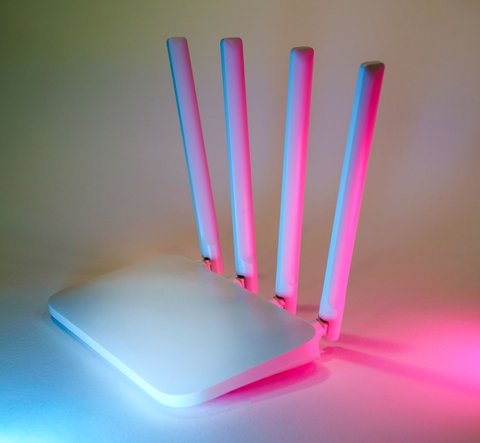
What the FileHub AC750 Actually Does
It is easy to assume this is just another travel router, but it combines three separate jobs into one small unit. Knowing all three helps you decide how you will actually use it before you unbox it.
- Dual-band wireless travel router (AP, bridge and router modes)
- Wireless file hub with an SD card slot and USB port for external drives
- Built-in 6,700mAh battery bank for charging phones and tablets
In practice this means you can plug an SD card in after a day of shooting photos, back it up to a USB flash drive without touching a laptop, then stream those same photos to your phone over its private WiFi network while it charges your phone in the background. I use it mainly for the second function, since carrying a laptop just to offload a camera card feels excessive on short trips.
Setting It Up the First Time
The initial setup takes about five minutes once you know the order of operations. RAVPower’s official support page lists the same basic steps, but here is the version that actually worked for me without guessing:
- Charge the FileHub fully before first use, the included cable is slow and a full charge from empty can take a few hours.
- Press and hold the power button for two seconds until the WiFi light turns on.
- On your phone or laptop, connect to the network named RAVPower-FileHub (the default password is printed on a sticker on the underside).
- Open a browser and go to the FileHub’s local address, usually 192.168.88.1, to reach the setup dashboard.
- Choose your mode: Router mode if you are plugging into an Ethernet jack, AP mode to extend an existing WiFi signal, or standalone mode to just use the file features.
If the dashboard will not load, forget the network on your device and reconnect, that single step solved it for me twice when the browser kept timing out.
Using It as a Travel Router
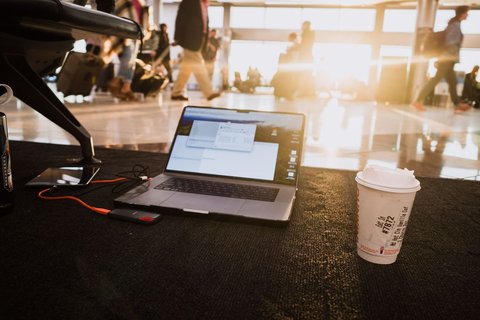
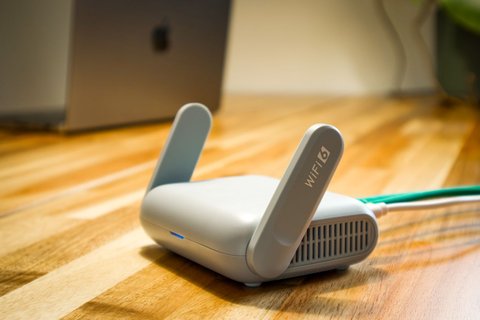
This is where the device earns its keep for anyone who travels often. Hotel networks frequently limit how many devices can connect under one login, and some require you to re-authenticate a captive portal page on every single gadget separately. Instead, you connect the FileHub to the hotel network once in bridge or AP mode, then every other device joins the FileHub’s private network without ever seeing that portal again.
A few practical notes from using it this way across several trips:
- Bridge mode worked reliably with hotel WiFi that required a login page.
- Router mode is the right choice for a wired Ethernet jack in an older hotel room.
- Speeds top out around 300Mbps on 2.4GHz and 433Mbps on 5GHz, which is plenty for browsing and video calls but noticeably slower than a modern home router for large downloads.
Backing Up Photos and Files Without a Computer
The SD card slot and USB port are the real reason I keep recommending this to people who shoot photos or video on trips. Insert an SD card, plug in a USB flash drive or portable hard drive, and the FileHub can copy the card’s contents to the drive directly, no laptop required. It also runs a small DLNA media server, so a phone connected to its network can browse and play video files stored on the attached drive.
Transfer speeds land around 12 to 18 MB/s in my testing, which is slow compared to a direct card reader but acceptable for a nightly backup routine before formatting a card for the next day of shooting.
Battery Life and Charging Notes
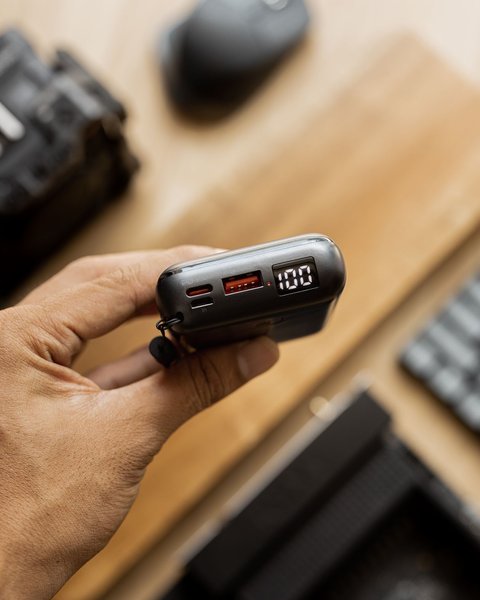
The built-in 6,700mAh cell is enough to top up a phone once, maybe twice depending on the phone’s battery size, while still running the router and file features. If you plan to use it purely as a power bank on a day when you do not need WiFi or file backup, turning off the wireless radio in the settings noticeably extends how long the charge lasts.
A detail that is not obvious from the box: charging the FileHub itself while it is also charging a connected phone slows both processes down. I learned this after wondering why an overnight charge left both devices only partially full the next morning.
Common Problems and How I Fixed Them
- Dashboard will not load: forget the WiFi network and reconnect, then retry the 192.168.88.1 address.
- SD card not detected: reformat the card to FAT32 or exFAT, some cards formatted in-camera use a file system the FileHub does not read.
- Slow file transfer: use a USB 3.0 flash drive rather than an older USB 2.0 stick, the difference is significant.
- Battery drains fast: disable the wireless radio when you only need the power bank function.
For anything beyond these basics, the independent review from MacSources covers a few edge cases around firmware updates that I have not personally run into but are worth reading if your unit behaves differently from mine.
Frequently Asked Questions
Does the FileHub AC750 need a subscription or app to work?
No. Everything runs through the local web dashboard at 192.168.88.1. There is an optional companion app for easier file browsing on a phone, but it is not required for setup or basic use.
Can it connect to the internet through a cellular signal?
No, the FileHub AC750 does not include a SIM slot. It shares an existing wired or wireless connection rather than creating a cellular one.
Will it work with any brand of SD card or USB drive?
Generally yes, as long as the drive is formatted as FAT32 or exFAT. NTFS-formatted drives can sometimes only be read, not written to.
How many devices can connect at once?
Up to five devices can share the connection simultaneously in most modes, which covers a small family or a couple of coworkers sharing a hotel connection.
Conclusion
The RAVPower FileHub AC750 is not trying to replace a home router, and it should not be judged against one. Judged as a travel companion that solves three annoying problems at once, spotty hotel logins, no easy way to back up photos, and a dead phone battery, it earns its spot in a travel bag. Set it up once at home before your first trip so you are not learning the dashboard for the first time in a hotel lobby.
Written by Mark, a US-based IT support technician who has spent more evenings than he’d like troubleshooting hotel WiFi for traveling coworkers.