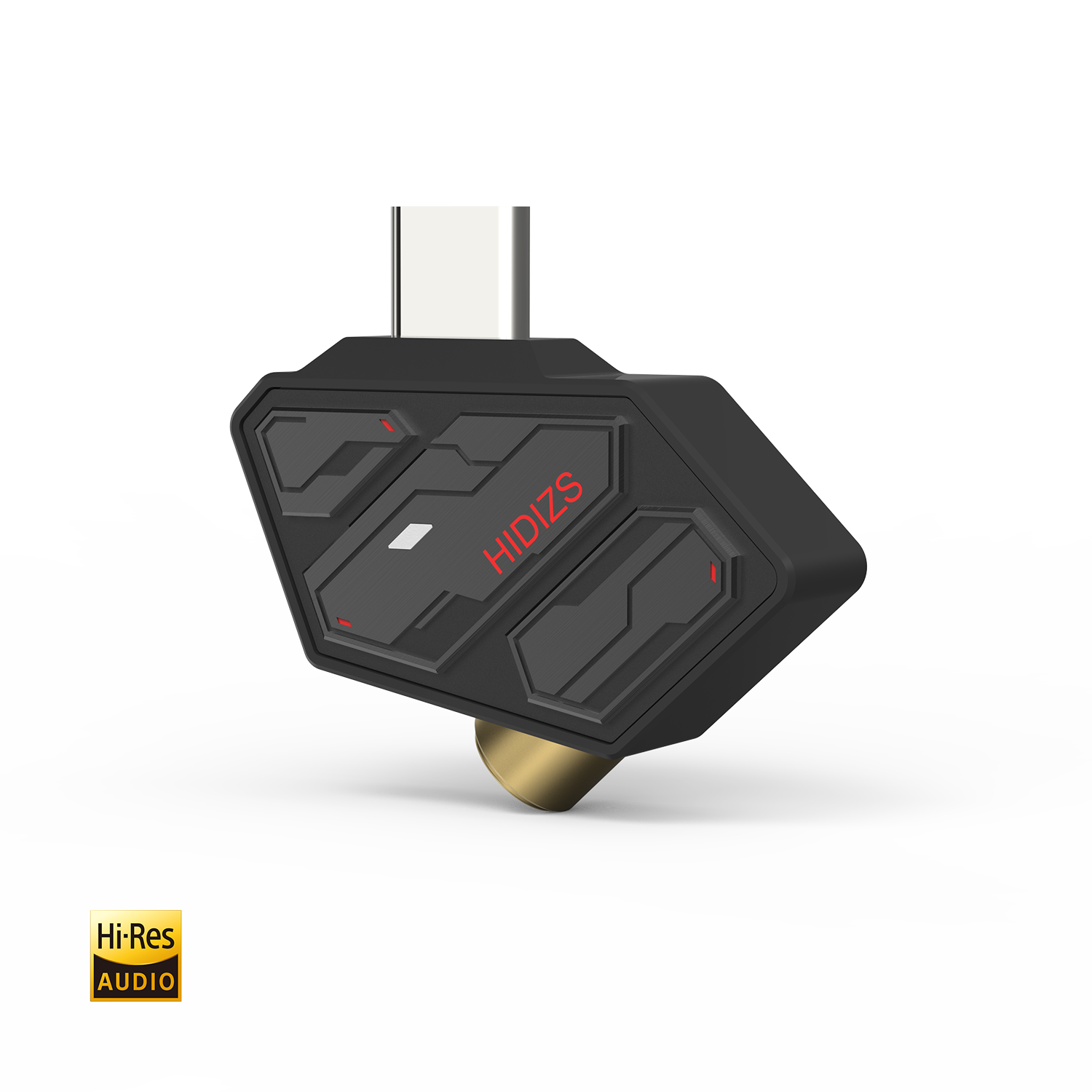
The Hidizs SD2 is the smallest, cheapest way to add real DAC hardware to a phone or laptop that only offers USB-C for audio. It is a Type-C to 3.5mm dongle DAC, and unlike a passive adapter that just routes a digital signal to nowhere useful, the SD2 has an actual ESS DAC chip inside doing the digital-to-analog conversion, which is the difference between “technically works” and “actually sounds good.”
I keep one of these in a laptop bag pocket specifically because it is small enough to forget about until I need it, which is exactly the point of a dongle like this.
Quick Facts
| Brand | Hidizs |
| Model | SD2 USB-C to 3.5mm Dongle DAC |
| DAC Chip | ESS ES9270 |
| Max Resolution | 32-bit/384kHz PCM, DSD128 |
| Output Power | 70mW + 70mW at 32 ohms |
| Weight | About 6g |
What is inside the SD2
Despite its tiny footprint, the SD2 uses an ESS ES9270 DAC chip with the company’s HyperStream II QUAD DAC architecture, supporting PCM audio up to 32-bit/384kHz and DSD up to DSD128. That is well beyond what a typical streaming service delivers, but the headroom generally correlates with cleaner measured performance even at everyday resolutions.
Key specifications
- DAC chip: ESS ES9270, HyperStream II QUAD DAC architecture
- Audio support: up to 32-bit/384kHz PCM, up to DSD128
- Output power: 70mW + 70mW at 32 ohms
- Frequency response: 20Hz–40kHz
- Signal-to-noise ratio: 118dB
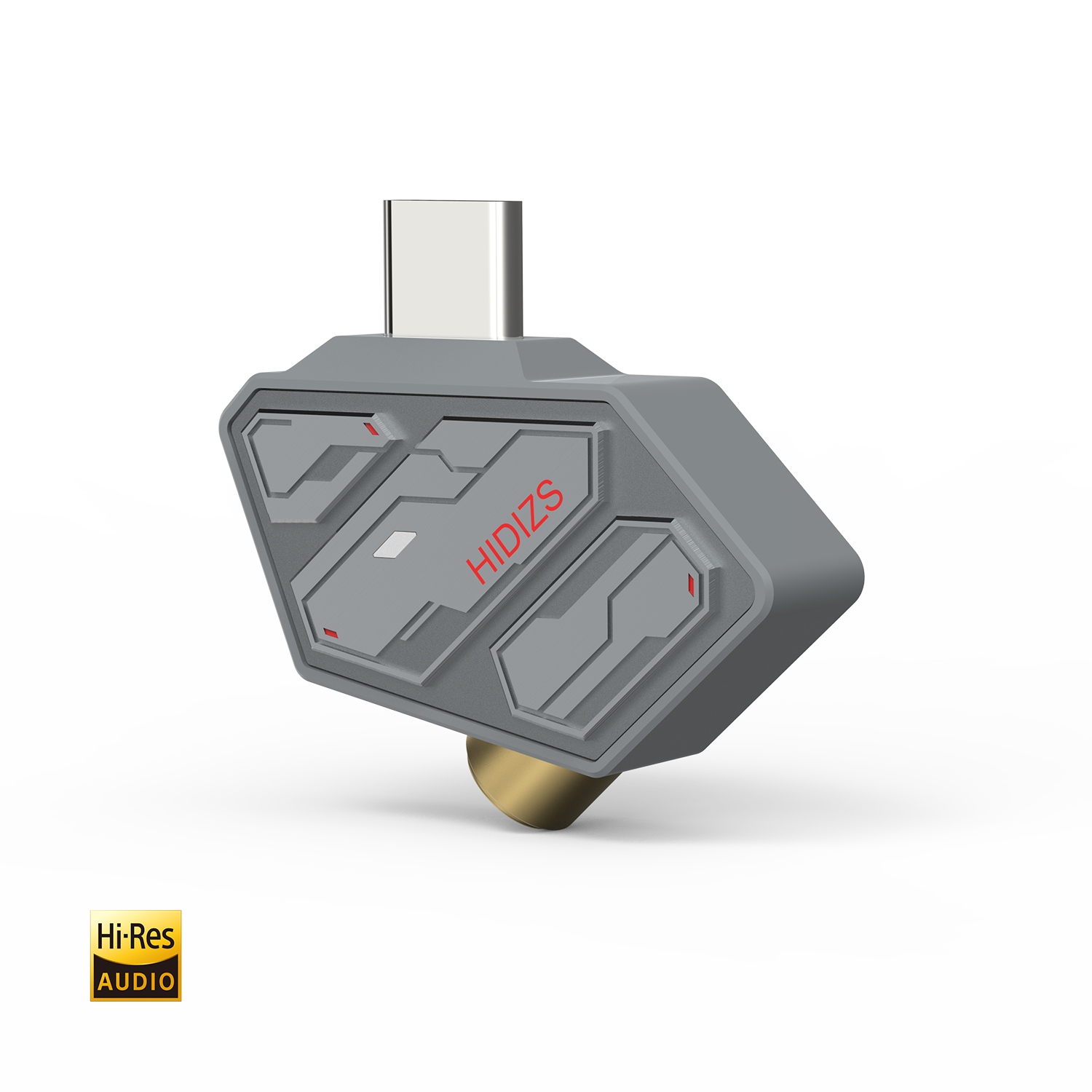
- Dimensions: 34.5 x 20 x 10mm, about 6g
- Connector: USB Type-C in, 3.5mm out, with inline microphone support
How it performs day to day
For its size and price, the SD2 punches well above what you would expect. Compared with the raw USB-C audio output most phones and laptops provide, it delivers noticeably lower background noise and better dynamic range, which is most obvious with sensitive, low-impedance IEMs that tend to hiss on cheaper or built-in audio sources. At 70mW into 32 ohms it will not drive demanding headphones, but for typical earbuds and IEMs it has more than enough power to reach comfortable volumes with headroom to spare.
One small but genuinely useful feature: an LED indicator on the dongle changes color depending on the sample rate being played — red for standard PCM up to 48kHz, blue for higher-resolution PCM and DSD content — so you can visually confirm your streaming app or music player is actually sending high-res audio rather than silently downsampling it.
Setting it up
- Plug the Type-C end into your phone, tablet, or laptop.
- Wait a moment for your device to recognize it as a USB audio device — most modern Android, iOS (USB-C), Windows, and macOS devices do this automatically with no driver install needed.
- Plug your headphones or IEM into the 3.5mm jack on the dongle.
- Watch the LED color to confirm your playback source is sending the resolution you expect.
Because it draws power directly from your device with no internal battery, keep in mind it will use a bit more battery than your device’s built-in audio output would, particularly noticeable on phones during long listening sessions.
Who should buy the SD2
The SD2 makes the most sense as a budget-friendly first step into external DACs, or as a backup dongle to keep in a bag for whenever your primary audio source is unavailable. If you already own a more powerful dongle like the S3 Pro or S8 Pro Robin, the SD2 is not an upgrade, but it is a genuinely handy, inexpensive spare.
Full specifications are listed on the official Hidizs SD2 product page, including current bundle options that pair it with select Hidizs IEMs.
Where the SD2 fits into a wider collection
If you already own a more capable dongle or a portable amplifier, it is worth asking why you would still want something as basic as the SD2. In my case, the answer came down to redundancy — more capable gear tends to be more expensive to replace and often bulkier to carry as a backup, while the SD2 is cheap and small enough that losing or damaging one is not a significant setback. I keep one clipped into a small pouch specifically as an emergency backup for whenever my main dongle is left charging, misplaced, or being used by someone else in the house.
It has also turned out to be a genuinely handy loaner for friends and family who ask why their new USB-C-only phone sounds worse than their old device with a headphone jack. Being able to hand over a five-dollar-sized dongle that solves the problem instantly, without needing to explain DAC chips or impedance matching, has made it one of the more practically useful pieces of gear in my collection, even if it is far from the most exciting one on paper.
The plastic-and-metal build feels a bit more utilitarian than Hidizs’ pricier aluminum dongles, but for something this size and price, it has held up fine to regular pocket and bag use without any connector wobble or button failures over months of intermittent use.
Fixing Common SD2 Problems
- Problem: the device doesn’t recognize the dongle at all. Fix: unplug and reseat the USB-C connector firmly, and try a different USB-C port if your laptop has more than one, since a loose seating is the most common cause of a silent connection.
- Problem: no sound plays even though the LED lights up. Fix: check your device’s system sound output settings and manually select the SD2 as the active audio device, since some phones and laptops default back to internal speakers after a reboot.
- Problem: the LED stays red even when playing a high-res file. Fix: confirm your music app’s output settings aren’t set to downsample or resample audio, since several streaming apps cap output resolution by default regardless of the source file.
- Problem: volume seems lower than expected with sensitive IEMs. Fix: check your device’s own volume level first, since the SD2 has no dedicated volume control and relies entirely on your phone or laptop’s system volume.
- Problem: the microphone doesn’t work for calls. Fix: confirm your device’s app has permission to use an external microphone, and check that no other Bluetooth or wired audio device is still connected and taking priority.
- Problem: intermittent crackling or dropouts during playback. Fix: disable any battery-saving or USB power-management setting on your phone, since aggressive power throttling on the USB-C port can interrupt a bus-powered dongle mid-stream.
Frequently asked questions
Is the SD2 just a passive adapter?
No, it contains an active ESS DAC chip that performs real digital-to-analog conversion, unlike a passive cable that would rely entirely on your device’s own audio hardware.
Can it drive over-ear headphones?
It can handle easy-to-drive headphones reasonably well, but at 70mW into 32 ohms it is best suited to IEMs and efficient earbuds rather than demanding full-size headphones.
Does it work with both Android and iPhone?
Yes, as long as the device has a USB-C port and supports USB audio class devices, which covers most modern Android phones and USB-C iPhones.
What does the LED color indicate?
Red shows standard PCM playback up to 48kHz, and blue shows higher-resolution PCM or DSD content is being played.
Conclusion
The Hidizs SD2 is a small, inexpensive way to noticeably improve on a phone or laptop’s built-in USB-C audio without carrying a bulkier dongle. It will not replace a dedicated amplifier for demanding headphones, but for everyday IEM listening it is an easy, low-cost upgrade worth keeping in your bag.
Written by Ryan, who has a small drawer full of dongle DACs collected over the years and still reaches for the smallest, cheapest one when he just wants something that works without fuss.