The YI 1080p Home Camera is a budget indoor security camera built around a 112° wide-angle lens, motion and baby crying detection, and subscription-free local recording via microSD. It’s one of the more affordable ways to get reliable indoor monitoring without ongoing fees.
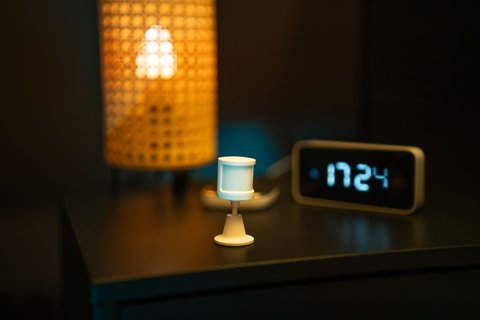
| Spec | Detail |
|---|---|
| Resolution | 1080p Full HD, f2.0 aperture |
| Field of View | 112° wide-angle lens with 4x digital zoom |
| Detection | Motion detection and dedicated baby crying detection |
| Audio | Built-in two-way audio with microphone and speaker |
| Mounting | 32mm camera head on a weighted dock; desk, shelf, wall, or ceiling |
| Storage | MicroSD 8-32GB, roughly 17-64 hours at 1080p |
| Smart Home | Works with Amazon Alexa and Google Assistant |
Key Specs
- 1080p Full HD resolution with an f2.0 aperture, 112° wide-angle lens, and 4x digital zoom
- Night vision IR, motion detection, and dedicated baby crying detection
- Lens distortion correction and two-way audio
- Circular camera head (32mm) on a weighted dock, mountable on a desk, shelf, wall, or ceiling
- MicroSD support (8-32GB), storing roughly 17-64 hours at 1080p or 53-212 hours at 720p
- Works with Alexa and Google Assistant
Setting Up the Camera
- Download the YI Home app and create a free account
- Power on the camera and follow the in-app QR code pairing process to join your Wi-Fi
- Insert a microSD card if you want local recording rather than relying only on live view
- Enable baby crying detection in settings if relevant to your use case
The weighted dock is a small detail that matters in daily use — a light, top-heavy camera on a shelf can get knocked over easily, while the extra base weight here keeps it stable in a busy household without needing to be permanently mounted.
For full specs, see YI Technology’s official 1080p Home Camera product page.
Video Quality and Night Vision in Real-World Use
During daylight or with a room light on, the 1080p sensor produces sharp, clearly readable footage, and the 112° lens is wide enough to cover most bedrooms or living rooms from a single corner mount without needing a second unit. The f2.0 aperture helps in dim rooms too, gathering more light than the narrower apertures found on some similarly priced competitors.
Once the lights go out, the built-in IR night vision switches on automatically and produces a usable, if grainy, black-and-white picture out to roughly 25 feet. It won’t match the color night vision found on pricier outdoor cameras, but for checking on a sleeping baby or confirming nothing is moving in a dark hallway, it does the job reliably.
Two-Way Audio and Smart Home Integration
The built-in microphone and speaker let you talk through the app in real time, which is handy for soothing a fussy baby remotely or telling a pet to get off the couch without walking into the room. Audio quality is clear enough for short conversations, though it isn’t meant to replace a dedicated baby monitor’s continuous audio feed.
Alexa and Google Assistant support means you can pull up a live feed on a compatible smart display or TV just by asking, which is a nice shortcut if you already have either ecosystem set up elsewhere in the house.
Choosing the Right MicroSD Card
Since the camera relies entirely on a microSD card for local recording, card choice matters more than it might seem. A few practical guidelines:
- Use a Class 10 or higher card rated for continuous video, not a basic consumer card meant for photos
- 32GB gives roughly 64 hours of 1080p footage before the oldest clips get overwritten, which is enough for most households running loop recording
- Format the card inside the YI Home app rather than on a computer to avoid file system compatibility issues
- Check the card periodically, since cheap cards can wear out faster under constant read-write cycles than their rated lifespan suggests
Troubleshooting Common Problems
Most issues with the YI 1080p Home Camera trace back to Wi-Fi, storage, or app settings rather than a defective unit. Here’s how to work through the most common ones.
- Camera won’t connect during setup: Make sure your router is broadcasting on the 2.4GHz band, since the camera doesn’t support 5GHz networks; temporarily disabling a combined SSID can help it find the right band.
- Frequent disconnects after setup: Move the camera closer to the router or add a Wi-Fi extender, and check that no other device is hogging bandwidth on the same network during peak hours.
- MicroSD card not recognized: Reformat the card through the app rather than a computer, and confirm it’s within the supported 8-32GB range, since larger cards aren’t officially supported.
- Baby crying detection not triggering: Confirm the feature is enabled in settings and that the camera is within normal hearing range of the crib, since distance and background noise both affect detection accuracy.
- Live view lagging or freezing: Lower the stream quality setting in the app when viewing remotely on a slower mobile connection, and restart the camera if the issue persists after a firmware update.
Frequently Asked Questions
Does it need a subscription?
No, local microSD recording works without one; YI Cloud is an optional paid add-on for extended history.
Can it be used outdoors?
No, it’s designed for indoor use only and isn’t weatherproof.
Is a microSD card included?
No, it needs to be purchased separately, with 8-32GB supported.
How accurate is baby crying detection?
It works reasonably well for typical crying sounds, though like any sound-based detection it can occasionally trigger on similar noises.
Is It Worth It Over a Pricier Alternative?
Compared to subscription-based indoor cameras from bigger brands, the YI 1080p Home Camera trades away some polish, like slower app updates and a less refined notification system, in exchange for a much lower total cost of ownership. If you’re comfortable managing your own microSD storage and don’t need advanced features like person recognition or activity zones, the money saved over a few years of avoided cloud subscription fees is substantial.
For renters or anyone who wants a simple, no-commitment way to keep an eye on a room without wiring anything into a smart home hub, it remains a sensible, low-friction option.
Conclusion
The YI 1080p Home Camera remains a solid budget pick for basic indoor monitoring, especially if subscription-free local recording and baby crying detection are what you actually need. It doesn’t compete with flagship features, but it covers the essentials reliably.
Ryan T. is a PC hardware enthusiast with 15+ years of experience fixing drivers and testing consumer tech. He writes for softwaredriverdownload.com.