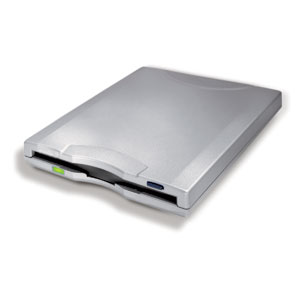
Applies To Verbatim USB Floppy Disk Drive (Model Numbers FDUSB-xx/FDUSB-xx2)
Author Verbatim
Driver Date 11/20/2000
Driver Version ver. 1.0
File Name 2XFloppyDrivers.exe
File Size 135.0 KB
Requirements Windows 98/98SE

No driver is needed for Windows ME/2000/XP since it is built into the operating system.

Description

FDUSB-TM2 supports Windows 98, 98SE, ME, 2000, XP, Vista and Mac OS 8.6 - 9.x or Mac OS X 10.1 or higher. However, for Windows 98 and 98SE, you will have to download and install the driver before you can use it.

How to install DFUSB-TM2 Floppy drivers:

  1. Plug in the drive and the Found New Hardware wizard should pop up.
  2. Search for the drivers and check Specify location.
  3. Browse to the location where the drivers where saved and extracted.
  4. The wizard should find the drivers and install.
  5. Use My Computer, or Windows Explorer to access the floppy drive.
If you are not getting the Found New hardware wizard, try different USB ports or go in to the Device Manager (right-click My Computer then left-click Properties)

You can try to remove any unknown or other devices, and then it should pop up after you Refresh the device driver list.

FDUSB-TM2 Specifications

  1. Reads and writes high-density 3.5 in. floppy discs
  2. Self-powered via USB
  3. Unit Dimensions - 4.125 in. X 5.75 in. X 0.75 in. (105 mm X 146 mm X 19 mm)
  4. Unit Weight - 10.22 oz (290 g)
  5. Cable length - 2 ft. (61 cm)

Smartdisk FDUSB-TM2 Driver

Leave a Comment

Your email address will not be published. Required fields are marked *

This site uses Akismet to reduce spam. Learn how your comment data is processed.