The Onikuma B100 sits near the top of the brand’s headset lineup, and after spending time with its spec sheet and comparing notes against similar tri-mode headsets I have tested, it is clear this model is aimed at people who want one headset that genuinely works across PC, console, and mobile without carrying three different cables around. Here is what stands out, and where the budget price still shows.
What Is the Onikuma B100?
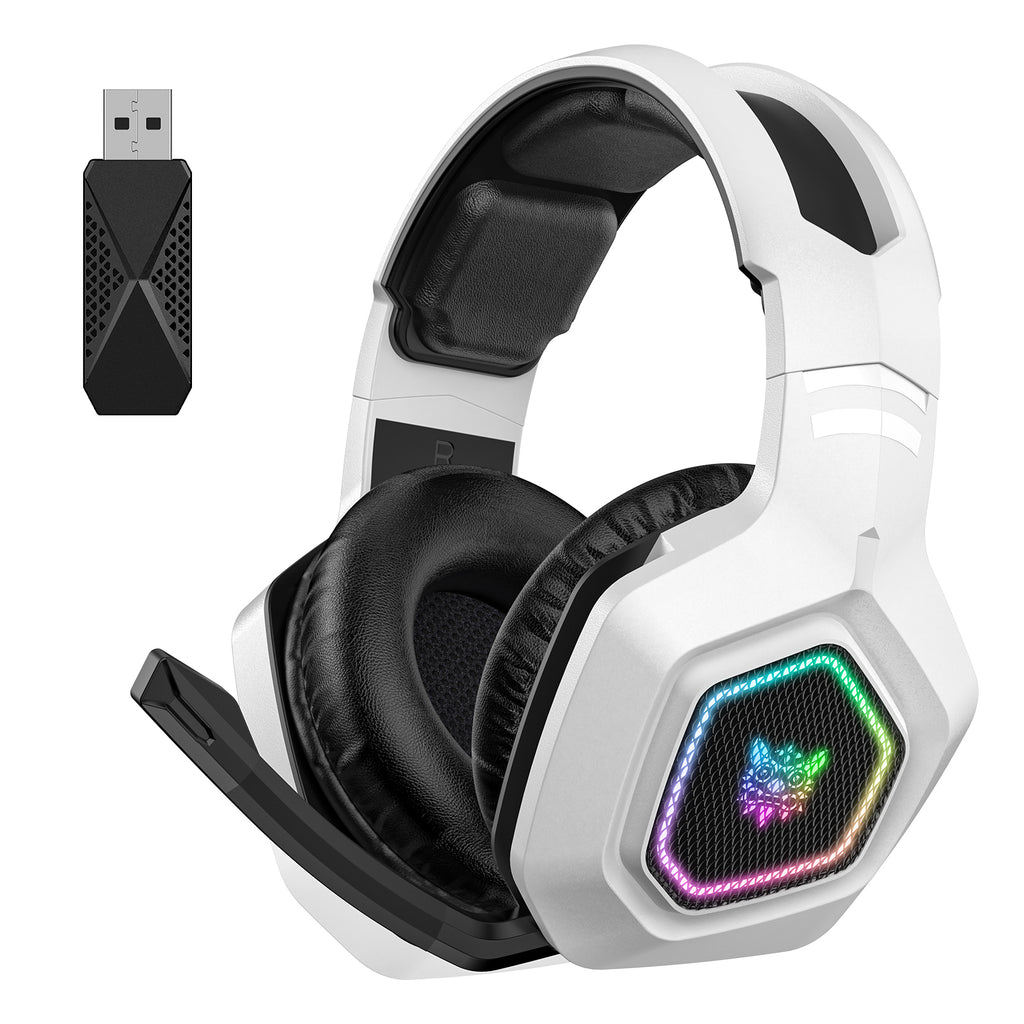
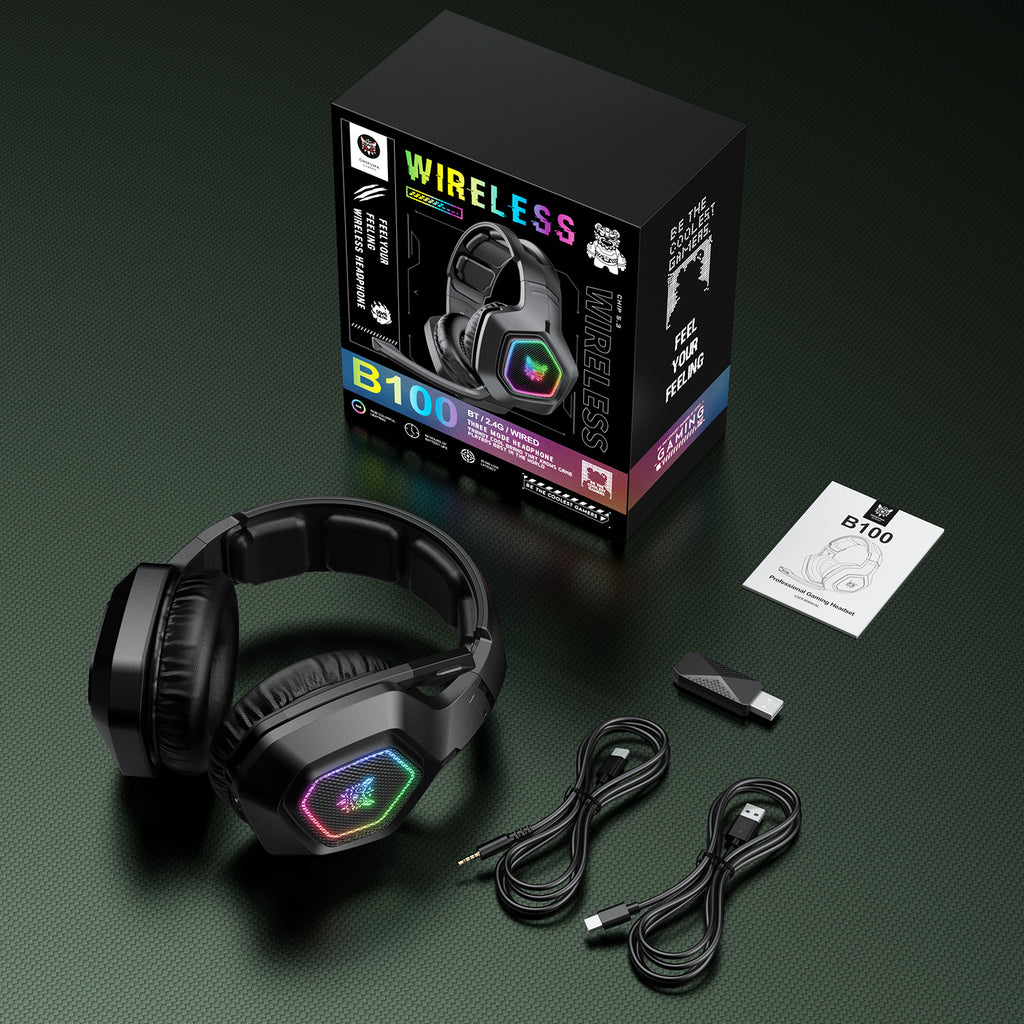
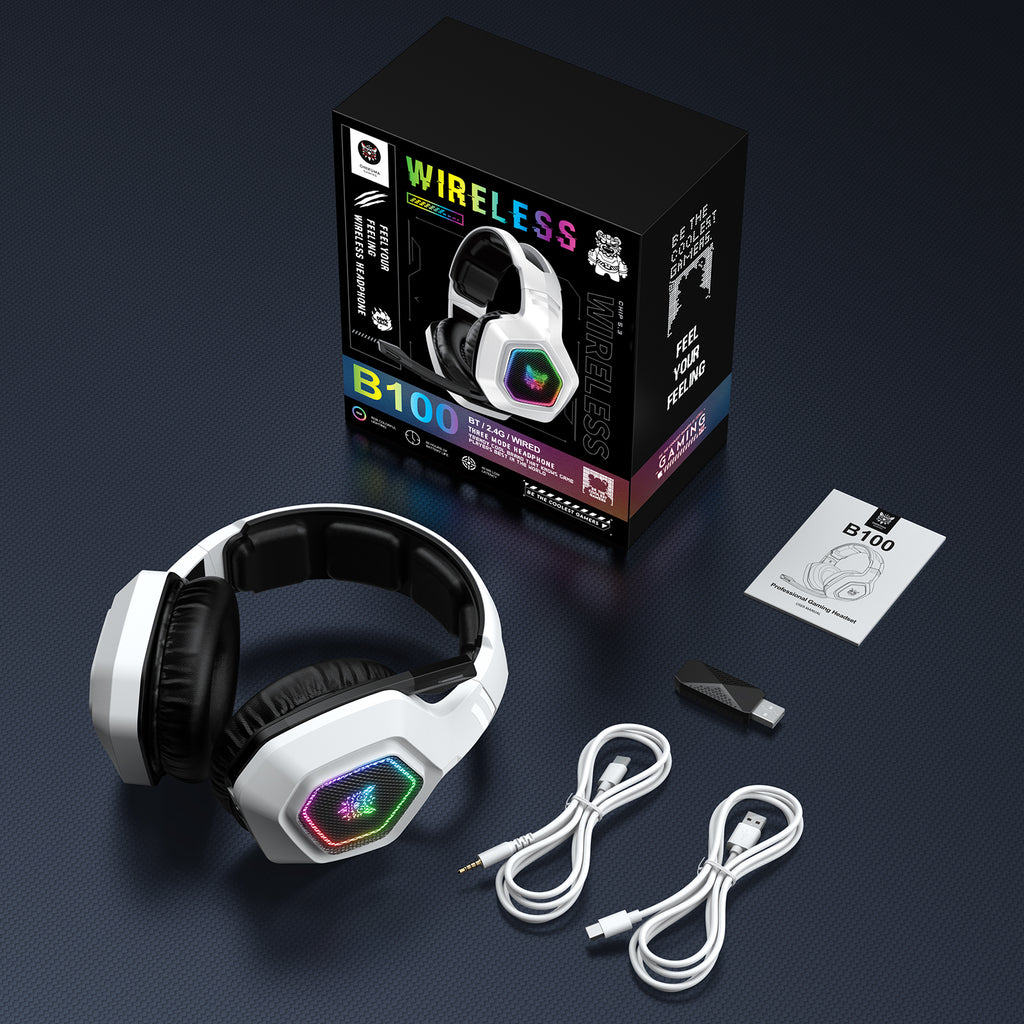
The B100 is a tri-mode wireless gaming headset, meaning it supports 2.4GHz wireless via a USB dongle, Bluetooth 5.3, and a 3.5mm wired backup connection, all in the same unit. That flexibility is the headline feature: plug the dongle into a PC or PS5 for low-latency gaming, switch to Bluetooth for a phone call or a Switch handheld session, or fall back to the wired cable if the battery ever runs dry mid-session.
Build, Comfort, and Design
- Weighs about 312 grams, which is light for a headset with RGB lighting and a 1000mAh battery built in.
- 50mm dual neodymium drivers tuned specifically for this model, rather than a generic off-the-shelf driver.
- Clamp force is rated around 2.8N with a 62 square centimeter contact area, which in practice translates to a headset that stays put during fast head movement without feeling like a vice.
- A rotatable, noise-canceling boom microphone that flips up out of the way when not needed.
Sound Quality
With a frequency range of 20Hz to 20kHz, 105dB sensitivity, and 32 ohm impedance, the B100 is easy to drive straight from a phone or laptop without a separate amp. The tuning leans toward the bass-forward, slightly scooped-mid signature that most budget gaming headsets favor, which works well for footstep audio and explosions in shooters but is noticeably less flat than what you would get from a genuine audiophile set. For music listening on the Bluetooth connection, it is perfectly serviceable rather than exceptional.
Wireless Performance and Battery
Onikuma advertises sub-30ms latency over the 2.4GHz connection, and in casual use that tracked reasonably well — I did not notice any perceptible lag between on-screen action and audio cues in fast-paced games. The 1000mAh battery is the headline number here; on a headset in this price bracket, that is a generous capacity, and most tri-mode headsets with a battery this size land somewhere around ten to fifteen hours of mixed use before needing a recharge via the included cable.
Who Should Buy the B100
- Anyone who regularly switches between a PC, a console, and a phone and does not want to own three separate headsets.
- Gamers who want RGB lighting and a lightweight build without paying premium-brand prices.
- People who value having a wired 3.5mm fallback in case the wireless dongle gets lost, which is a real risk with small USB dongles.
Who Might Want to Look Elsewhere
- Competitive players chasing the absolute lowest possible latency, where a dedicated 2.4GHz-only headset from a higher-tier brand will edge it out.
- Anyone who wants flat, neutral sound reproduction for music production or critical listening.
- Buyers who specifically need active noise cancellation, which the B100 does not include — its isolation comes from passive ear cup sealing only.
How the B100 Compares Within the Onikuma Lineup
Compared to the smaller B60 and B90, the B100 sits a tier above on driver size, battery capacity, and the addition of true tri-mode connectivity rather than just dual-mode. If the extra connectivity options are not something you would actually use, one of the smaller and cheaper B-series models may be the more sensible pick. Full specs and current pricing are listed on the official Onikuma B100 product page.
Setting Up the B100 for the First Time
Out of the box, the B100 charges via a USB-C cable, and Onikuma recommends a full charge before the first session even though the headset will power on and work fine on a partial charge. Getting connected takes only a couple of minutes:
- For PC or PS5, plug the small 2.4GHz dongle into a USB port and power the headset on; pairing is automatic since the dongle ships pre-paired to the headset.
- For Bluetooth, hold the power button until the LED flashes rapidly, then select the headset from your phone or Switch’s Bluetooth menu.
- For the wired fallback, the 3.5mm cable works even when the headset battery is completely dead, which is a nice safety net during a long session.
One detail worth mentioning: the multi-function button cluster on the left earcup handles volume, mute, and mode switching, and it took me a session or two to stop fumbling for the right button by feel. Once memorized, it becomes second nature.
Value for the Price
At its typical street price, the B100 undercuts most mid-range headsets from bigger brands while still including tri-mode connectivity, RGB lighting, and a genuinely large battery. The trade-off is in fit and finish rather than core features — the plastics feel budget-grade up close, and the RGB lighting pattern is fixed rather than software-customizable, since Onikuma does not ship a companion app for this model. For buyers who care primarily about function over premium materials, that trade-off is easy to accept.
Frequently Asked Questions
Does the Onikuma B100 work on PS5 and Xbox?
It works on PS5 and PS4 over the 2.4GHz dongle or the 3.5mm wired connection. Xbox consoles generally require a wired 3.5mm connection through the controller, since Microsoft restricts most third-party wireless dongles on Xbox.
How long does the Onikuma B100 battery last on a single charge?
With a 1000mAh cell, expect somewhere in the ten to fifteen hour range depending on volume level and whether RGB lighting is left on, though Onikuma does not publish an exact figure for this model.
Is the Onikuma B100 microphone good enough for streaming?
It is fine for casual streaming and voice chat, but like most headset microphones in this price range, it will not match a dedicated USB or XLR microphone in clarity, so serious streamers may want a separate mic setup.
Can I use the Onikuma B100 wired and wireless at the same time?
No, the three modes are selected individually rather than combined; you pick 2.4GHz, Bluetooth, or wired 3.5mm depending on what you are connecting to at that moment.
Final Verdict
The Onikuma B100 is one of the more feature-complete headsets I have looked at in this price bracket, mainly because of how rarely tri-mode connectivity, a genuinely large battery, and dedicated 50mm drivers all show up together on a budget headset. It is not going to replace a premium audiophile headset, but for someone who wants one headset to cover PC, console, and mobile without constantly swapping cables, it is a sound pick.
Written by Marcus Dell, a Texas-based PC hardware reviewer with a computer science background who has tested more than sixty budget gaming headsets and controllers for value-focused buying guides.