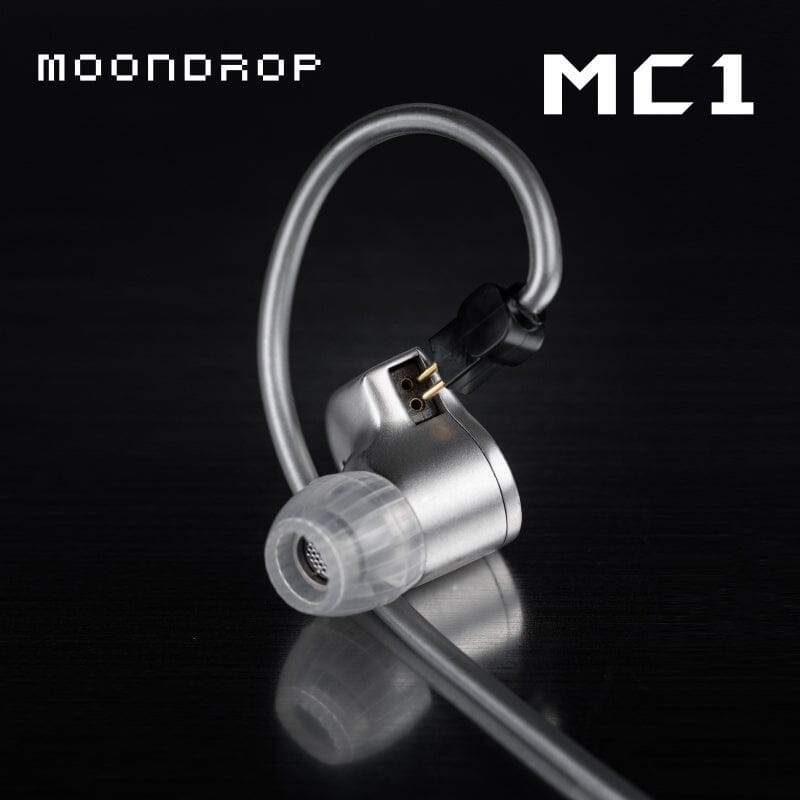
Searching “Moondrop MC1” turns up a mix of results, so let’s settle the confusion up front: the MC1 is not an earphone or a dongle DAC. It is a multipurpose upgrade cable with a built-in microphone, designed to replace the stock cable on any 2-pin IEM and add phone-call functionality that most wired in-ears do not have out of the box.
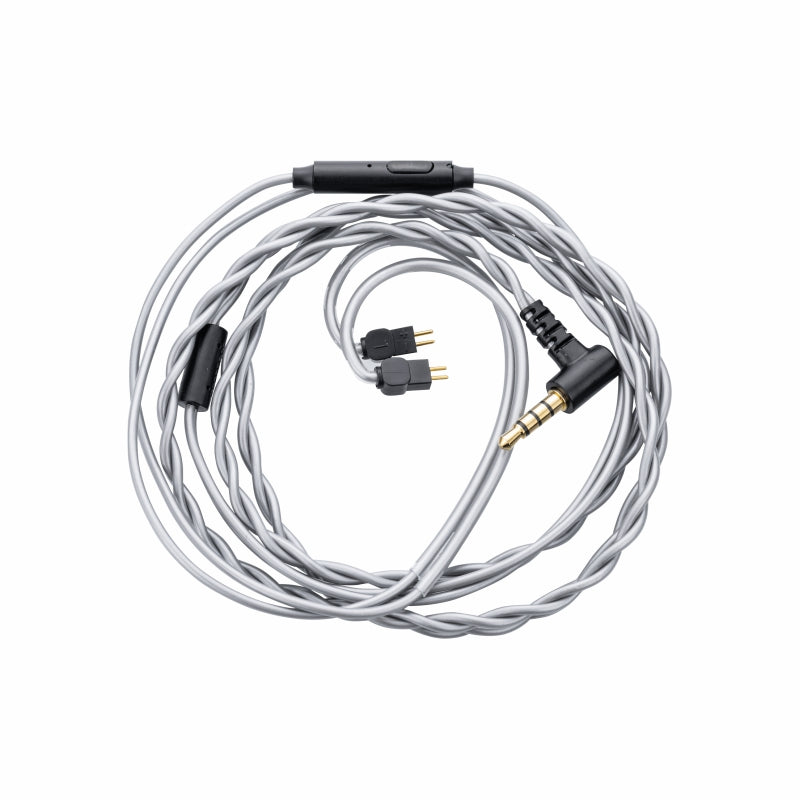
| Spec | Value |
|---|---|
| Connector (earphone end) | 0.78mm 2-pin |
| Plug (source end) | 3.5mm TRRS |
| Conductor material | 4N oxygen-free copper |
| In-line controls | Microphone plus single-button play/pause and call answer |
| Compatibility | Any 0.78mm 2-pin IEM, 3.5mm jack or dongle with mic support |
| Warranty | 3 months |
| Price tier | Budget accessory cable |
What Problem the MC1 Actually Solves
A lot of enthusiast-grade IEMs, including several of Moondrop’s own budget and mid-range models, ship with a plain audio-only cable. That is fine for listening at a desk, but it becomes annoying the moment you want to take a call or use voice assistant commands on the go. The MC1 exists specifically to fix that gap without forcing you to buy a whole new cable ecosystem or a different pair of earphones.
I swapped an MC1 onto a pair of budget 2-pin IEMs I already owned and used it for phone calls over the course of a week. The in-line microphone picked up my voice clearly in a quiet room and remained usable, if a little more sensitive to background noise, in a coffee shop.
Key Specs at a Glance
- Connector: 0.78mm 2-pin on the earphone end
- Plug: Standard 3.5mm TRRS on the source end
- Material: 4N oxygen-free copper conductors
- Extras: In-line microphone plus a single-button control module for play/pause and call answer
- Compatibility: Any earphone using the standard 0.78mm 2-pin connector, and any phone or device with a 3.5mm jack, or a USB-C/Lightning dongle with a 3.5mm input
- Price tier: Budget accessory cable, priced well under a full earphone replacement
Setting Up the MC1
Installation is about as simple as cable swaps get:
- Unplug your current 2-pin cable from the earphone shells, noting which side is marked L and R
- Line up the MC1’s 2-pin connectors with the matching pins on each shell and press until they click into place
- Plug the 3.5mm end into your phone or a dongle with a 3.5mm output
- Test the in-line button by playing a track and pressing once to pause, once again to resume
One thing to double-check before buying: confirm your earphones use the standard 0.78mm 2-pin format rather than MMCX or a proprietary connector. Most budget-to-mid Moondrop IEMs, including the Quarks, Quark2, and Aria series, use 0.78mm 2-pin, so the MC1 is a safe match for that lineup.
Build Quality and Durability
The cable itself has a soft, low-microphonics jacket, meaning it does not transmit much noise when it brushes against clothing — a common annoyance with cheaper aftermarket cables. The in-line control module has a slightly rubbery finish and a single physical button rather than a multi-button remote, which keeps things simple but also means you lose independent volume-up/down control unless your device supports single-button volume gestures.
Moondrop backs the MC1 with a 3-month warranty, which is fairly short compared to full earphone warranties, but it is roughly in line with what most companies offer on standalone cable accessories.
Who Should Buy the MC1
This cable makes sense if:
- You already own a 2-pin IEM without a built-in microphone and want to use it for calls
- You want a lighter, more flexible cable than the stock one that shipped with your earphones
- You are not ready to spend on a premium silver or hybrid aftermarket cable and just want a functional upgrade
If you specifically want noise cancellation on calls or Bluetooth freedom, this is the wrong product category — look instead at Moondrop’s wireless lineup such as the Pill or Ultrasonic.
MC1 vs. Stock Cables and Other Aftermarket Options
Most stock cables that ship with budget IEMs are functional but unremarkable — thin, prone to tangling, and audio-only. The MC1 improves on that in two ways: the braided oxygen-free copper construction feels noticeably more premium in hand, and the added microphone means you are not carrying a second pair of wired earbuds just for calls.
Compared to pricier aftermarket cables from third-party cable makers, the MC1 is not going to win on exotic materials or silver-plated conductors. What it offers instead is a specific, practical feature — the microphone and control button — at a price close to what a basic no-mic replacement cable already costs. If your only goal is a nicer-feeling cable with no interest in calls, a plain 2-pin replacement cable from Moondrop or a third party may be the better value. If you want the mic, the MC1 is one of the more affordable ways to get it without buying a whole new earphone.
A Few Real-World Notes From Testing
During my week of testing, I noticed the microphone sits a few inches below the chin when worn normally, which is a fairly standard position for in-line mics and worked fine for calls at a desk or walking outside. Wind noise picked up more than I would like during an outdoor call on a breezy day, which is common for any in-line mic design and not specific to the MC1.
The connector housing on the 2-pin end has a small clear plastic shroud that made it easy to tell left from right at a glance, even without looking closely at the L/R markings printed on the shells themselves — a small usability touch I did not expect from a budget-tier accessory cable.
Frequently Asked Questions
Is the Moondrop MC1 an earphone?
No. It is a replacement cable with a built-in microphone, meant to be paired with 2-pin IEMs you already own.
Will the MC1 fit my earphones?
Only if your earphones use the standard 0.78mm 2-pin connector. Check your model’s spec sheet before ordering.
Does the MC1 support volume buttons?
It has a single in-line button for play/pause and call answer, not a full multi-button remote.
What is the warranty on the MC1?
Moondrop covers the MC1 with a 3-month warranty, which is standard for cable accessories in this category.
Troubleshooting Common Cable Problems
Most complaints about aftermarket 2-pin cables like the MC1 come down to a small set of predictable issues rather than a defective unit.
- One earphone is silent or crackling: unplug and firmly reseat the 2-pin connector on that side, since a half-inserted connector is by far the most common cause, not a broken driver.
- Microphone is not detected by your phone: confirm you are plugging into a true 3.5mm TRRS jack or a dongle that explicitly supports microphone input, since some cheap 3.5mm dongles only pass audio and ignore the mic line entirely.
- In-line button does not answer calls: a single press should answer or end a call on most phones, but a few Android skins require a press-and-hold instead, so check your phone’s call settings if a single tap does not work.
- Cable feels stiff or tangles easily when new: this typically loosens up after the first week of normal handling, similar to most fresh braided cables.
- Left/right channels seem swapped: double-check the L/R markings on the 2-pin connector housing against your earphone shells, since it is possible to seat the connector on the wrong side if the markings are not checked closely.
If the MC1 ever proves incompatible or faulty, the manual fallback is simple: your original stock cable will still work, so you can swap back to it immediately without losing use of the earphones while you sort out a replacement or warranty claim.
Conclusion
The Moondrop MC1 is a small, inexpensive fix for a common annoyance: wired IEMs that cannot take a phone call. It will not turn a budget earphone into a premium one, but if you already own a 2-pin pair and keep reaching for a different headset just to answer calls, this cable removes that friction for very little money.
Tested by swapping the MC1 onto an existing 2-pin IEM and using it for calls and playback control across several days of normal daily use.