The KZ ZS10 Pro ships with a genuinely fun, bass-forward hybrid driver sound out of the box, but its factory tuning also leans hard into a V-shaped signature – boosted bass, a slightly recessed midrange, and elevated treble. That tuning sells well in a five-second store demo, but it is not always what you want for hours of daily listening. If you find the treble a bit fatiguing or the vocals a touch buried, EQ is where the ZS10 Pro really opens up.
I ran a ZS10 Pro through a few weeks of EQ experimentation using a basic parametric equalizer app on my phone, mostly because the stock tuning started to feel a little tiring on longer listening sessions. A handful of small adjustments made a noticeable difference without needing anything close to professional measurement gear.
Understanding the Stock Tuning First
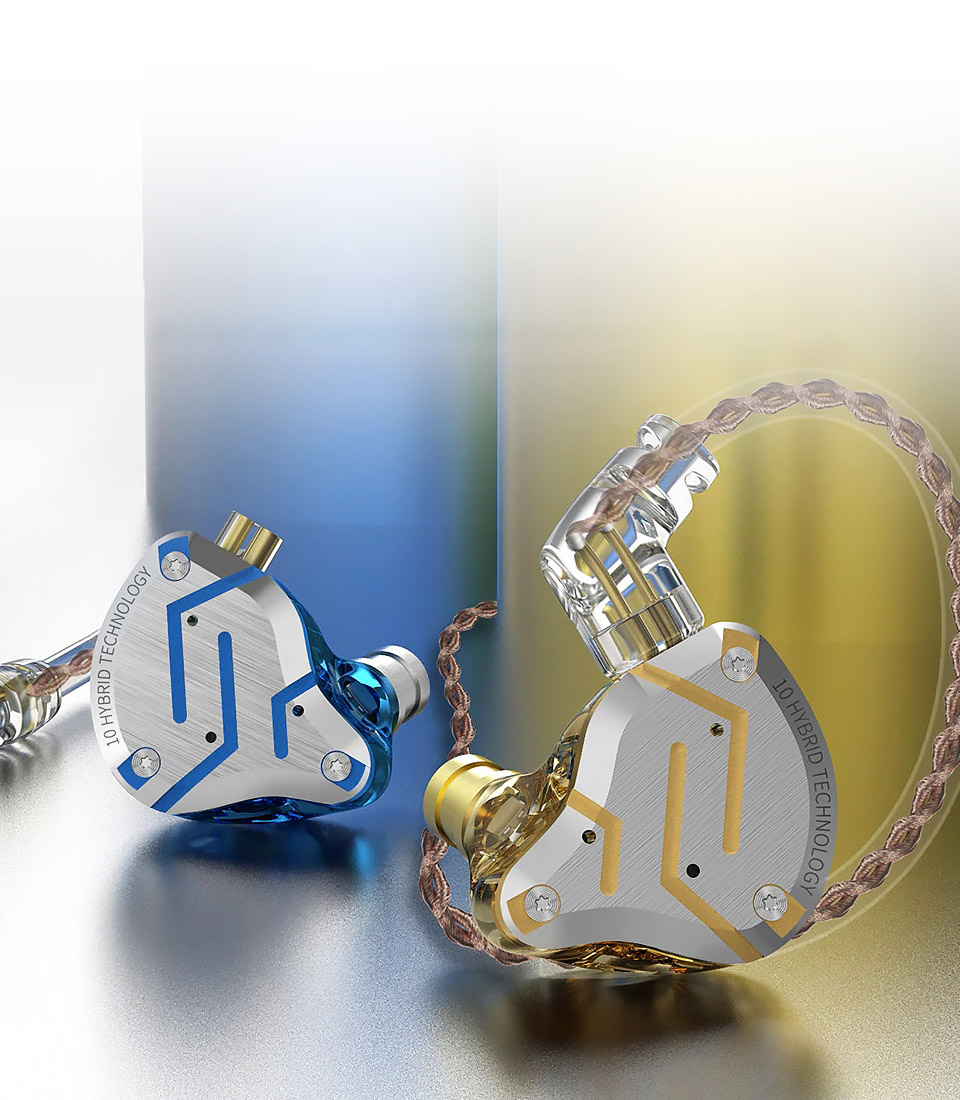
The ZS10 Pro pairs a 10mm dynamic driver with two mid-frequency and two high-frequency balanced armature drivers per side. Independent measurements generally show a frequency response with a strong sub-bass and bass shelf, a dip through the lower midrange, and a treble peak that gives the earphone its characteristic “sparkly” top end. Rated impedance is around 24 ohms with sensitivity near 111dB, so it is easy to drive from a phone, but that high sensitivity also means EQ boosts can clip more easily than on a less sensitive earphone, so keep gain increases modest.
Recommended EQ Starting Points
These are starting points to fine-tune by ear, not fixed universal settings, since preferences and source hardware vary. If your EQ app supports parametric bands (frequency, gain, and Q), use these; if you only have a basic slider-style EQ, treat them as general direction rather than exact numbers.
- Sub-bass (around 40–60Hz): Leave mostly alone or trim by 1–2dB if bass feels boomy rather than tight.
- Bass/lower-mid crossover (150–300Hz): A small cut here (1–3dB) helps reduce muddiness that can bleed into vocals.
- Midrange (500Hz–2kHz): A gentle boost of 1–3dB in this range brings vocals and lead instruments forward, since this is the area the stock tuning tends to underserve.
- Presence region (2–4kHz): Be cautious boosting here, as this is already an area of natural ear sensitivity and the ZS10 Pro does not need extra help sounding detailed.
- Treble peak (7–9kHz): This is usually the biggest culprit behind listening fatigue. A cut of 2–4dB in this range is often the single most impactful change for taming harshness on bright recordings.
Genre-Specific Adjustments
- Vocal-focused pop or acoustic: Boost the 500Hz–2kHz midrange slightly more (up to 3–4dB) and cut the 7–9kHz treble peak to bring vocals forward without harshness.
- Bass-heavy EDM or hip-hop: Leave sub-bass alone, cut the lower-mid crossover a bit more to keep bass from muddying up the mix, and apply a small treble cut for comfort during long sessions.
- Classical or acoustic instrumental: Keep changes minimal overall – a light treble reduction is usually enough, since these genres benefit from the ZS10 Pro’s natural detail retrieval without needing much midrange correction.
Using an EQ App
The ZS10 Pro is a fully passive wired IEM with no onboard EQ chip, so any equalization has to happen on your source device rather than the earphone itself. On Android, apps like Wavelet or Poweramp’s built-in EQ support parametric adjustment; on iOS, options are more limited due to platform restrictions, but several third-party music player apps include a basic multi-band EQ that gets you most of the way there. Community-shared EQ profiles for the ZS10 Pro are also widely available on audio forums like Head-Fi and Reddit’s headphone communities if you want a more precisely measured starting point than a general guide can offer.
Ear Tips Matter Just as Much as EQ
Before you touch a single EQ slider, it is worth trying the stock ear tips against a set of foam tips, since tip material changes the treble response almost as much as software EQ does on the ZS10 Pro. Silicone tips (the stock option) tend to let more of that treble peak through, while foam tips compress and seal differently, naturally rolling off some of the upper-frequency energy while also improving bass seal. I switched to a set of foam tips partway through testing and found I needed a noticeably smaller EQ cut in the 7–9kHz range afterward to reach the same comfortable balance.
If you do not want to mess with an EQ app at all, foam tips alone get you a meaningful portion of the way to a smoother sound, and combining both approaches (foam tips plus a modest treble EQ cut) is what I would personally recommend for anyone who finds the stock configuration fatiguing on longer sessions.
Frequently Asked Questions
Does the ZS10 Pro have built-in EQ?
No. It is a passive wired IEM with no electronics of its own, so all EQ adjustments must be made through your phone, DAP, or music player software.
What is the biggest EQ change most people make?
Reducing the 7–9kHz treble peak is the single most common adjustment, since it is the main source of listening fatigue on the stock tuning.
Will EQ damage the drivers?
Reasonable EQ adjustments (a few dB in either direction) are safe. Extreme boosts, especially in the bass, can cause distortion or clipping at high volumes, so keep changes moderate.
Do I need a specific app to EQ the ZS10 Pro?
Any parametric or graphic EQ app on your phone or computer will work. Apps that support parametric bands with adjustable Q give you more precise control than simple slider-based EQs.
Conclusion
The KZ ZS10 Pro’s factory tuning is enjoyable but clearly voiced for an exciting first impression rather than long-term comfort. A modest midrange boost combined with a treble trim around 7–9kHz addresses most of the common complaints about the stock sound, and because the earphone is genuinely detailed and well-built for its price, EQ tends to reveal a more balanced, listenable side of it rather than fighting against a bad design.
Notes from Ryan, who spends more time adjusting EQ curves on budget IEMs than most people would consider reasonable, purely because a good EQ pass can transform how a cheap earphone actually sounds day to day.