Changing the watch face on the Haylou LS05 “Solar” is one of those small customization details that makes a budget smartwatch feel a lot more personal, but the process is not always obvious the first time. Here is exactly how I got new faces onto mine, including both the official route and a couple of third-party options that expand your choices considerably.
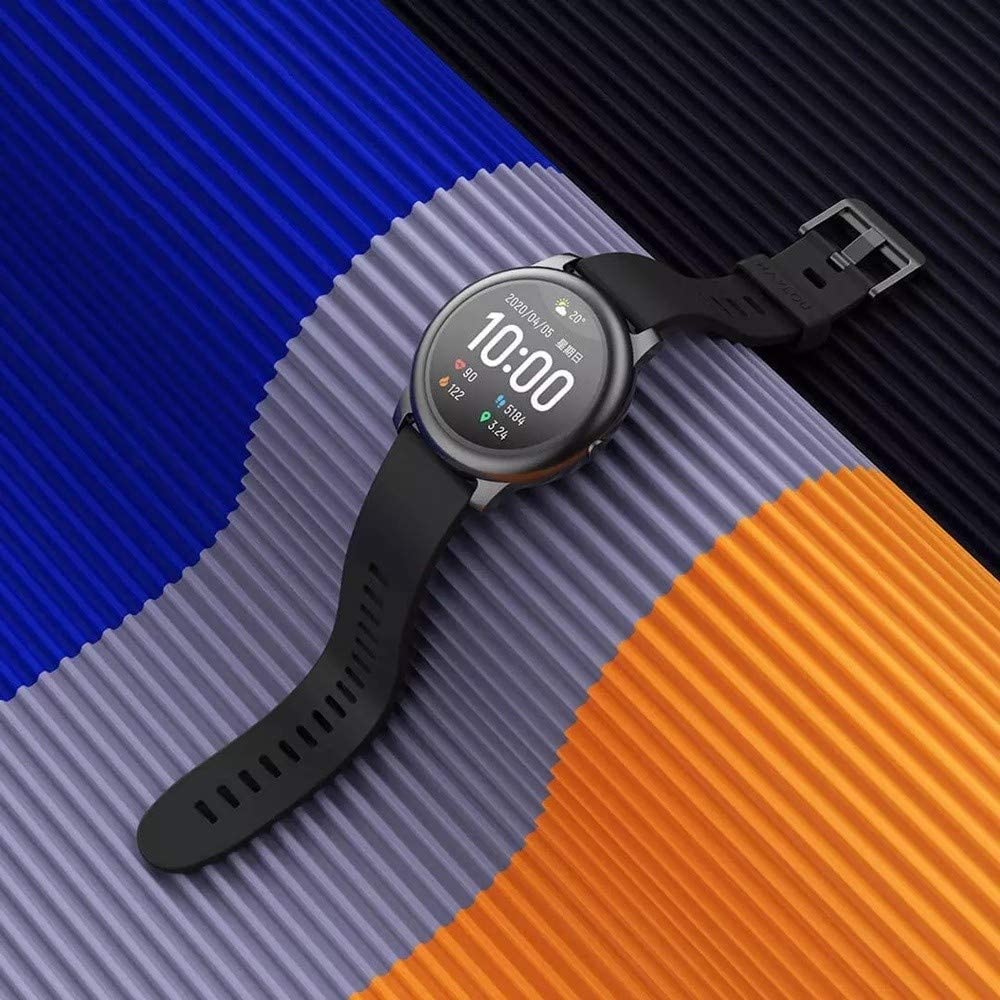
Confirming What The LS05 Supports
The LS05 Solar does support custom watch faces, but it is entirely app-based — there is no on-watch menu for browsing designs directly. Everything happens through your phone first, then gets pushed to the watch over Bluetooth.
Changing Watch Faces With The Official App
Haylou’s official companion app for the LS05 is called Haylou Fun (an older app called Haylou Fit also works with some LS05 units, depending on firmware version). The steps are broadly the same either way:
- Open the Haylou Fun app and make sure your LS05 is paired and connected
- Navigate to the watch face or dial section of the app
- Browse the built-in selection and tap one to preview it
- Confirm the selection to push it to your watch over Bluetooth
Using Third-Party Watch Face Apps
If the built-in selection feels limited, apps like Haylofaces and Hello Haylou offer a much larger library of custom designs specifically built for the LS05 and related models. Hello Haylou in particular can work alongside the official Haylou Fun app rather than replacing it, letting you mix official and community-made faces.
- Haylofaces: a dedicated watch face pack app for the Solar LS05
- Hello Haylou: supports custom face uploads and works with multiple Haylou watch models
- Both are available on Google Play; installation and syncing works the same way as the official app
A detailed community thread covering unlimited custom watch face installs across the RS4, RS4 Plus, Solar LS05, and RT LS05S is available on XDA Forums, which is a genuinely useful resource if you want to go beyond either app’s default library.
Common Issues When Faces Don’t Update
If a new watch face does not appear after syncing, check the watch’s remaining battery first — some models silently skip face transfers below a certain charge threshold to save power. Toggling Bluetooth off and back on, then reopening the app, resolves most stuck syncs.
Choosing A Watch Face That Doesn’t Drain The Battery
Some of the more elaborate animated watch faces, particularly ones with constantly moving graphics or bright always-on elements, noticeably increase battery drain compared to the simpler default faces. If you have noticed your LS05 running down faster than expected after switching designs, try reverting to a simpler static face for a few days to see whether battery life improves before assuming a hardware issue.
Backing Up Your Favorite Faces
- Screenshot the face preview inside the app before switching, so you can find it again quickly later
- Note which app (Haylou Fun, Haylofaces, or Hello Haylou) a favorite face came from, since switching between apps does not always carry over your selection
- Custom uploaded faces are usually tied to your account, so signing into the same account on a new phone typically restores access to them
Creating A Custom Photo Watch Face
- Open Hello Haylou or your app’s custom face creation tool
- Select a photo from your phone’s gallery to use as the background
- Arrange which metrics (time, steps, heart rate, battery) overlay on top of the image
- Save and push the design to your LS05 over Bluetooth
This is one of the more genuinely fun customization options available on a budget smartwatch, and it takes only a couple of minutes once you know where the option lives in the app’s menu structure.
Battery Impact Of Different Watch Face Styles
Static, low-color watch faces sip noticeably less battery than animated or constantly updating designs, which matters more on the LS05 than on flagship smartwatches with larger batteries. If all-day battery life matters more to you than visual flair, sticking with a simpler analog or minimal digital face is the more practical choice, reserving animated designs for days when charging access is not a concern.
Where To Find More Watch Face Options
Beyond Haylofaces and Hello Haylou, several enthusiast forums maintain updated lists of compatible watch face packs for the LS05 and related Haylou models, often shared as direct downloads rather than through an app store listing. Community-sourced watch faces occasionally come with less polish than officially curated designs, so previewing a face before fully committing to it is worth the extra step.
Resetting Watch Face Settings
If a newly installed watch face causes display glitches or fails to show the correct time, a quick fix is reverting to one of the watch’s original built-in faces through the app, then reattempting the custom face install after confirming your Bluetooth connection is stable. This resolves the vast majority of watch face sync failures reported by other LS05 owners.
A Quick Note On App Permissions
Watch face syncing relies on a stable Bluetooth connection between your phone and the LS05, so if transfers seem unusually slow, check that your phone’s battery saver mode is not throttling background Bluetooth activity for the app, since this is a common and easily overlooked cause of sluggish syncing on newer Android versions.
Frequently Asked Questions
Do I need Haylou Fun specifically, or does Haylou Fit also work?
Both apps have supported the LS05 at different points depending on firmware version, but Haylou Fun is the more actively maintained option going forward.
Can I design and upload my own custom watch face?
Yes, both Hello Haylou and some versions of the official app support uploading a personal photo or custom design as a watch face background.
Will installing a third-party watch face app void any warranty?
No, these apps communicate with the watch the same way the official app does, over standard Bluetooth, and do not modify the watch’s firmware.
Conclusion
Customizing the Haylou LS05’s watch face just takes the right app and a stable Bluetooth connection. Stick with Haylou Fun for the official library, or branch out to Haylofaces or Hello Haylou if you want considerably more design variety.
I hold a computer science degree and have spent years helping non-technical readers get their gadgets working without the jargon.
\n