Flagship DACs tend to ship with feature-packed manuals that assume you already know what half the settings do. The Gustard R30 is a good example — it’s genuinely one of the more capable network-streaming R2R DACs currently available, but getting the most out of it means understanding a few things the quick-start guide glosses over.
| DAC Architecture | 27-bit discrete R2R with FPGA clock management |
| DSD Support | Native DSD1024, Direct DSD mode |
| Digital Inputs | Coaxial, AES, optical, USB, network streamer, IIS-G, IIS-M |
| Analog Outputs | RCA at 2.5Vrms, XLR at 5.1Vrms |
| Clock Input | 10MHz via BNC, 50 ohm impedance |
| Control Interface | Front-panel touch display |
| Output Stage | Discrete Class A with dual transformers |
| Price | Around $3,599.99 |
What the R30 is
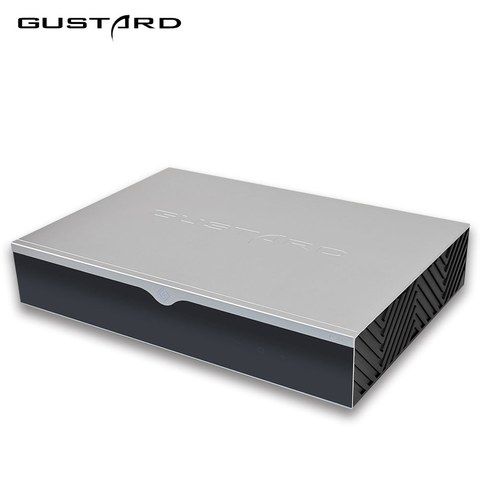
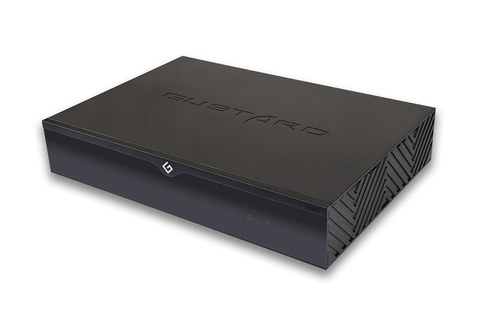
The R30 is Gustard’s flagship, fully-discrete R2R network streaming DAC, positioned above the R26 and R26 II in the lineup. It’s priced around $3,599.99 and built around a 27-bit resistor-ladder design paired with an FPGA-based clock management system.
- 27-bit discrete R2R design with FPGA-based advanced clock management
- True 1-bit DSD decoding with a dedicated Direct DSD mode that bypasses PCM conversion entirely
- Native support for DSD1024
- Seven input channels: coaxial, AES, optical, USB, network streamer, and two I2S variants (IIS-G and IIS-M)
- RCA output at 2.5Vrms and XLR output at 5.1Vrms
- 10MHz clock input via BNC for external master clock synchronization
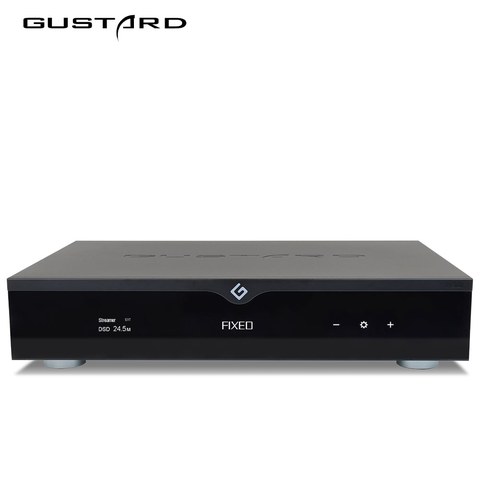
- Front-panel touch display doubling as the primary control interface
- Discrete Class A analog output stage with dual transformers
Step 1: Picking the right input for your source
With seven input options, it’s easy to default to whatever’s most convenient rather than what’s optimal. USB and the network streamer input generally offer the highest bandwidth ceiling for PCM and DSD. If you’re running a dedicated network transport or NAS-based library, using the built-in streamer input (with Roon, AirPlay, UPnP, NAA, or Spotify support) skips an entire external transport device from your chain, which is one of the R30’s biggest practical advantages over older-generation flagship DACs.
Step 2: Understanding Direct DSD mode
Most DACs, even ones that support native DSD, still apply some internal processing before final conversion. The R30’s Direct DSD mode is worth specifically enabling if your source material is DSD-native: it bypasses PCM conversion steps entirely, preserving micro-detail and timing information that would otherwise be altered, even subtly, by intermediate processing. If most of your library is PCM rather than DSD, this setting won’t matter much day-to-day, but it’s worth knowing it exists for anyone with a serious DSD collection.
Step 3: External clock synchronization
The 10MHz BNC clock input is a feature aimed squarely at owners who already run (or plan to add) an external master clock generator elsewhere in their system. Input impedance is 50 ohms, accepting either CMOS square wave (0.2V to 3.3V) or sine wave (0.5V to 3.3V) signals at 0dBm to 20dBm. If you don’t already own an external clock, this isn’t something to rush out and buy purely for the R30 — the internal FPGA clock management is already highly capable on its own. It’s there for owners building a synchronized multi-component digital front end.
Step 4: Output level and volume behavior
The R30 displays its output level as a range from -63.5dB up to 0dB, with a “FIXED” mode that bypasses the volume stage entirely for a true fixed line-level output. If you’re running the R30 straight into a power amp without a separate preamp, use the onboard variable output; if you already have a preamp downstream, switch to FIXED mode to avoid attenuating the signal twice.
The full 18-page manual with wiring diagrams is available through Manuals Plus, and Darko.Audio’s review covers real-world streaming setup in more practical depth than the manual itself.
Firmware updates and network maintenance
Because the R30 is as much a network streaming device as a DAC, keeping its firmware current matters more than it would for a purely analog-focused component. A few maintenance habits worth adopting:
- Check for firmware updates periodically through Gustard’s official channels rather than assuming the unit will prompt you automatically
- Use a wired Ethernet connection over Wi-Fi wherever practical, both for streaming stability and for more reliable firmware update delivery
- Keep a note of your current firmware version before any update, in case you need to reference it when troubleshooting with support
Room and system integration
A flagship DAC at this price point deserves matching consideration elsewhere in the system. The R30’s Class A analog output stage and dual transformers are built to drive demanding downstream equipment cleanly, but the benefits are easiest to hear when paired with an equally resolving amplifier and speakers or headphones, in a room without excessive electrical noise. If you’re building toward this tier for the first time, it’s worth having your amplifier and speaker cabling sorted out before finalizing the DAC purchase, so you can properly evaluate what the R30 itself is contributing to the sound.
Common setup mistakes
- Leaving the output in variable mode when a downstream preamp is already handling volume, resulting in double attenuation
- Not registering the R30 with a network streaming app before expecting Roon or AirPlay discovery to work reliably
- Assuming Direct DSD mode is always the correct setting even for standard PCM playback, where it has no relevant effect
Troubleshooting Common R30 Issues
- Roon or AirPlay doesn’t discover the R30: Confirm the DAC is on the same network subnet as your control device, and that it has been registered inside the network streaming app first; discovery over Wi-Fi is also less reliable than a wired Ethernet connection.
- No sound after switching inputs: The R30 requires you to manually select the active input on the front panel or remote; it does not auto-switch based on which source is sending a signal.
- Volume seems unusually loud or quiet compared to other sources: Check whether the output is set to FIXED or variable mode, since feeding a FIXED line-level signal into a system expecting variable output (or vice versa) causes exactly this kind of mismatch.
- DSD material plays but sounds no different with Direct DSD enabled: Confirm the source file is actually DSD-native rather than a PCM file with a DSD container, since Direct DSD mode has no audible effect on standard PCM content.
- Firmware update fails or the streamer input becomes unresponsive: Switch to a wired Ethernet connection before retrying, and avoid power-cycling mid-update; if the unit becomes unresponsive afterward, contact Gustard support with your last known firmware version on hand.
FAQ
Does the R30 need an external clock to sound its best?
No, its internal FPGA-based clock management is already highly capable; the 10MHz input is an optional feature for owners with existing external clock hardware.
Can I stream directly without a separate transport?
Yes, the built-in network streamer input supports Roon, AirPlay, UPnP, NAA, and Spotify without needing an external streaming device.
What’s Direct DSD mode for?
It bypasses PCM conversion steps for native DSD playback, preserving more of the original signal’s timing and micro-detail.
Should I use variable or fixed output?
Use FIXED if you already have a preamp downstream; use variable output if the R30 is feeding a power amp directly with no separate preamp.
How many digital inputs does it have?
Seven: coaxial, AES, optical, USB, network streamer, and two I2S variants (IIS-G and IIS-M).
Final setup checklist
- Confirm firmware is current before your first extended listening session
- Pick a primary input and stick with it during initial evaluation, rather than switching between all seven inputs at once
- Decide on FIXED versus variable output mode based on whether a separate preamp is in your chain
- Only bother with the external 10MHz clock input if you already own a compatible clock source
Flagship gear like this rewards actually reading past the quick-start card, and the R30’s deeper feature set is a good example of a DAC where the extra half hour of setup research pays off in daily use.