Follow each step in order for the fastest setup.
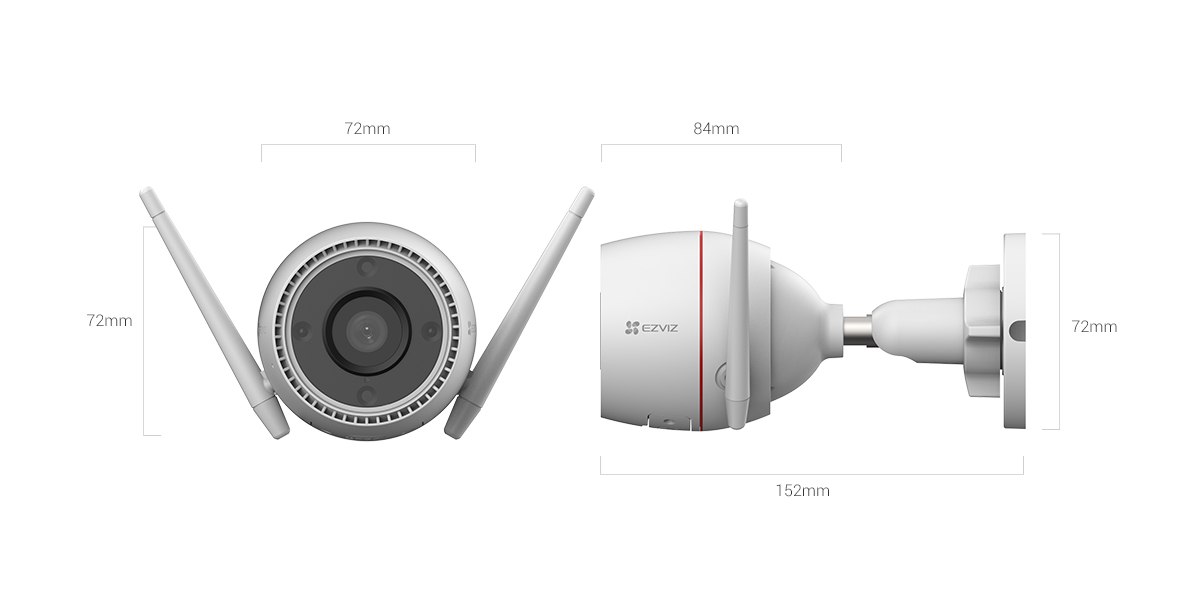
The EZVIZ H3c 2K is a wired outdoor bullet camera with a 3MP (2304 x 1296) sensor, dual spotlights for color night vision, and both Wi-Fi and Ethernet connectivity in an IP67-rated housing. It sits a step above the base 1080p H3c model and one step below the pricier H3 3K, aiming for a middle ground of solid resolution and genuinely useful night vision without the higher cost of the top-tier model. I mounted one at a side entrance for two weeks to see how it holds up against wind, rain, and a fair amount of nightly foot traffic.
Full Spec Sheet
| Spec | EZVIZ H3c 2K |
|---|---|
| Resolution | 2K / 3MP (2304 x 1296), 1/2.7″ CMOS sensor |
| Lens | 4mm, F2.0, 82° horizontal / 98° diagonal FOV |
| Frame rate | Up to 30fps, adaptive transmission |
| Night vision | 30m IR range; dual spotlights for color night vision |
| Minimum illumination | 0.01 Lux (F2.0, AGC on), 0 Lux with IR |
| Detection | AI human shape detection, motion detection, up to 4 privacy zones |
| Active defense | Siren + strobe light on intruder detection |
| Storage | microSD up to 512GB, plus EZVIZ CloudPlay |
| Connectivity | 2.4GHz Wi-Fi (802.11b/g/n) plus RJ45 Ethernet |
| Smart home | Alexa, Google Assistant, IFTTT |
| Power | DC 12V/1A, max 9W |
| Weatherproofing | IP67, -30°C to 50°C rated |
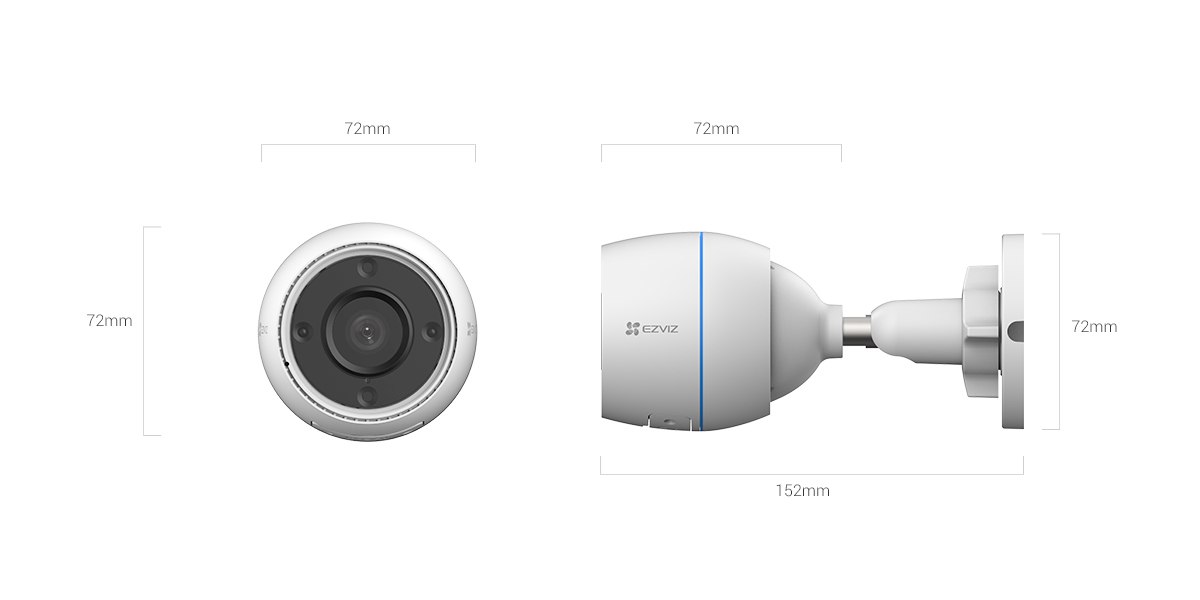
| Size / weight | 72 x 72 x 157mm, 330g |
Pick a mounting spot with power nearby
This is a wired camera with no battery, so confirm there’s an outlet or a way to run a weatherproof extension to the install location before you start.
Add the device in the EZVIZ app (most common step users get stuck on)
Scan the QR code printed on the camera base or included card, then power it on and wait for the setup voice prompt before continuing in the app.
Connect to Wi-Fi or plug in Ethernet
The 2.4GHz-only Wi-Fi radio means you’ll need to make sure your phone is on the 2.4GHz band during pairing if your router broadcasts separate 2.4GHz and 5GHz networks. Ethernet skips this step entirely if cable run is practical.
Mount using the included bracket
Angle the camera slightly downward, keeping bright sky and reflective surfaces (like a white wall in direct sun) out of most of the frame to avoid washed-out exposure during the day.
Configure detection zones and night vision mode
Draw a detection zone around just the area you care about, and choose whether you want the spotlights to activate automatically for color night vision or stay off in favor of standard IR-only recording.
Color Night Vision: How the Spotlights Actually Perform
The H3c 2K’s two built-in spotlights are the headline feature separating it from the plain H3c, and in testing they made a real difference. With the spotlights active, footage stayed in full color out to roughly 8-10 meters in near-total darkness, well beyond what a single porch light usually covers. Beyond that range, the image naturally darkens but doesn’t drop into grainy noise the way some budget color-night-vision cameras do. Switching over to standard IR mode extends detection range to the rated 30 meters, but loses color entirely, rendering in the usual black-and-white night vision look.
One detail worth knowing: EZVIZ’s documentation notes the spotlights don’t flash or strobe while in normal color night vision mode, only during an active defense trigger (siren + strobe). This matters if you’re mounting the camera somewhere a constantly flashing light would bother neighbors or a bedroom window — day-to-day color night recording is a steady glow, not a strobe.
Daytime Image Quality
During daylight hours, the 2K sensor delivers noticeably sharper detail than a standard 1080p camera, particularly useful for reading text on a package label or making out a face from 5-6 meters away. Wide dynamic range (WDR) processing handles high-contrast scenes reasonably well — a bright sky behind a shaded doorway doesn’t completely blow out the highlights the way cheaper sensors tend to. The 82° horizontal field of view is on the narrower side compared to some fisheye-style cameras, so plan your mounting angle carefully if you need to cover a wide area rather than a single fixed point like a door or gate.
AI Detection and False Alerts
Human shape detection did a reasonable job filtering out false triggers from blowing leaves, small animals, and passing cars during the two-week test, though it’s worth noting this model doesn’t include the vehicle-specific detection found on the pricier H3 3K — motion from a car will still register, just not tagged separately as “vehicle” the way it would on the higher-end model. Privacy zones (up to 4) let you mask out a section of the frame entirely, useful if the camera’s field of view happens to catch a neighbor’s window or a public sidewalk you don’t want recorded.
H3c 2K vs the Base H3c vs the H3 3K
EZVIZ’s H3-series naming can be confusing since there are three closely related models. Here’s how they compare side by side:
| Spec | H3c | H3c 2K | H3 3K |
|---|---|---|---|
| Resolution | 1080p (1920 x 1080) | 2K (2304 x 1296) | 3K (2880 x 1620) |
| Night vision | IR only, 30m | IR 30m + dual spotlights for color | IR 30m + color night vision |
| AI detection | Human shape | Human shape | Human + vehicle shape |
| Lens | 4mm fixed | 4mm fixed | 2.8mm or 4mm (fixed at purchase) |
| Connectivity | Wi-Fi + Ethernet | Wi-Fi + Ethernet | Wi-Fi + Ethernet |
| Power draw | Max 6W | Max 9W | Max 8W |
| Best for | Tightest budget, IR-only is fine | Color night vision on a mid budget | Sharpest footage + vehicle detection |
If budget is the main concern and you don’t need color night vision, the base H3c is significantly cheaper. If color night vision matters most, the H3c 2K hits a sensible middle price point. If you want the sharpest possible footage and vehicle detection specifically for a driveway, the H3 3K is worth the extra cost.
Audio Quality and Two-Way Talk
The built-in microphone and speaker support two-way talk through the EZVIZ app, letting you speak through the camera to whoever is in frame. Audio quality is clear enough for short exchanges — telling a delivery driver where to leave a package, or asking someone to move along — though like most camera speakers, it’s not designed for long conversations and can pick up some background wind noise on the microphone side during outdoor use. There’s also a pre-record option in some EZVIZ camera models for a custom voice message that plays automatically on detection, though check the current app version’s Device Settings to confirm this feature is available on the H3c 2K specifically, since EZVIZ periodically shifts which features apply to which SKUs through firmware updates.
Storage Planning: microSD vs CloudPlay
With H.265 compression, a 128GB microSD card typically holds one to two weeks of motion-triggered footage for a moderately active area like a front entrance, though this varies a lot based on how much motion the camera actually records versus sitting idle. For continuous 24/7 recording rather than motion-only, expect that estimate to shrink considerably since every second of footage is stored rather than just triggered clips. CloudPlay cloud storage is worth considering as a backup if you’re worried about a stolen or damaged camera taking your only copy of recorded evidence with it — local storage alone has no protection against the physical camera being removed.
Installation Tips From Two Weeks of Testing
A few things I’d do differently or recommend after living with this camera for two weeks: mount it at least 2.5-3 meters up if possible, since this keeps it out of easy reach while still capturing useful detail at typical face height for visitors. Avoid mounting directly under a gutter or roof edge without a slight forward tilt, since rain running down the housing in heavy storms can occasionally leave streaks across the lens that show up in footage until it dries. And if you’re running Ethernet, route the cable through weatherproof conduit rather than leaving it exposed — UV exposure over months can degrade an unprotected outdoor cable’s jacket faster than expected.
Common Problems and Fixes
- Camera won’t join Wi-Fi during setup: confirm your phone and the camera are both connecting to the 2.4GHz band specifically, since this model doesn’t support 5GHz at all, not just during initial pairing.
- Spotlights not turning on at night: check that color night vision mode (rather than IR-only) is selected in Device Settings, since IR-only mode intentionally keeps the spotlights off.
- False motion alerts from headlights or passing cars: narrow the detection zone to exclude the street or driveway edge if it’s picking up passing traffic outside the area you actually want monitored.
- Video looks washed out during the day: reposition or re-angle the camera to avoid pointing directly at bright sky or a sunlit reflective surface, which can overwhelm the sensor’s exposure even with WDR enabled.
- Ethernet connected but app still shows Wi-Fi active: manually disable Wi-Fi in Device Settings after switching to a wired connection to avoid the camera falling back to wireless.
Frequently Asked Questions
Does the H3c 2K need a subscription to use color night vision?
No, color night vision and the spotlights work without any subscription; CloudPlay is only needed for cloud video backup.
Can I run the camera on Ethernet and Wi-Fi at the same time as a backup?
No, the camera uses one active connection at a time; if Ethernet is connected and selected, Wi-Fi should be disabled to avoid conflicts.
Is the H3c 2K compatible with an existing EZVIZ A3 gateway setup?
The A3 gateway is for Zigbee sensors and locks specifically; the H3c 2K is a standard Wi-Fi/Ethernet camera that connects directly to your router rather than through the A3.
How loud is the active defense siren?
EZVIZ doesn’t publish an exact decibel rating for this model, but in testing it was loud enough to be clearly audible throughout a small yard and inside nearby rooms with windows cracked open.
Does extreme cold affect the camera’s performance?
It’s rated down to -30°C, and in testing during a cold snap it kept recording normally, though very cold temperatures can slightly reduce microSD card write reliability on any camera, not just this one.
Can I extend the microphone/speaker range with an external device?
No, the two-way talk feature is limited to the camera’s built-in hardware; there’s no supported way to connect an external speaker or microphone.
Will the spotlights attract more bugs to the camera at night?
Any bright light can attract insects, and a few false motion triggers from bugs flying close to the lens are possible, though the AI human detection filtering helps reduce alerts from this compared to plain motion detection alone.
Conclusion
The EZVIZ H3c 2K earns its place between the base H3c and the H3 3K by delivering genuinely useful color night vision and a sharper 2K sensor without pushing into premium pricing. The wired-only design means planning ahead for power access, but in exchange you get an always-on camera with no battery to manage. For a fixed outdoor spot — a side door, gate, or driveway edge — where seeing actual color detail after dark matters more than pan-tilt flexibility, the H3c 2K is a solid, dependable pick.
Ryan
Computer Science grad · long-time hands-on troubleshooter