My desktop PC has never had Bluetooth built in, which meant wired headphones or a USB soundbar every time I wanted to listen without cables. I finally grabbed the Baseus BA07, a tiny USB-A Bluetooth 5.3 dongle, to add wireless audio to an otherwise wired machine. Here is what using it daily for a few weeks was actually like.
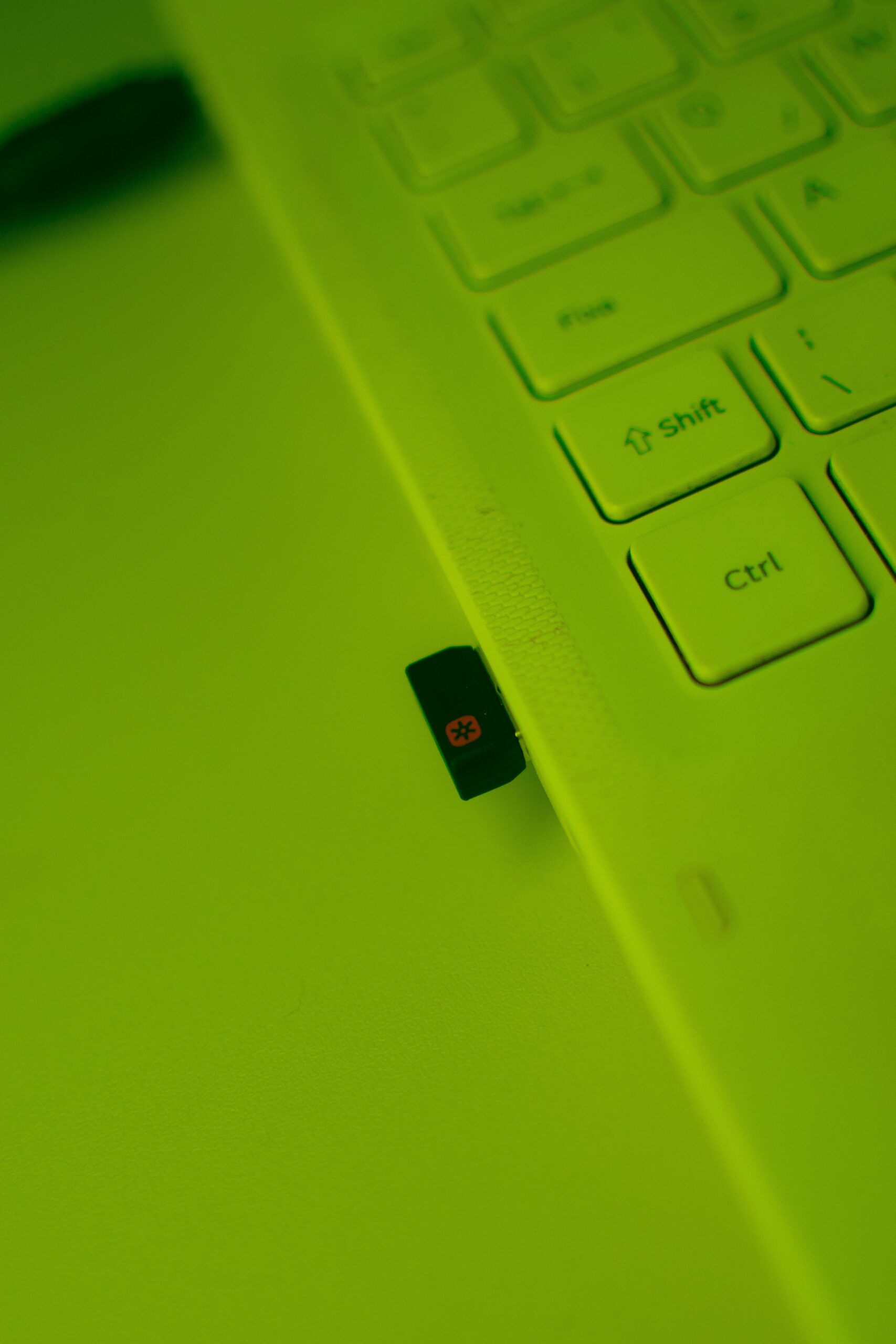
What the BA07 Is
The BA07 is a USB-A Bluetooth adapter, not an audio converter in the DAC sense. It plugs into any free USB-A port and adds Bluetooth 5.3 radio to a computer that either lacks Bluetooth entirely or has an older, flaky built-in radio. Key specs from the product listing:
- Bluetooth version 5.3 with A2DP support for high-definition audio
- Connection range up to roughly 20 meters (about 65 feet) in open space
- Can pair with up to 5 devices, though only one active audio connection at a time
- Plug-and-play on Windows 8.1, 10, and 11 with no separate driver install required
- Transmission rate up to 16 Mbps for smoother, lower-latency audio and data transfer
Setting It Up on Windows
Installation really was plug and play on my Windows 11 desktop. I inserted the dongle into a rear USB-A port, Windows detected it within a few seconds, and a Bluetooth icon appeared in the system tray without me needing to hunt down a driver file. From there, pairing wireless headphones worked the same way as pairing any Bluetooth accessory:
- Open Windows Settings and go to Bluetooth & devices
- Click Add device and choose Bluetooth
- Put your headphones or speaker into pairing mode
- Select the device from the list once it appears
If Windows does not automatically detect the dongle, Microsoft’s own Windows Bluetooth troubleshooting guide covers the standard steps for refreshing a USB Bluetooth adapter, though in my case it was not needed.
Audio Quality and Range
Sound quality through a pair of over-ear Bluetooth headphones connected via the BA07 was clean, with no noticeable compression artifacts during music playback, and no perceptible lag while watching video, which matters more than most people realize since laggy Bluetooth audio dongles are a common complaint on budget adapters. I tested distance by walking to another room roughly 8 meters away with a wall in between, and audio held steady without dropouts. Baseus’s rated 20-meter range is realistic for line-of-sight conditions, though expect it to shrink noticeably through multiple walls, which is normal for any Bluetooth 5.3 device.
Multiple Device Pairing
The BA07 remembers up to five previously paired devices, which is convenient if you regularly switch between headphones, a wireless speaker, and a wireless mouse. It only maintains one active audio connection at a time, though, so do not expect to stream to two Bluetooth speakers simultaneously.
Troubleshooting Tips
A few things worth trying if the BA07 does not behave as expected right out of the box:
- If Windows does not detect the dongle at all, try a different USB-A port — some front-panel ports on older desktops supply less stable power for small USB devices.
- If audio sounds choppy, check that no other Bluetooth adapter or built-in Bluetooth radio is still active and competing for the same audio stream.
- If pairing fails on the first attempt, remove the device from Windows Bluetooth settings entirely and re-pair from scratch rather than trying to reconnect a stuck pairing.
- Keep the dongle away from USB 3.0 hubs and other high-frequency interference sources when possible, since 2.4GHz interference can occasionally affect Bluetooth stability on budget adapters.
Where It Might Not Be the Right Fit
- If your PC already has reliable built-in Bluetooth, this dongle will not add anything you do not already have.
- It uses a rear-facing USB-A port well on desktops, but sticking out of a laptop’s side it can feel a bit exposed and is easy to knock loose while traveling.
- It is not designed to receive audio from an external analog source (like a stereo without Bluetooth) — it is strictly a Bluetooth transmitter/receiver for your PC’s own audio output, not a standalone Bluetooth transmitter for other devices.
Frequently Asked Questions
Does the BA07 need a driver on Windows 11?
No, in my testing Windows 11 detected and installed it automatically without needing a separate driver download.
Can it also send audio, not just receive it?
It works both ways for your PC’s own Bluetooth needs — you can send audio out to Bluetooth headphones/speakers and also use Bluetooth input devices like a mouse or keyboard through the same dongle.
Will it work on a Bluetooth-less older laptop?
Yes, that is exactly the use case it is built for, provided the laptop has a free USB-A port and runs a supported Windows version.
Does it support aptX or other high-quality Bluetooth codecs?
The listing specifies A2DP support for CD-quality style streaming, but Baseus does not publish support for higher-tier codecs like aptX HD, so treat it as a solid standard-quality adapter rather than an audiophile-grade one.
Does it work with Mac or Linux, not just Windows?
Baseus markets it primarily for Windows 8.1, 10, and 11, and that is where I tested it. Some USB Bluetooth dongles work on Linux distributions with generic kernel drivers, but compatibility is not officially documented by Baseus, so Windows remains the safest bet for guaranteed plug-and-play support.
Can it replace a laptop’s failing internal Bluetooth chip?
Yes, this is actually one of the more common use cases — if a laptop’s built-in Bluetooth radio has become unreliable or stopped working after a Windows update, a USB dongle like the BA07 is often the simplest fix, since Windows will generally treat it as the primary adapter once installed.
Conclusion
The Baseus BA07 does exactly what a budget Bluetooth 5.3 USB dongle should: it adds reliable, driver-free wireless audio and input support to a desktop or laptop that is missing it, with decent range and no noticeable lag during normal use. It is not going to replace a premium standalone Bluetooth transmitter for audiophile listening, but for the simple job of untethering your PC’s audio, it delivers.
Tested over several weeks on a Windows 11 desktop with multiple Bluetooth headphones. As someone who has spent years troubleshooting driver and connectivity issues for readers of this site, I always plug hardware like this into my own machine before recommending it.