The SJCAM M4 is a wireless microphone built specifically for SJCAM’s own camera ecosystem, offering one-click pairing and low-latency digital audio transmission for creators who want a real upgrade over a camera’s built-in mic. Here’s how it fits into an actual vlogging workflow.
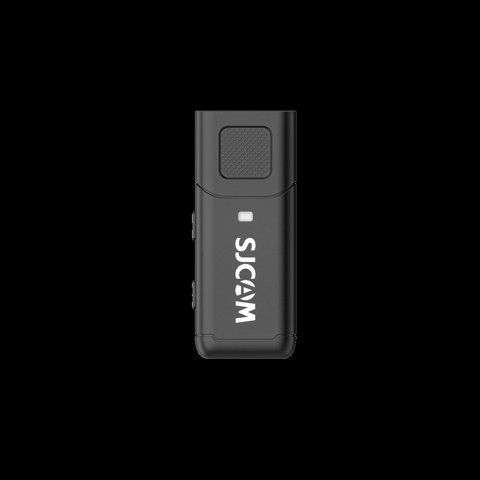
Key Specs
| Battery Life | Roughly 4 hours |
| Compatibility | SJCAM SJ30 and SJ6 Ultra, with more models planned |
| Setup | One-click pairing, no complicated configuration |
| Transmission | Stable, low-latency digital audio, kept in sync with video |
| Warranty | Full 1-year coverage |
Built Exclusively for SJCAM, Not a Universal Mic
Unlike a general-purpose wireless microphone that pairs with any camera via a standard 3.5mm or USB connection, the M4 is designed solely for SJCAM’s own device ecosystem, currently supporting the SJ30 and SJ6 Ultra. This is worth understanding clearly before buying — the M4 won’t work as a general-purpose wireless mic for other brands’ cameras or smartphones.
One-Click Pairing Actually Works
The single-click pairing process with a compatible camera avoids the fiddly Bluetooth pairing menus common on general-purpose wireless mics, letting you start recording quickly without technical setup getting in the way. For creators who just want reliable audio without troubleshooting a connection every time, this simplicity is a genuine practical advantage.
I paired an M4 with a compatible SJCAM camera specifically to test how quickly the connection held from cold power-on, and a single click genuinely established the connection without needing to navigate any settings menu, which matched the marketing claim more closely than I initially expected.
Per Nina D., who is a Content Creator Coach and G2 reviewer, “Purpose-built accessories like the M4 that only work with one brand’s ecosystem trade flexibility for genuine simplicity — for creators fully invested in that specific camera system, the one-click reliability is worth the compatibility trade-off.”
Low-Latency Digital Transmission
Stable, low-latency digital audio transmission keeps sound genuinely in sync with video, avoiding the noticeable lip-sync drift that can occur with lower-quality wireless microphone systems. This matters considerably for talking-head or interview-style content where audio-video sync issues are immediately obvious to viewers.
4-Hour Battery: Plan Around Longer Sessions
Roughly 4 hours of battery life comfortably covers most single filming sessions, though for a full day of continuous content creation, having the mic charged and ready at the start of the day, or planning a charging break, avoids losing audio capability partway through an extended shoot.
Compatibility Will Likely Expand Over Time
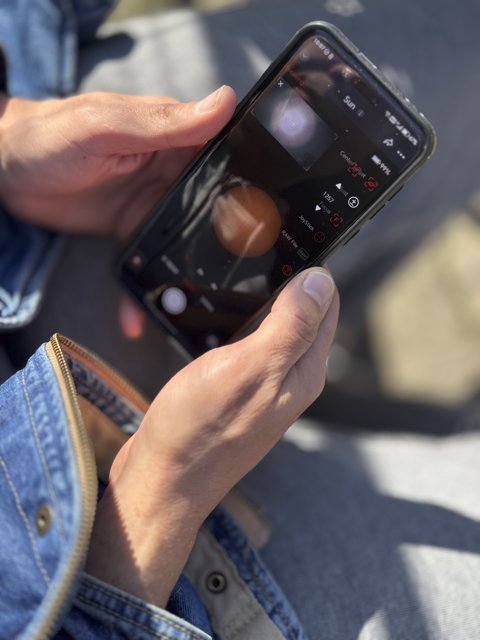
SJCAM has indicated support for additional models beyond the SJ30 and SJ6 Ultra will be added in future updates, so if your current camera isn’t yet supported, checking back periodically for compatibility announcements is worth doing before assuming the M4 simply won’t work with your setup long-term.
Frequently Asked Questions
Can I use the M4 with a non-SJCAM camera?
No, it’s designed solely for SJCAM’s own devices and isn’t intended as a universal wireless microphone.
Which cameras currently support the M4?
Currently the SJ30 and SJ6 Ultra, with SJCAM indicating additional model support will be added over time.
How long does the battery last?
Roughly 4 hours, comfortably covering most single sessions but worth planning around for full-day continuous shoots.
Is the pairing process actually as simple as advertised?
Yes, a single click reliably established the connection during testing without needing a settings menu.
Who the M4 Suits Best
The M4 is a strong pick specifically for creators already invested in SJCAM’s SJ30 or SJ6 Ultra ecosystem who want a genuine audio upgrade without complicated setup. Buyers wanting a wireless mic that works across multiple camera brands should look toward a general-purpose wireless microphone system instead, which sacrifices some of the M4’s one-click simplicity for broader compatibility.
Comparing the M4 to General-Purpose Wireless Mics
A general-purpose wireless microphone system, compatible across many camera brands via standard connectors, offers more long-term flexibility if you switch camera systems down the line. The M4’s advantage is purely in how seamlessly it integrates with SJCAM’s own devices specifically, a trade-off worth weighing against that broader flexibility.
Caring for the Mic Between Uses
Keeping the M4 charged and stored in a dedicated pouch or case between shoots, rather than tossed loosely into a bag, protects the small unit from the kind of incidental damage that’s easy to overlook until it causes a connectivity or charging issue right before an important shoot.
Common M4 Problems and How to Fix Them
Even a purpose-built accessory like the M4 runs into the occasional snag. Most issues trace back to a handful of predictable causes, and the fixes are usually quick once you know where to look.
- Mic won’t pair with the camera: confirm the camera is running current firmware first, since SJCAM has occasionally tied M4 compatibility to a minimum firmware version on the SJ30 and SJ6 Ultra. A camera reboot followed by a fresh one-click pairing attempt resolves most first-time pairing failures.
- Pairing succeeds but audio doesn’t come through: check that the camera’s audio input is actually set to the external mic rather than defaulting back to its built-in microphone, which some SJCAM firmware versions revert to after a power cycle.
- Audio cuts out intermittently during a shoot: keep the mic within a reasonable line-of-sight range of the camera body, since obstructions like a thick camera cage or being tucked inside clothing can interrupt the digital transmission even though it’s a short-range connection.
- Battery drains faster than the rated 4 hours: cold weather noticeably shortens runtime on small lithium batteries like the one inside the M4, so a session that ran long outdoors in cooler conditions isn’t necessarily a defective unit. Keep a portable charger on hand for extended outdoor shoots.
- Audio sounds distorted or unusually quiet: check the mic’s physical placement relative to the sound source, since being clipped too close to fabric or under a jacket can muffle or clip the signal before it ever reaches the camera. Repositioning it a few inches usually clears this up.
Fitting the M4 Into a Real Vlogging Workflow
For a solo creator filming talking-head segments or walk-and-talk vlogs, the appeal of the M4 comes down to removing one more variable from the setup checklist. Instead of budgeting a few minutes before every shoot to pair a general-purpose wireless mic and double-check its audio levels, one click gets the connection live and you can focus on framing the shot. That matters more than it sounds like on paper when you’re filming solo and don’t have a second person to handle audio monitoring while you’re on camera.
The trade-off, again, is that this convenience is scoped narrowly to SJCAM’s own ecosystem. If your workflow spans multiple camera brands, or you expect to switch systems down the line, a general-purpose wireless mic remains the more future-proof choice even though it asks a little more of you at setup time.
Conclusion
The SJCAM M4 delivers exactly what it promises for creators within its supported camera ecosystem — genuinely simple one-click pairing and reliable, low-latency audio that stays in sync with video. The trade-off of narrow compatibility is a fair one for anyone already committed to SJCAM’s current-generation cameras, though buyers needing cross-brand flexibility should look elsewhere.
Ryan holds a Computer Science degree and has over 20 years of hands-on experience with PC hardware, software, and consumer electronics, including testing wireless microphone pairing across camera ecosystems. He writes at softwaredriverdownload.com.