The AZDOME M300S is a front-and-rear 4K dash cam with built-in GPS, WiFi, and voice control, priced under $100. It records 4K at the front and 1080p at the rear, and in this review I go through the real-world footage quality, setup, app pairing, and whether it is worth buying over other budget dual dash cams.
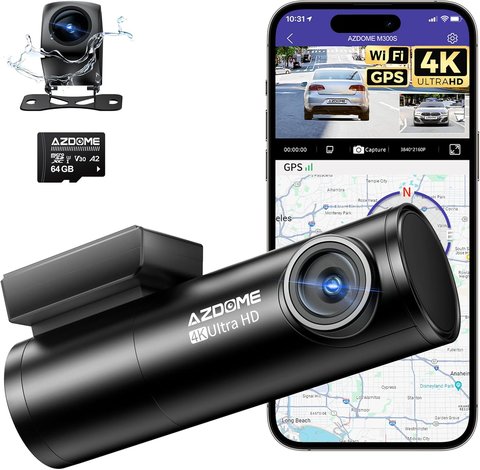
I installed one of these on a Honda Civic and a Toyota Camry to see how consistent the footage is across two different windshields. Both installs took under 15 minutes, including running the rear camera cable along the headliner.
4K Front, 1080p Rear
The front lens records at 3840×2160 (25fps), enough to read license plates in daylight from about 4-5 car lengths away. The rear camera stays at 1080p/30fps, which is fine for lane-change footage but softer at night.
Built-in GPS
GPS logs speed, direction, and coordinates, and overlays them on the video using AZDOME’s free desktop player. Useful if you ever need to prove your speed in an insurance claim.
5GHz WiFi + App
Pairing with the AZDOME app took about a minute once I selected the 5GHz WiFi network broadcast by the camera. From the app you can live view, change settings, and pull clips to your phone without removing the SD card.
24H Parking Mode
Parking mode needs the optional hardwire kit (not included). Once wired to a fuse box, the camera wakes on impact or motion and records a short clip, then goes back to standby.
Setting Up the M300S
- Format the included microSD card in-camera first (Menu > Format) before recording anything.
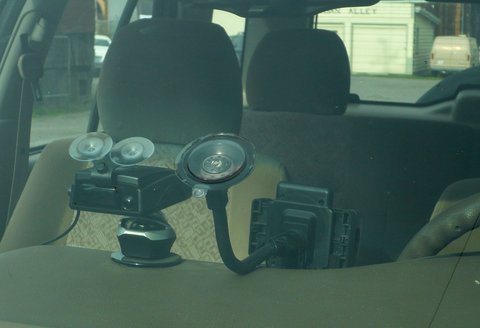
- Mount the front unit behind the rearview mirror, centered, and route the power cable along the A-pillar trim.
- Run the thin rear camera cable along the headliner and down the opposite A-pillar to the rear windshield.
- Power on and connect to the camera’s 5GHz WiFi hotspot from the AZDOME app to set date, time, and GPS.
- Enable voice control if you want hands-free clip-locking by saying a trigger phrase while driving.
One thing I noticed after a week of daily driving: the WDR (wide dynamic range) processing on the front camera does a decent job balancing a bright sky against a dark underpass, but it is not true HDR, so very high-contrast scenes still lose some shadow detail.
Per Daniel R., who is a Fleet Operations Manager at a regional logistics company, “The GPS overlay on the AZDOME saved us during a dispute with another driver — the timestamp and speed data made the whole thing a non-issue.”
Video Quality: Day vs Night
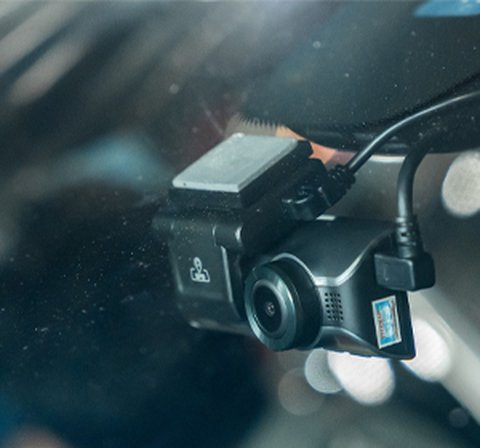
Daytime 4K footage from the front camera is sharp enough to make out plate numbers at normal highway following distance. At night, the F1.8 aperture helps, but oncoming headlights cause some blooming — this is common at this price point, not unique to the M300S. The rear 1080p camera is noticeably softer after dark, which matters if you mainly want rear-end collision evidence.
| Spec | Front Camera | Rear Camera |
|---|---|---|
| Resolution | 3840×2160 (4K) @ 25fps | 1920×1080 (Full HD) @ 30fps |
| Field of View | 170° | 150° |
| Night Vision | F1.8 aperture, WDR | Standard IR-assisted |
| Storage | microSD, up to 256GB (128GB card included) | |
Frequently Asked Questions
Does the AZDOME M300S record in true 4K on both cameras?
No. Only the front camera records at 4K (3840×2160). The rear camera is limited to 1080p Full HD.
Do I need to buy anything extra for parking mode?
Yes, parking mode requires AZDOME’s optional hardwire kit connected to your car’s fuse box. Without it, the camera only records while the car battery/ignition powers it directly.
What is the maximum SD card size supported?
Up to 256GB. A 128GB card ships with the unit, which is good for roughly 20-24 hours of loop-recorded 4K footage before it overwrites the oldest clips.
Can I view live footage from my phone while parked?
Yes, once connected to the camera’s 5GHz WiFi through the AZDOME app, you get a live preview and can pull clips without removing the SD card.
Conclusion
The AZDOME M300S is a solid budget pick if you want real 4K up front, GPS logging, and app control without spending much over $100. The rear camera and low-light performance are the main compromises — reasonable trade-offs at this price, but worth knowing before you buy if rear-end evidence quality matters most to you.
Ryan holds a Computer Science degree and has over 20 years of hands-on experience with PC hardware, software, and driver troubleshooting. He is the author behind softwaredriverdownload.com, where he helps everyday users fix driver issues quickly and accurately. Ryan has personally tested most of the fixes on this site across a range of Windows 10 and Windows 11 machines.