The Panasonic TH-65GX600K is a 65″ 4K UHD smart TV built around Panasonic’s Hexa Chroma Drive color processing and IPS panel technology, sold primarily in the Malaysian and Southeast Asian markets. Here’s a full breakdown of its specs and where it fits in Panasonic’s lineup.
| Brand | Panasonic |
| Model | TH-65GX600K |
| Screen Size | 65 inches |
| Resolution | 4K Ultra HD, 3840×2160 |
| Panel Type | IPS Super Bright Panel |
| Color Processing | Hexa Chroma Drive (6-color) |
| Audio Output | 20W (10W x2) bottom-firing speakers |
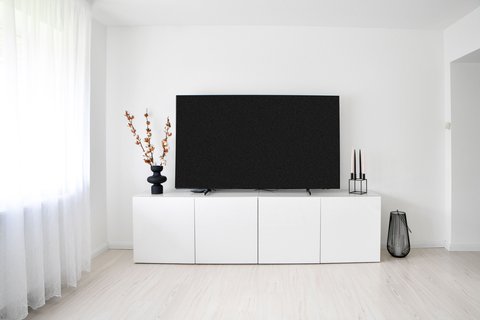
Key Specs
- 65″ 4K Ultra HD LED LCD panel, 3840×2160 resolution
- IPS Super Bright Panel with 4K 1500Hz BMR motion processing
- Hexa Chroma Drive 6-color reproduction (RGB plus CMY complementary colors)
- Multi HDR support and Backlight Dimming for improved contrast
- Built-in smart TV platform with internet apps and VOD service access
- 20W (10W x2) full-range bottom-firing speakers
What Hexa Chroma Drive Actually Does
Most TVs process color using the standard RGB (red, green, blue) primary color model. Panasonic’s Hexa Chroma Drive adds three complementary colors — cyan, magenta, and yellow — on top of the standard RGB axes, giving the processor more reference points to work from when reproducing subtle color gradations. In practice, this shows up most in scenes with skin tones, sunsets, and other gradients where standard RGB processing can sometimes produce visible color banding or slightly inaccurate hues.
This isn’t a gimmick exclusive to this model — it’s part of Panasonic’s broader color processing philosophy across several of their mid-range and higher TV lines, and the GX600 series brings it to a more accessible price point than Panasonic’s flagship OLED models.
IPS Panel: A Different Tradeoff Than VA
The TH-65GX600K uses an IPS panel rather than the VA panel type common in many competing 4K TVs. IPS panels generally offer wider, more consistent viewing angles — colors and contrast hold up better when watching from the side rather than dead-center. The tradeoff is typically lower native contrast ratio compared to VA panels, meaning blacks may look slightly less deep in a fully dark room. If your living room has multiple seating angles rather than one dedicated viewing position, the IPS panel’s wider viewing angle is a genuine practical advantage.
Panel type matters more than most buyers realize when shopping by resolution and HDR support alone — if your household regularly watches from an angle rather than centered on the couch, an IPS panel like this one will look noticeably more consistent than a VA panel would from those same seats.
Smart TV Platform and Everyday Use
The built-in smart platform provides access to internet apps and video-on-demand services directly without needing a separate streaming box for basic use, though heavier streaming users may still prefer pairing it with a dedicated device like a Chromecast or Fire TV Stick for a broader app selection and more frequent software updates than a TV’s built-in platform typically receives.
For full specs, see Panasonic Malaysia’s official TH-65GX600K specifications page.
Comparing GX600 to Panasonic’s Higher-Tier NX600 Series
Panasonic’s lineup positions the NX600 series above the GX600 as a step-up option, typically adding features like Android TV integration in place of the GX600’s more basic smart platform. If you find the built-in app selection or update frequency limiting on the GX600 after some time using it, the NX600 series is worth checking as an upgrade path within the same general price bracket and screen size options, rather than jumping to a completely different brand.
Fixing Common Problems With This TV
- Problem: The smart platform apps feel slow or unresponsive. Restart the TV via the power menu rather than just standby, and clear app cache from the settings menu if a specific streaming app is the slow one.
- Problem: Motion looks unnaturally smooth, like a soap opera. Turn the BMR motion smoothing setting down or off in the picture menu, since the factory default is usually set higher than most viewers prefer for film content.
- Problem: Colors look oversaturated or unnatural out of the box. Switch from the default “Vivid” or “Dynamic” picture mode to “Cinema” or “Normal,” which tones down the aggressive color and brightness boost used for in-store displays.
- Problem: No sound from a connected soundbar over HDMI ARC. Confirm the soundbar is plugged into the HDMI port labeled ARC or eARC specifically, and check that ARC/CEC control is enabled in the TV’s audio settings.
- Problem: The TV won’t detect a USB drive for media playback. Reformat the drive to FAT32 or exFAT, since some TV media players don’t recognize NTFS-formatted drives.
- Problem: WiFi keeps dropping during streaming. Move the router closer or switch the TV to the 5GHz band if available, and avoid placing the TV in a recessed wall cavity that can weaken the internal antenna’s signal.
Frequently Asked Questions
Is the TH-65GX600K still available for purchase?
Availability varies by region and retailer; check current listings, as this model has been on the market for some time and stock may be limited.
Does it support Dolby Vision or just standard HDR10?
Check the official specification sheet for exact HDR format support, as this can vary by firmware version and region.
Is the built-in speaker good enough without a soundbar?
The 20W built-in speakers are adequate for casual viewing, though a dedicated soundbar will noticeably improve audio quality for movies and music.
Does this model support screen mirroring from a phone?
Most Panasonic smart TVs from this era support standard screen mirroring protocols; check the specific manual for your model’s exact compatibility.
How does the 1500Hz BMR rating compare to a native refresh rate?
BMR (Backlight Motion Rate) is a processed motion-smoothing metric rather than a native panel refresh rate; it’s not directly comparable to true Hz specifications on other TVs.
Is wall mounting supported out of the box?
Yes, standard VESA wall mounting is typically supported; check the manual for the exact mounting hole pattern required.
Does it include a physical remote or app-based control?
It ships with a standard physical remote; app-based control depends on the specific smart platform version installed.
How many HDMI ports does it typically include?
Check the official specification sheet for the exact port count, as this can vary slightly by regional variant.
Is it compatible with a game console at 60Hz?
Standard HDMI input at 60Hz is typically supported for console gaming; check the manual for any specific input lag figures.
Setting It Up for the Best Picture Quality
Out of the box, most TVs including this one ship with overly aggressive motion smoothing and brightness settings tuned for showroom floors rather than a home living room. Diving into the picture settings menu and disabling or reducing motion interpolation, along with switching to a “Cinema” or “Movie” picture preset for film content, generally produces noticeably more natural-looking results than the factory default “Vivid” or “Dynamic” mode most buyers never think to change.
Checking Availability Before You Buy
As an established model in Panasonic’s lineup, availability of the TH-65GX600K can vary significantly by retailer and current stock levels. Contact your local Panasonic authorized dealer or check major electronics retailers directly for current pricing and availability, since older TV models sometimes get replaced by newer series with similar specs under a different model number, which is worth checking if this specific unit proves hard to find.
Conclusion
The TH-65GX600K remains a solid mid-range 4K TV thanks to its Hexa Chroma Drive color processing and wide-viewing-angle IPS panel, particularly for households watching from multiple seating positions. If deep black levels in a dark room matter more to you than viewing angle consistency, it’s worth comparing against a VA-panel alternative before deciding.
Ryan holds a Computer Science degree and has over 20 years of hands-on experience with PC hardware, software, and smart home devices.