The Reolink Argus 3 is a 2K wire-free battery/solar camera that pairs quickly with the Reolink app, but a few setup choices early on — mounting placement, detection zones, and battery habits — make a noticeable difference in how well it performs day to day. Here’s the full setup walkthrough.
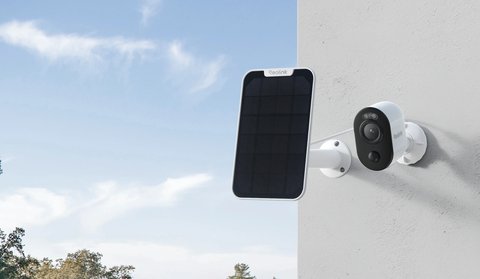
Charging Before You Start
Charge the battery to 100% before mounting anywhere hard to reach. Setup and initial firmware checks go faster on a full charge, and it avoids a low-battery interruption mid-setup.
Pairing in the Reolink App
- Open the Reolink app and tap to add a new device
- Scan the QR code on the camera or its packaging
- Connect the camera to your 2.4GHz or 5GHz Wi-Fi network, depending on your router setup
- Name the camera by location once pairing completes, like “Backyard” or “Side Gate”

Mounting Placement
- Mount around 2.5 to 3 meters high for a good balance of coverage and detail
- Angle slightly downward rather than straight ahead to capture faces and license plates more reliably
- Avoid pointing directly at a light source, like a porch light, which can wash out night footage
- Use the included mounting template to mark screw positions accurately before drilling
A camera aimed too high tends to be the most common early mistake — it looks more discreet but usually captures far less usable detail on faces or plates than one mounted at a more moderate height with a slight downward tilt.
Detection Zones and Notifications
- Draw a custom detection zone that excludes public streets, sidewalks, or a neighbor’s yard
- Enable person/vehicle-specific AI detection instead of generic motion alerts to cut down on false triggers
- Adjust sensitivity gradually over the first week rather than guessing at the right setting immediately
For full specs and mounting hardware details, see Reolink’s official Argus 3 product page.
Frequently Asked Questions
Does the Argus 3 need a solar panel to work?
No, the solar panel is optional; the camera runs fine on its battery alone, just with more frequent charging.
Can I set it up without a Reolink account?
A free Reolink account is needed for remote access and cloud features, though basic local pairing may work with minimal account setup depending on the app version.
How long does initial setup take?
Pairing typically takes under 10 minutes; total setup time depends mostly on mounting and detection zone tuning.
Is a microSD card required?
A microSD card is needed for local recording; without one, only live viewing and cloud-based recording (if subscribed) are available.
Conclusion
Most of the effort in setting up the Argus 3 goes into mounting placement and detection zone tuning rather than the pairing process itself, which is quick and straightforward. Get those two things right early, and day-to-day use becomes mostly hands-off.
Ryan
Computer Science graduate · longtime smart home and PC hardware tester