I have gone through a handful of folding travel keyboards over the years, mostly because I got tired of typing long emails on a phone’s glass keyboard during trips. The Nillkin Cube Pocket keyboard is the most recent one I have tested, and what sets it apart from older folding keyboards I have owned is the built-in touchpad, which sounds like a small thing until you realize how often you reach to tap something on a tablet screen while typing.
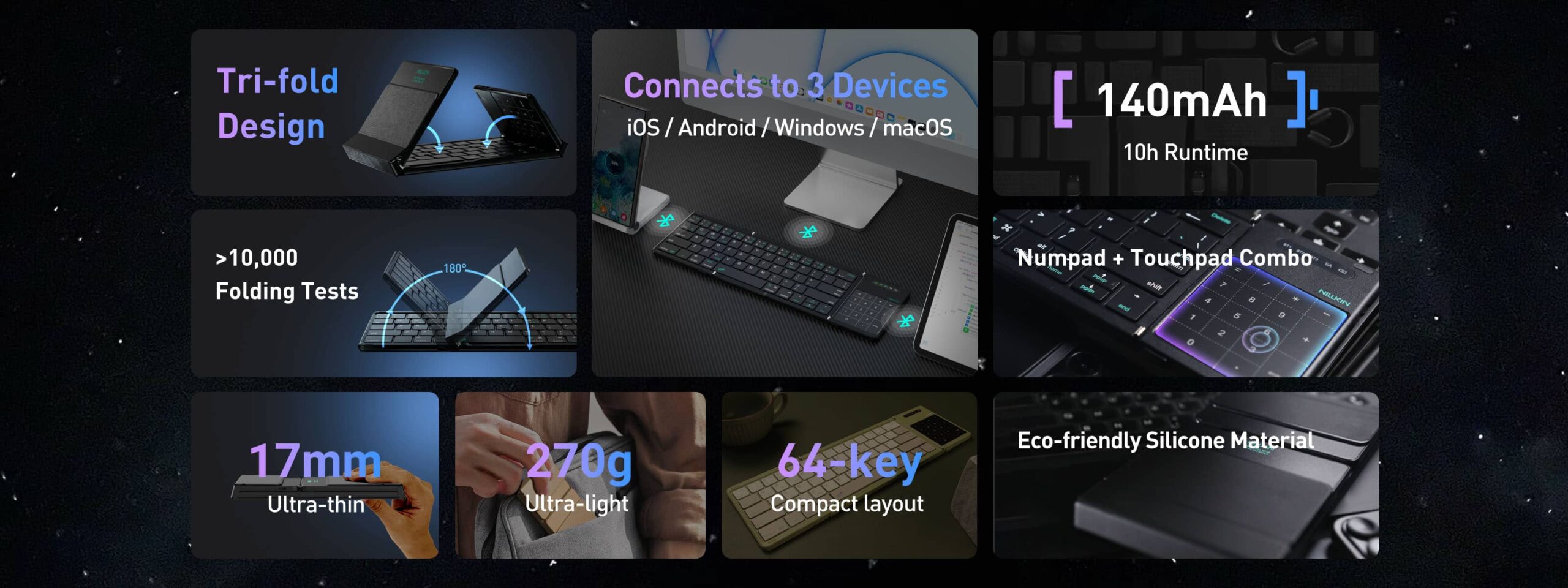
| Key Count | 64 keys |
| Connectivity | Bluetooth 5.0, up to 3 paired devices |
| Fold Design | Three-fold hinge, collapses to a pocket-size block |
| Pointer Input | Built-in touchpad with gesture support |
| Key Switch Type | Scissor-switch, low travel |
| Weight | Roughly 270 grams |
| Battery Life | Up to about 10 hours of active use |
| Charging | USB-C, usable while charging |
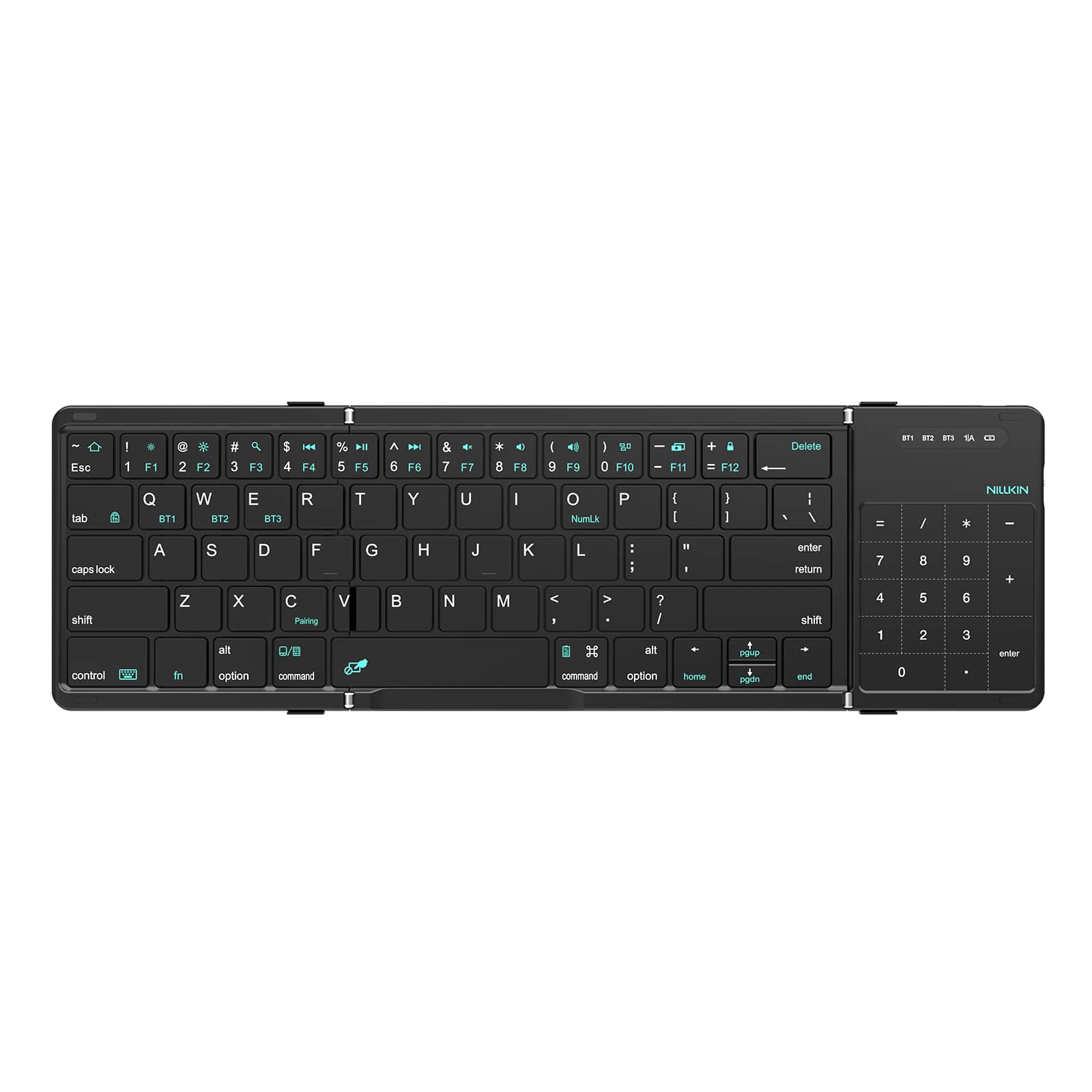
What the Cube Pocket Actually Is
This is a three-fold Bluetooth keyboard with 64 keys and an integrated touchpad, designed to collapse down into a compact block small enough to fit in a jacket pocket or a small bag pouch. It connects over Bluetooth 5.0 and can pair with up to three devices at once, switching between them without a full re-pair each time, which is genuinely convenient if you bounce between a phone, tablet, and laptop during the day.
- Three-fold hinge design that collapses to a compact block for storage
- Built-in touchpad for cursor control without needing a separate mouse
- Bluetooth 5.0 with support for up to three simultaneously paired devices
- Roughly 270 grams, light enough to not add meaningful weight to a bag
- Scissor-switch key mechanism for quieter, lower-travel typing than membrane keyboards
Setting It Up the First Time
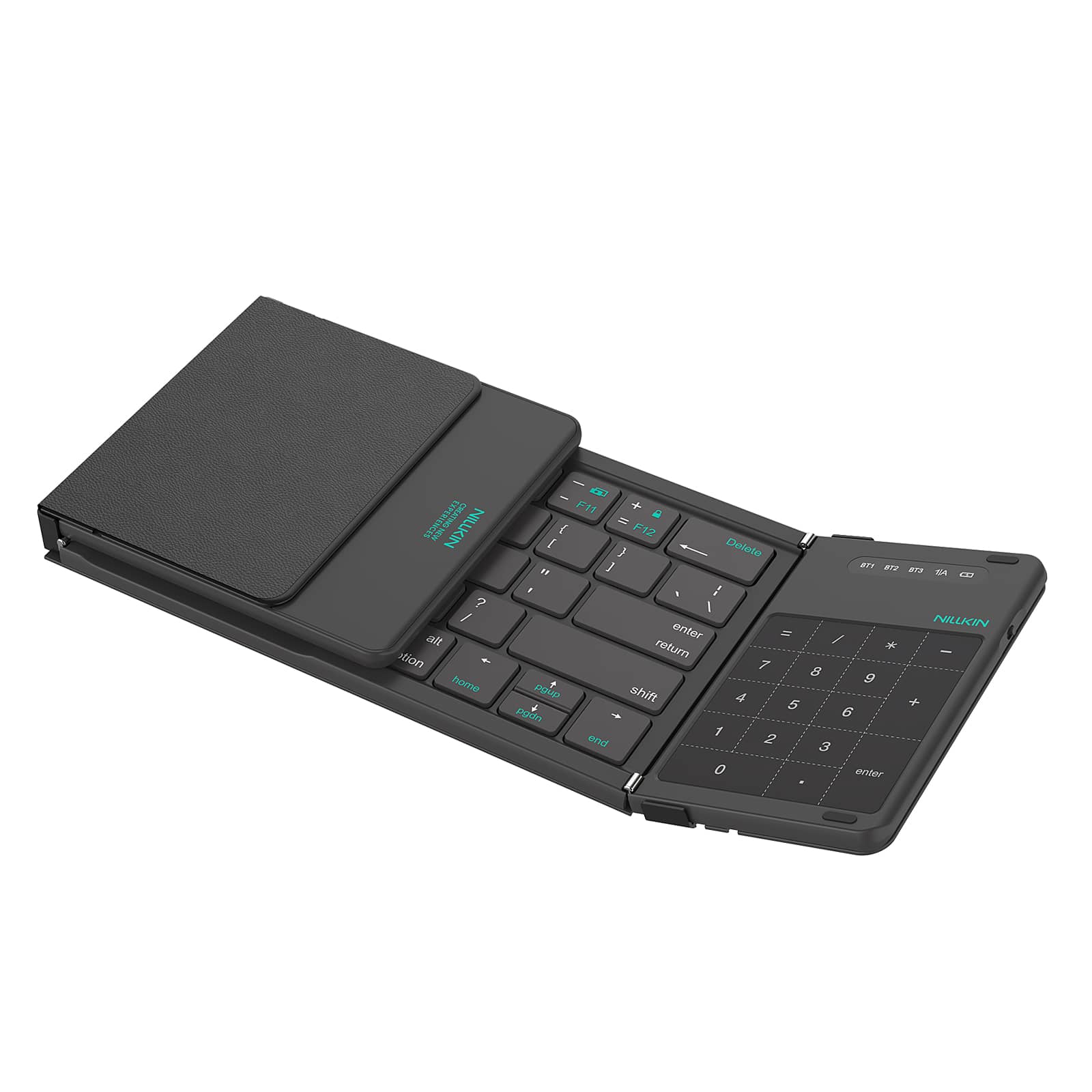
Pairing is straightforward and does not require an app for basic function:
- Unfold the keyboard fully and flip the power switch, usually located along one edge of the frame.
- Hold the designated pairing button (often marked 1, 2, or 3 for the three device slots) until the indicator light starts blinking.
- On your phone, tablet, or laptop, open Bluetooth settings and select the keyboard from the list of nearby devices.
- Repeat with a different numbered slot if you want to pair a second or third device for quick switching later.
Switching between paired devices later is usually done by holding the corresponding numbered function key combination rather than repeating the full pairing process, which is the whole point of multi-device support. If a device stops responding, forgetting the Bluetooth connection on that device and re-pairing to the same numbered slot clears up most sync issues, similar to standard Bluetooth troubleshooting on Windows or mobile platforms.
Using the Touchpad and Typing Feel
The touchpad is smaller than what you would get on a laptop, obviously, but it supports basic gestures like two-finger scrolling and tap-to-click, which covers most of what you need when navigating a tablet without lifting a hand to touch the screen constantly. Typing feel is on the firmer side with a shorter key travel than a full-size mechanical or laptop keyboard, which takes a short adjustment period if you are used to deeper key travel, but it is quiet enough to use in a shared space like a library or a quiet train car without drawing annoyed looks.
A few things I noticed after using it steadily for a couple of weeks of actual travel and coffee shop work:
- The folding hinge feels sturdy rather than flimsy, with no wobble when typing on a flat surface
- Battery life comfortably covers a full workday of intermittent typing before needing a recharge
- The compact folded size genuinely fits in a jacket pocket, not just a bag, which was the main selling point for me
- Key spacing is close to full-size, so touch typing accuracy did not suffer much despite the compact footprint
Who This Keyboard Actually Makes Sense For
If you regularly type more than a quick reply on a tablet or phone, whether for work email, note taking, or writing while traveling, this kind of folding keyboard earns its spot in a bag fairly quickly. It is not a replacement for a dedicated mechanical keyboard at a desk, and nobody buying it should expect that. Its whole value proposition is portability paired with a real touchpad, rather than being the best possible typing experience in isolation.
Frequently Asked Questions
Does the touchpad work on both iOS and Android devices?
Yes, the touchpad functions as a standard Bluetooth HID pointer input and works across iOS, Android, and Windows devices that support external Bluetooth pointer input, though gesture support can vary slightly by operating system.
How long does the battery actually last on a full charge?
Nillkin rates it at up to around 10 hours of active use, which lined up reasonably closely with my own intermittent use pattern across a workday, though continuous heavy typing will drain it faster than sporadic use.
Can I use it while it is charging?
Yes, it charges over USB-C and can be used while plugged in, which is useful if you forget to charge it overnight before a long day out.
Is it compatible with laptops, or just phones and tablets?
It works with laptops too, since it connects as a standard Bluetooth keyboard and touchpad combo, making it a reasonable lightweight backup if your laptop’s built-in keyboard or trackpad ever gives you trouble.
Carrying It Alongside a Tablet or Phone
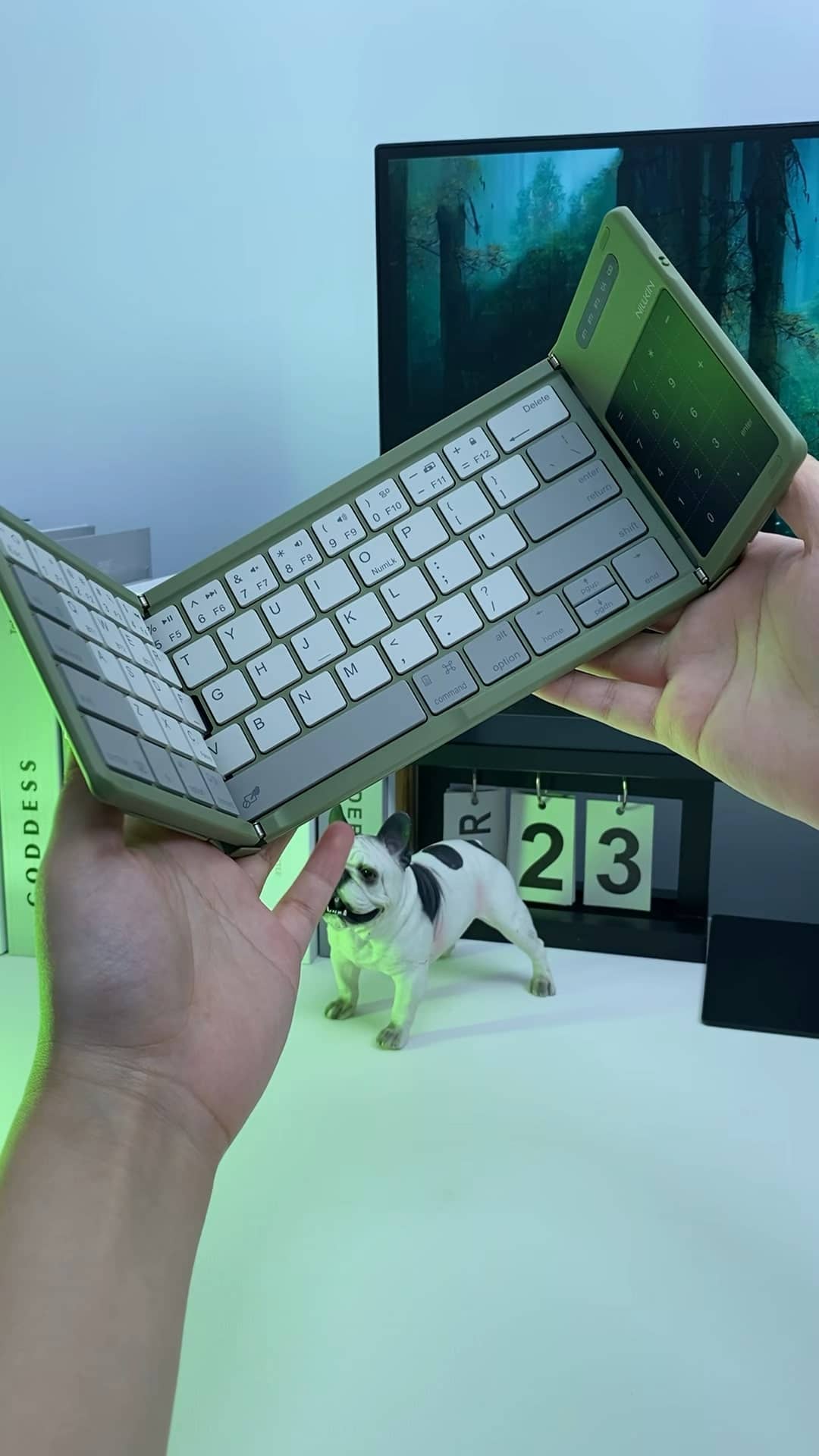
Most folding keyboards I have tried in the past needed a separate stand to prop up a phone or tablet at a usable angle, which defeats a lot of the portability benefit once you are carrying two extra accessories instead of one. The Cube Pocket does not include a built-in stand, so you will still want a case with a kickstand, or a lightweight tripod mount, if you plan to use it with a phone rather than a tablet that already has its own stand-friendly case. For tablets with a folio case that already props up at an angle, this is a non-issue, but it is worth planning for if your setup does not already include a stand of some kind.
Packing it alongside a tablet in a bag adds very little bulk given how flat it folds, and the rigid outer shell in its folded state does a reasonable job of protecting the keys from getting pressed on accidentally by other items in the same bag pocket.
Maintenance and Long-Term Care
Keeping the hinge mechanism free of dust and grit will help it fold smoothly over time, since folding mechanisms on any device are the first thing to develop play or grinding if debris works its way in. A soft brush or a puff of compressed air along the hinge every so often is enough maintenance for most people. The keycaps themselves are low profile and generally easy to wipe down, though I would avoid trying to pry individual keycaps off for deep cleaning unless you are confident about reseating them correctly afterward.
Troubleshooting Common Issues
A handful of problems come up with folding Bluetooth keyboards like this one more than others. Here is what usually resolves them.
- Keyboard won’t pair on a new device slot: Make sure you are holding the correct numbered pairing button until the indicator blinks rapidly, and that the target device’s Bluetooth is actively scanning rather than already connected to something else on that same slot.
- Switching between paired devices doesn’t work: Confirm all three device slots were actually completed during initial pairing; a slot that was started but not finished will not respond to the switch shortcut later.
- Touchpad clicks register but cursor movement lags: This is usually a Bluetooth interference issue rather than a hardware fault. Moving away from other 2.4GHz devices like Wi-Fi routers or USB 3.0 hubs often clears it up.
- Keyboard won’t turn on at all: Check the physical power switch position first, since it is easy to bump while folding the keyboard closed, then confirm it has enough charge by plugging it in for a few minutes before trying again.
- Typing feels unresponsive or keys double-register: Dust or debris under the scissor-switch keys is the most common cause; a brief session with a soft brush or compressed air along the key edges usually fixes it.
Final Thoughts
For anyone who does real typing away from a desk, the Nillkin Cube Pocket keyboard solves a genuine annoyance: typing anything longer than a text message on a touchscreen. The touchpad addition is what pushed this from “nice to have” to something I now actually pack every time I travel, rather than leaving it in a drawer after the first trip.
About the author: Ryan tests portable computing accessories for how well they hold up to actual travel and coffee shop use, not just spec sheet comparisons.