The HiBy R1 is small, cheap enough to treat as a project device, and popular enough that a community around modifying its firmware has grown up alongside HiBy’s own official releases. This is an overview of what exists in that space — not a step-by-step flashing tutorial, and deliberately so. Custom firmware on any DAP is something to go into with clear eyes about the trade-offs, and the right first step is understanding what is actually out there before deciding whether it is worth the risk to your own unit.
Part of why the R1 attracted this kind of attention in the first place is its low entry price paired with genuinely capable hardware for its size — a touchscreen, expandable storage, and a real DAC stage, all in a $85 package small enough that owners feel comfortable experimenting on it in a way they might not with a flagship-priced DAP. That combination of affordability and open community interest is exactly the environment where unofficial firmware projects tend to spring up.
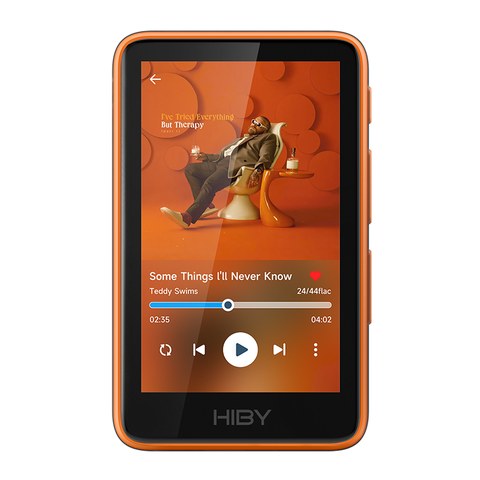
HiBy R1 Quick Facts
| Approx. price | Around $85 |
| Stock firmware | HiByOS, documented on HiBy’s official wiki |
| Display | Touchscreen |
| Storage | Expandable via microSD |
| Connectivity | Bluetooth (native HiByOS only) |
| Known custom firmware paths | Rockbox community port; modded HiBy-based builds on GitHub |
Two different things people mean by “R1 custom firmware”
It helps to separate two genuinely different community projects that both get lumped under the same loose label:
A full Rockbox port
Rockbox, the long-running open-source firmware project originally built for iPods and other legacy DAPs, has a community port that runs on the R1. Installing it effectively replaces HiByOS with a completely different operating environment — Rockbox’s own menu system, its own plugin ecosystem, and its own approach to audio processing.
The trade-off is significant: running Rockbox on the R1 means giving up Bluetooth and some of the R1’s native HiByOS functionality entirely, since Rockbox was not built with those features in mind for this hardware. In exchange, Rockbox brings a genuinely enormous set of configuration options and plugins that go far beyond what stock HiByOS exposes — but that depth comes with a steeper, more technical learning curve than most owners expect from a $85 DAP.
A modded HiBy-based firmware
Separately, there is a modded firmware that keeps the stock HiBy OS base intact rather than replacing it outright. Distributed through GitHub projects rather than any official HiBy channel, this style of mod typically adds things like English-language internet radio support, enabling parametric EQ where it is otherwise locked down, and enhanced audiobook handling — smaller, more targeted changes than a full OS swap.
Projects along these lines, including work published under names like bidhata/Hiby-R1-Mod and bidhata/hiby-r1-rockbox-bt on GitHub, are community efforts rather than HiBy releases, and the two names hint at the split described above — one aimed at modding the stock HiBy base, the other more closely tied to the Rockbox/Bluetooth trade-off question.
What makes this modded-firmware branch interesting compared with a full Rockbox install is that it is explicitly trying to have it both ways — keeping the interface and native functionality most owners already know, while unlocking a handful of features HiBy’s own firmware leaves disabled or absent. Parametric EQ in particular is the kind of feature power users specifically look for, and its absence from stock firmware on a budget DAP is a common enough complaint that a community fix for it is not surprising.
What you actually gain and lose
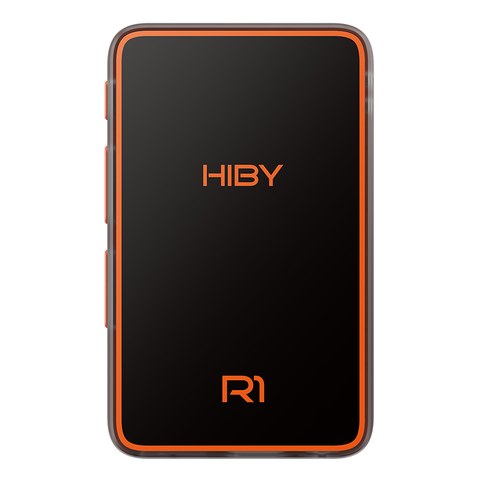
- Full Rockbox port: extensive configuration depth and plugin support, at the cost of Bluetooth and some native HiByOS conveniences
- Modded HiBy-based firmware: smaller, more targeted feature additions (internet radio, PEQ, audiobook handling) while keeping the familiar stock interface and, generally, more of the native functionality intact
- Stock HiByOS: the baseline experience HiBy ships and supports directly, documented on HiBy’s own wiki
The responsible way to think about this
Custom or third-party firmware on any DAP can affect stability, and it can affect warranty coverage depending on HiBy’s policies and your region. None of the projects mentioned here are official HiBy releases, and installing any of them is done entirely at your own discretion and risk. If you decide to explore this further, community discussion threads on Head-Fi and the GitHub repositories themselves are the right starting points — read through user reports there first, understand exactly what a given mod changes before touching your own device, and go in accepting that you may need to reset back to stock firmware if something does not work the way you expected.
This piece intentionally stops short of a flashing walkthrough. The projects involved change fairly often, community-maintained instructions can go stale between updates, and a wrong step with firmware modification is a genuinely bad way to lose a DAP. If you are going to do this, the GitHub repositories and their own current documentation are a more reliable source of exact steps than any static blog post could be.
It is also worth reading a project’s issue tracker on GitHub before installing anything, not just its main documentation page. Open issues and closed-but-unresolved reports are often a faster way to find out whether a given firmware build has known problems with your specific R1 hardware revision than the project’s own README, which understandably tends to describe the intended behaviour rather than every edge case reported by actual users.
Common Problems People Run Into
Even without a step-by-step flashing guide, it helps to know what commonly goes wrong so you can recognize it if you decide to explore this yourself:
- Device will not boot after flashing: This is usually caused by an interrupted flash rather than a genuinely bricked unit. Most community firmware projects document a recovery mode key combination for exactly this scenario — check the specific project’s GitHub issues page before assuming the worst, since this is a commonly reported and commonly solvable problem.
- Bluetooth disappears after installing Rockbox: This is expected behavior, not a bug. The Rockbox port does not support the R1’s native Bluetooth hardware, so this trade-off should be a known decision going in, not a surprise afterward.
- Parametric EQ settings do not save between reboots: This has been reported in some modded firmware builds and is typically tied to a specific build version. Checking the project’s issue tracker for your exact firmware version before installing helps confirm whether this is a known, still-open bug.
- microSD card is not recognized after a firmware change: Reformatting the card in the file system the new firmware expects, rather than assuming compatibility carries over from stock HiByOS, resolves this in most reported cases.
- Battery drains much faster after modding: Some community builds have less mature power management than official HiBy releases. If this happens, checking whether a newer build addresses it, or reverting to stock firmware, are both reasonable next steps.
Frequently asked questions
Is custom firmware for the R1 supported by HiBy?
No. Both the Rockbox port and the modded HiBy-based firmware are community projects distributed independently on GitHub, not official HiBy releases.
Does installing Rockbox on the R1 keep Bluetooth working?
No, running the Rockbox port sacrifices Bluetooth along with some other native HiByOS functionality in exchange for Rockbox’s much deeper configuration options.
Can I go back to stock firmware after installing a mod?
In most cases yes, though the exact process depends on which project you used. Check that specific project’s own documentation before installing anything, so you know the recovery path in advance rather than discovering it after something goes wrong.
Will custom firmware void my HiBy R1 warranty?
It may, depending on HiBy’s warranty terms in your region. This is a real consideration worth checking before installing anything, not an afterthought.
This overview is written from surveying community documentation and discussion rather than presenting a first-hand flashing walkthrough, and it is meant to inform a decision, not to talk anyone into or out of one.