Choose the Caddx Vista when size and weight are the priority, and choose the original DJI Air Unit when onboard recording and dual antennas matter more. Both belong to the same first-generation DJI digital FPV ecosystem, but their hardware layout and installation needs are different.
I compared a Caddx Vista against the original DJI Air Unit for a reader building a larger freestyle frame, and the Air Unit’s onboard recording produced a noticeably cleaner backup file than relying on goggle DVR with the Vista. For a bigger frame with room to spare, that recording quality difference tipped the decision.
These products are now older than current DJI air units, so used condition, camera compatibility and firmware support can matter more than the original retail price.
Caddx Vista vs DJI Air Unit comparison
| Feature | Caddx Vista | Original DJI Air Unit |
|---|---|---|
| Physical size | Smaller and easier to fit | Larger module |
| Weight | Lighter | Heavier |
| Antennas | Single antenna connection | Dual antenna system |
| Onboard DVR | No onboard microSD recording | Onboard HD recording |
| Camera support | Compatible first-generation DJI/Caddx MIPI cameras | Compatible first-generation DJI/Caddx MIPI cameras |
| Cooling | Requires strong airflow | Requires strong airflow |
| Best use | Compact freestyle and cinewhoop builds | Larger builds and onboard recording |
Image quality and latency
When both units use the same camera and compatible settings, the live image can be very similar. The camera sensor, lens, goggles and selected mode influence image quality more than the VTX brand name.
Latency also changes with signal quality and frame-rate mode. A strong, clean link can feel better than a higher-power system with damaged antennas or poor placement.
Why Vista is easier to install
The Vista uses less frame space and normally needs one antenna. This makes it easier to fit in compact frames, but it also means there is less metal mass to absorb heat.
- Leave space around the heatsink.
- Do not wrap the unit completely in foam.
- Use a mount that protects it without blocking airflow.
- Keep the antenna cable away from propellers.
- Use a power supply with enough current.
Why the full Air Unit can still be useful
The original DJI Air Unit includes onboard recording. This can produce a cleaner file than goggle DVR because the recording is created on the aircraft before radio transmission losses.
The dual antennas can also provide more installation options, but both antennas must be mounted correctly and protected from prop strikes.
Power and wiring differences
Do not copy a Vista cable pinout to an Air Unit or the other way around. Caddx sells separate silicon cable options for Vista and Air Unit hardware, which is a useful warning that connector arrangements differ.
Both systems usually connect to flight-controller power, ground and a UART for OSD or control communication. Use the exact wiring guide for the FC and VTX.
Common problems
Vista overheats on the bench
Use a fan during setup and firmware updates. If it works in flight but fails on the bench, cooling is the first suspect.
Air Unit records but the goggles show no image
Check link status, antenna connections and goggle mode. Onboard recording proves the camera and unit are partly working but does not prove the radio link is healthy.
OSD is missing
Check the flight-controller UART, MSP or display configuration and the correct TX/RX wiring. The live image can work without data communication.
Black screen after a camera change
Reseat the MIPI cable with all power removed and confirm the camera is supported by the installed firmware.
Which one should you buy?
| Your priority | Better choice | Reason |
|---|---|---|
| Smallest practical build | Caddx Vista | Lower weight and smaller body |
| Onboard HD recording | DJI Air Unit | Built-in recorder |
| Simple single-antenna mounting | Caddx Vista | Less antenna hardware |
| Large frame with room and airflow | DJI Air Unit | Size penalty matters less |
| Buying used | Best-condition unit | Heat damage and connector condition are critical |
Used-unit inspection checklist
Many Vista and original Air Unit products are now purchased used. Inspect the antenna sockets, camera connector, heatsink and wiring before applying power. A seller may report that the unit “lights up,” but this does not prove the RF output or camera interface works.
For an Air Unit, test onboard recording and both antenna connections. For a Vista, test the single antenna socket and watch for heat-related shutdown. On both units, confirm the serial or activation status and ask which goggles and firmware were used.
- Look for lifted pads and repaired power wires.
- Check for damaged MMCX or antenna connectors.
- Inspect the camera coaxial socket under magnification.
- Test the unit with a known-good camera.
- Run it with airflow for a complete bench test.
- Confirm linking before installing it in a frame.
A cheaper damaged unit can cost more than a complete working kit after replacement antennas, cables and camera parts are added. Condition is more important than a small difference in purchase price.
Used-unit inspection before installation
Both systems are commonly purchased second-hand, so condition can matter more than the model name. Inspect the antenna sockets for looseness, bent centre contacts or signs that the unit was powered without an antenna. Check the camera connector and MIPI cable for torn shielding, sharp folds and crash damage.
Ask the seller to show a live link, camera image and firmware screen. For the full-size Air Unit, also test onboard recording and read a sample file from its storage. For the Vista, confirm stable goggle recording because the transmitter itself does not provide the same onboard recording feature.
During a bench test, use a fan and a current-limited power supply when possible. Watch for repeated restarts, rapid overheating, video breakup at close range or an image that changes when the cable is touched. These symptoms can reveal heat damage, weak solder joints or damaged RF connectors before the unit is installed deep inside a frame.
Frequently Asked Questions
Do Vista and DJI Air Unit use the same goggles?
They share first-generation DJI digital FPV compatibility, subject to the correct firmware and goggle model.
Can I swap cameras between them?
Many first-generation MIPI cameras are cross-compatible, but confirm the camera, cable and firmware before purchase.
Does Vista have worse range?
Range depends heavily on antennas, installation, firmware, region and interference. A correctly installed Vista can perform very well.
Which one is more reliable?
Both can be reliable with airflow and correct wiring. Used units should be inspected for heat damage, bent connectors and damaged antenna sockets.
Conclusion
The Caddx Vista wins on size and weight, while the original DJI Air Unit wins on onboard recording and dual-antenna hardware. Choose based on the frame and recording need, then give either unit clean power and proper cooling.
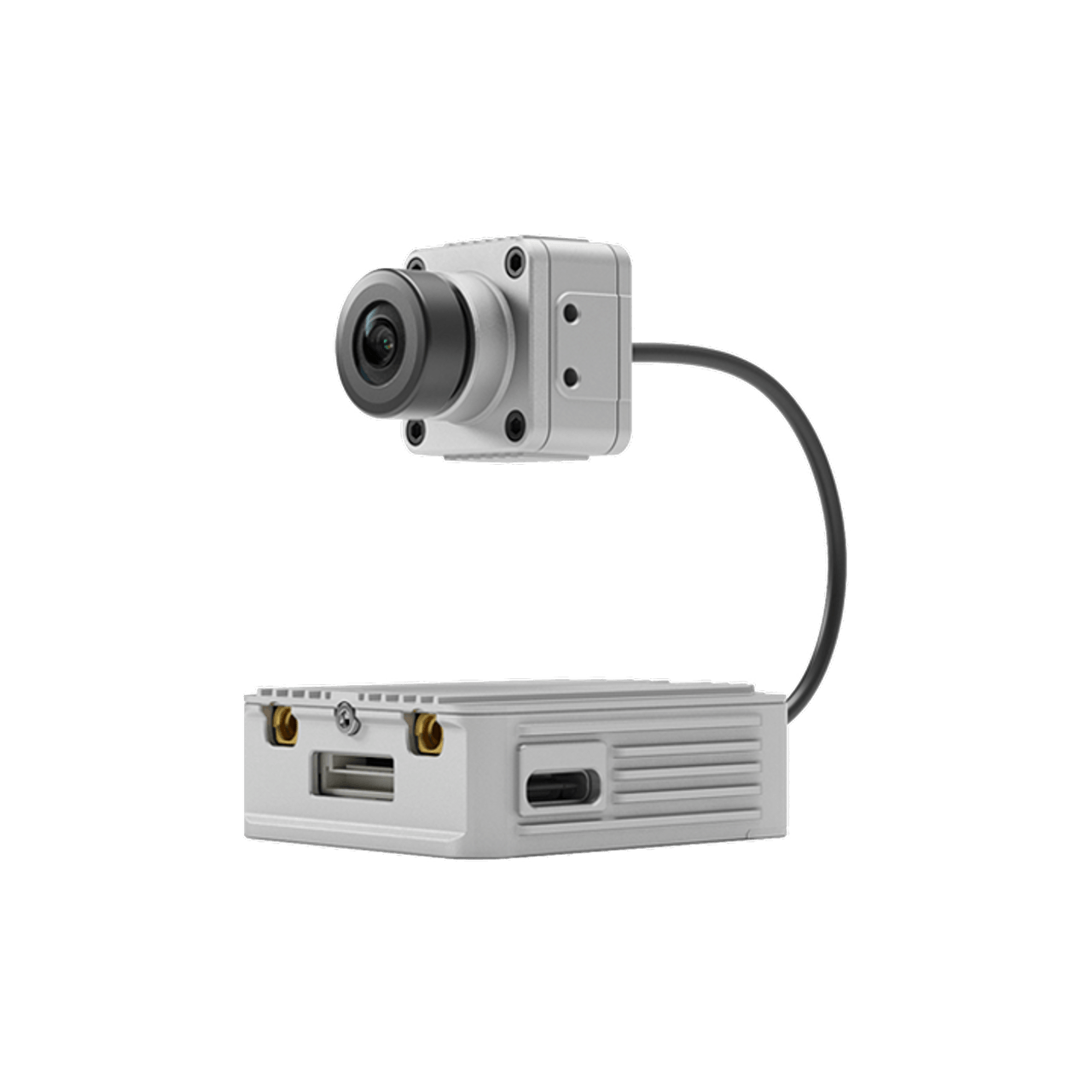
- Image 1: Caddx Vista beside original DJI Air Unit size comparison — source page | open image
- Image 2: Vista and DJI Air Unit digital FPV signal path comparison — source page | open image
- Image 3: Caddx Vista and DJI Air Unit mounting and cooling differences — source page | open image


Ryan has tested digital FPV cameras, transmitters and goggles across several builds, picking up practical setup lessons through hands-on troubleshooting. He shares these findings at softwaredriverdownload.com.