The Blurams Dome Lite 2 is an affordable 2K indoor pan-tilt camera, often sold under the model number A31, offering full-room coverage through motorized 355° pan and 95° tilt movement. It’s one of the more budget-friendly pan-tilt cameras on the market while still covering the core features most people actually need.
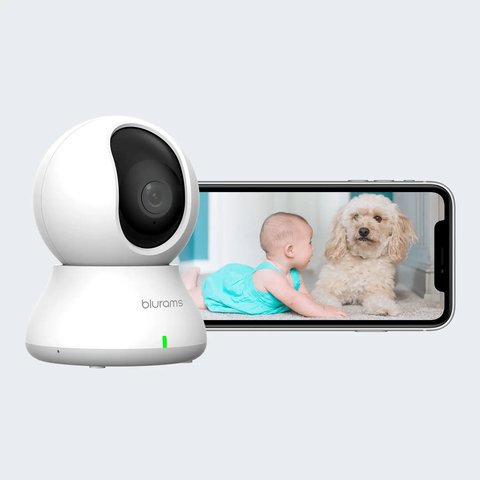
Key Specs
- 2K resolution (2304x1296P) with a 109° viewing angle
- Motorized 355° pan and 95° tilt for full-room coverage
- 8 infrared LEDs with IR-cut filter, visible range up to about 27 feet in the dark
- Built-in microphone, speaker, and a 110dB siren
- Motion detection with human recognition, plus a physical privacy shield
- 802.11b/g/n 2.4GHz Wi-Fi only
- Local microSD storage (up to 128GB) or 7 days of continuous cloud recording kept for 30 days
Setting Up the Dome Lite 2
- Download the Blurams app and create a free account
- Plug the camera into power using the included six-foot cord and 5V/1A adapter
- Scan the camera’s QR code in the app to connect it to your 2.4GHz Wi-Fi network
- Enable human detection in settings to reduce false alerts from pets or moving shadows
At this price point, the motorized pan-tilt base is the standout value feature — a fixed-lens camera at a similar price would leave real blind spots in a mid-sized room, while the Dome Lite 2’s rotation genuinely covers the whole space from one mounting point.
Storage and Recording Options
- Local microSD recording works without any subscription, supporting cards up to 128GB
- Cloud recording provides 7 days of continuous footage, retained for up to 30 days, uploaded to Amazon AWS Cloud
- Running both local and cloud storage together gives redundancy in case one method fails
For full specs, see Blurams’ official Dome Lite 2 product page.
Frequently Asked Questions
Is a microSD card included?
No, a microSD card (up to 128GB) needs to be purchased separately if you want local recording.
Does it need a subscription for basic use?
No, local recording works without a subscription; extended cloud history is an optional paid add-on.
Can it be used outdoors?
No, it’s designed for indoor use only and isn’t weatherproof.
What does the physical privacy shield do?
It’s a mechanical cover that rotates to physically block the lens, giving a visible guarantee the camera isn’t recording.
Conclusion
The Dome Lite 2 is a solid budget pick if you want motorized full-room coverage without paying flagship prices. Its core feature set covers what most people actually need day to day: motion detection, two-way audio, and flexible local or cloud storage.
Ryan
CS graduate · 20+ years testing PC hardware and smart home apps