Follow each step in order to view your EZVIZ C6N on a Windows PC.
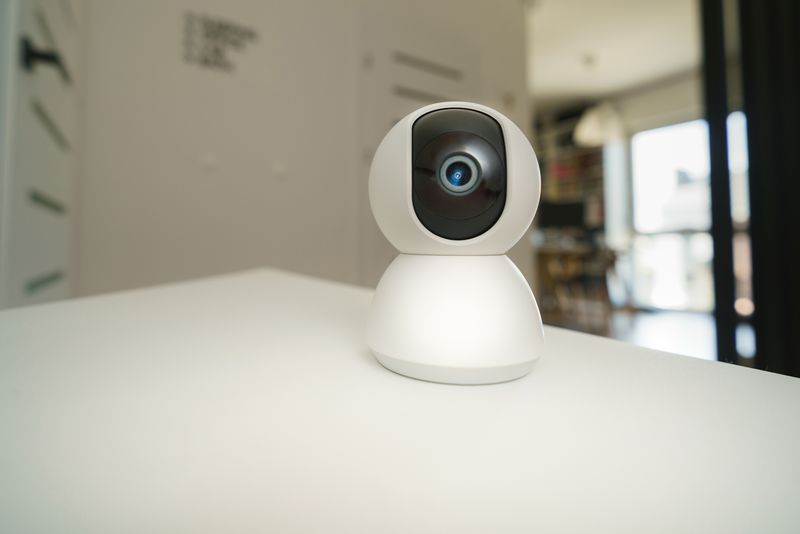
The EZVIZ C6N is a pan-tilt indoor Wi-Fi camera that most people set up and use through the EZVIZ mobile app, but it can also be viewed and controlled from a Windows PC using the official EZVIZ web client — no separate driver install needed. Here is how to get it working on a computer, plus fixes for the issues that come up most.
Set up the camera with the mobile app first
Install the EZVIZ app from the official EZVIZ Download page, create an account, plug in the C6N, and pair it by scanning the QR code on the camera or its box.
Open the EZVIZ web client on your PC
Go to the EZVIZ website in a browser and sign in with the same account used in the mobile app; the C6N should appear automatically in your device list.
Use the pan-tilt controls
Click and drag on the live view in the web client to remotely pan and tilt the camera, just as you would from the mobile app.
Common Problems and Fixes
- Camera does not show up on the web client — confirm you are signed in with the exact same EZVIZ account used during mobile setup, and refresh the device list.
- Live view lags or freezes in the browser — move the camera closer to your router, or try a different browser, since some browsers handle the web client’s video stream better than others.
- Pan/tilt controls do not respond in the browser — check your internet connection speed, since remote pan/tilt relies on a stable connection between your PC, the cloud, and the camera.
- Cannot sign in to the web client — reset your EZVIZ account password through the app if you are not sure of it, then try signing in again on the PC.
Frequently Asked Questions
Do I need to install anything on my PC to use the C6N?
No, the EZVIZ web client runs in a browser, so no software or driver installation is needed.
Can I set up the C6N directly from a PC without the mobile app?
Initial pairing generally requires the mobile app’s QR code scan; once paired, ongoing viewing can be done from either the app or the PC web client.
Is there a downloadable EZVIZ Studio app for Windows?
Yes, EZVIZ also offers a desktop client called EZVIZ Studio for some regions, available from the official download page as an alternative to the web client.
Conclusion
Viewing the EZVIZ C6N on a PC is simple once the camera is paired through the mobile app — from there, the EZVIZ web client gives you full live view and pan-tilt control right in the browser, with no driver to install.
Ryan
CS degree · 15 years hardware troubleshooting