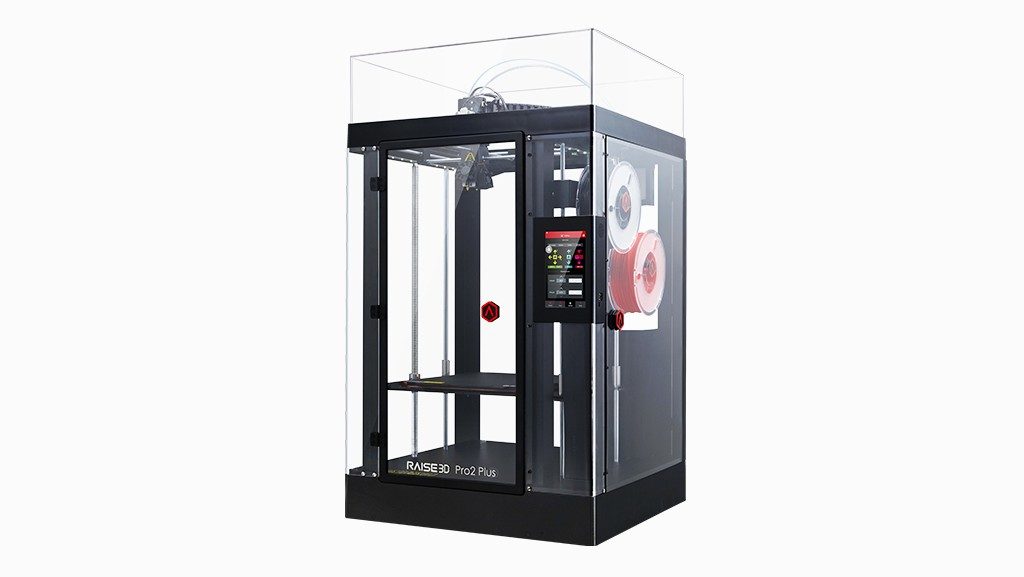
Some printers are marketed as “large format” when they are really just a bit wider than average. The Raise3D Pro2 Plus is not one of those. Its build chamber is tall enough to print full-length cosplay armor pieces, floor-standing fixtures, or long structural brackets in one piece, and it is built around a fully enclosed, temperature-stable frame rather than an open gantry bolted onto a desk. Here is what actually sets it apart once you get past the spec sheet.
Build Volume: Where the Pro2 Plus Really Shines
The headline number is the height. At 605 mm tall, the build chamber lets you print objects that would otherwise need to be split into sections and glued together. The exact usable volume depends on whether you print with one or two extruders:
- Single extruder: 305 x 305 x 605 mm (about 12 x 12 x 23.8 inches)
- Dual extrusion: 280 x 305 x 605 mm, since the second extruder needs clearance to park
- Layer resolution as fine as 0.01 mm for smoother surfaces on visible parts
Electronic Driven Lifting Dual Extrusion
Rather than a fixed second nozzle that always drags near your print, the Pro2 Plus uses an electronically driven lifting mechanism that raises the idle nozzle out of the way. Raise3D specs this system to around 5-micron switching precision, which keeps the two nozzles properly aligned even after thousands of toggles between materials. In practice this means fewer stringing marks left behind by an idle nozzle brushing across a finished surface.
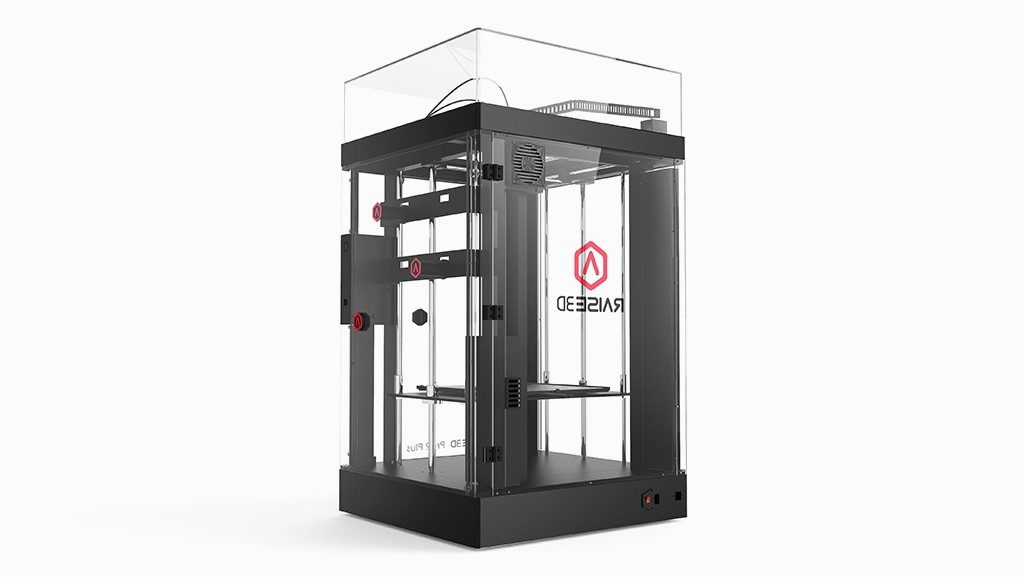
Temperatures and Material Range
A fully enclosed chamber only matters if the hardware behind it can actually take advantage of the stable heat. The Pro2 Plus is built for that:
- Hot ends rated up to 300 degrees C, enough for most engineering-grade filaments
- Heated bed up to 110 degrees C, which helps large ABS and ASA prints stay flat instead of warping at the corners
- Compatibility with more than 40 validated filament types through Raise3D’s material profiles
- A HEPA filtration system to reduce particulate release when printing ABS or other fume-producing materials indoors
I ran a tall ABS enclosure on a Pro2 Plus over a long weekend and the biggest relief was not having to babysit corner lifting – the enclosed, heated chamber kept the ambient temperature consistent from the first layer to the six-hundredth, which is exactly the kind of print that tends to fail on open-frame machines.
Everyday Reliability Features
Long prints on a machine this size need to survive interruptions gracefully. The Pro2 Plus includes:
- Filament run-out detection that pauses the job instead of printing on air
- Power loss recovery to resume a job close to where it left off
- A 7-inch touchscreen for setup, calibration, and monitoring without a laptop nearby
- Wireless connectivity plus RaiseCloud support for remote job queueing and status checks
Software and Slicing
Like the rest of the Raise3D lineup, the Pro2 Plus pairs with ideaMaker, which already ships with tuned profiles for the printer’s validated filament list. You will still want to run a handful of test prints when trying a brand new spool, but you are not starting from a blank slicer profile.
Fit and Finish: What the Chamber Design Actually Buys You
It is easy to read “fully enclosed” as just a safety or noise feature, but on a printer this size it changes the physics of the print itself. Warm, still air around a tall part means every layer cools at close to the same rate as the one below it, so the corners of a large ABS box do not curl up while the center is still printing. On an open-frame printer of similar height, a stray draft from an HVAC vent or an open door can be the difference between a finished part and a print that lifts off the bed halfway through. A few practical notes from running large parts on an enclosed machine like this:
- Keep the chamber closed between layer changes when swapping filament mid-print, since re-opening a hot chamber briefly during a filament change is normal and recovers quickly
- Give the bed a full preheat cycle before starting a tall print rather than starting as soon as the target temperature is first reached
- Use a brim or wider raft on parts with a small footprint relative to their height, since a tall, narrow part still benefits from extra anchoring even in a heated chamber
Who Should Consider the Pro2 Plus
This machine makes the most sense if any of the following apply to your work:
- You regularly need tall, single-piece prints instead of parts that must be glued together
- You print ABS, ASA, or other warp-prone materials that benefit from a heated, enclosed chamber
- You want dual extrusion for support material without sacrificing chamber height
- You need a HEPA-filtered setup because the printer shares space with people working nearby
Frequently Asked Questions
How tall can a single print actually be on the Pro2 Plus?
Up to 605 mm in either single or dual extrusion mode, since only the width and depth change between the two configurations.
Is the enclosure fully sealed?
Yes, the Pro2 Plus uses a fully enclosed housing with a HEPA filtration system, which helps with both temperature stability and reducing particulates from materials like ABS.
Do I need the dual extruder for every print?
No. Single-extruder printing is available and gives you the full 305 x 305 x 605 mm build volume when you do not need a second material.
What is the benefit of the lifting dual extrusion system?
It physically raises the unused nozzle away from the print surface, which reduces the chance of stray filament oozing or dragging across finished layers.
Can it print flexible filaments like TPU?
Yes, TPU is among the more than 40 validated filament types supported through Raise3D’s material profiles.
Conclusion
The Raise3D Pro2 Plus is a straightforward case of a printer built around one clear priority: large, stable, single-piece prints without giving up dual extrusion or industrial reliability features. If your projects keep bumping into the height limits of a normal desktop printer, or you are tired of ABS parts warping in an open frame, the Pro2 Plus is designed specifically to solve those two problems together.
Ryan
Been tinkering with desktop and workshop hardware for years, currently running a small fleet of FDM printers