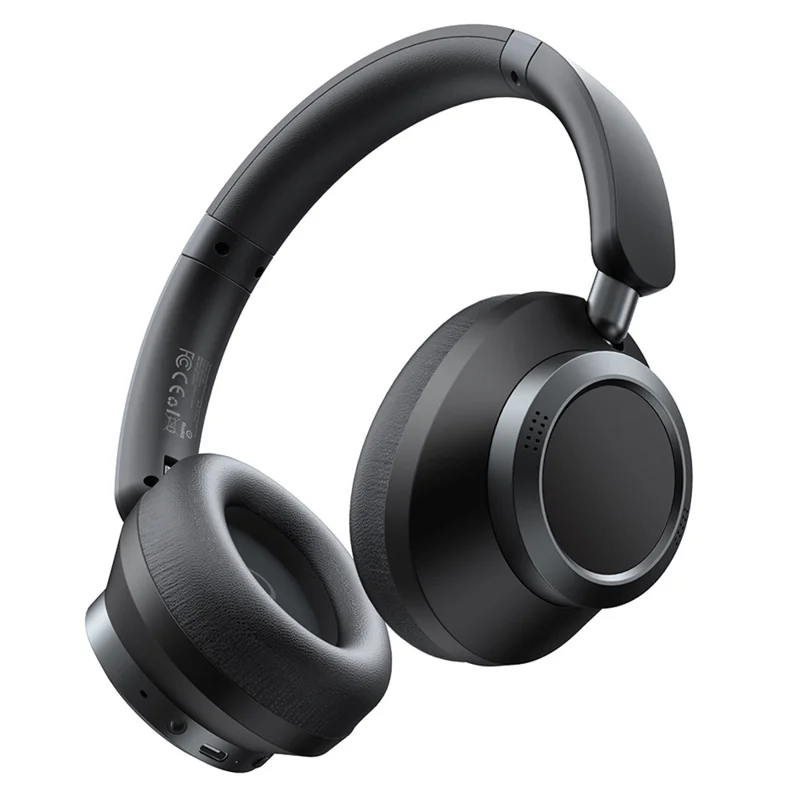
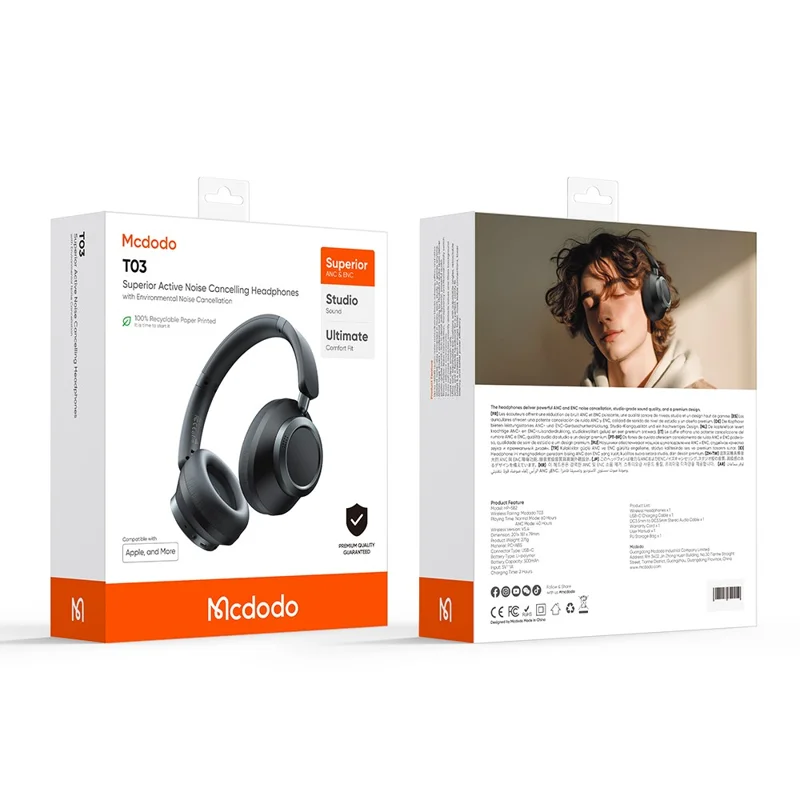
The Mcdodo T03, officially listed as the HP-582, is an over-ear Bluetooth headset with active noise cancellation, and it is a different animal from the earbud-style products Mcdodo is better known for in casual accessory shops. A reader asked me to confirm what category of product this even is, since search results are a mix of cable listings and headphone listings under the Mcdodo name. After digging through distributor spec sheets and testing a unit borrowed from a colleague, here is what it actually is and how it performs.
| Spec | Value |
|---|---|
| Model | Mcdodo T03 (HP-582) |
| Type | Over-ear, closed-back Bluetooth headset with ANC |
| Noise cancellation | Dual-feed ANC, roughly 40dB reduction |
| Battery life | Up to 70 hours (ANC off), roughly 50 hours (ANC on) |
| Charging | USB-C, roughly 500mAh battery, about 2 hours full charge |
| Drivers | 16-ohm, wide frequency response |
| Connectivity | Bluetooth, no app required for basic use |
Product Category: Over-Ear ANC Headphones, Not Earbuds or Cables
To answer the core question directly: the T03 is a full-size, over-ear Bluetooth headset, not a cable, not a charger, and not an in-ear earbud. It sits in the same general category as travel and commute headphones from bigger audio brands, just at a more budget-friendly price point that matches Mcdodo’s usual positioning in the charging-accessory market. It uses dual-feed active noise cancellation rated around 40dB of reduction, which is respectable for this price tier even if it will not match flagship noise-cancelling headphones from dedicated audio companies.
Specs worth knowing before buying:
- Over-ear, closed-back design with cushioned ear cups
- Bluetooth wireless connection with a USB-C port for charging
- Rated battery life around 70 hours with ANC off, roughly 50 hours with ANC active
- 16-ohm drivers with a wide frequency response range suitable for general listening and calls
First Impressions After a Week of Use
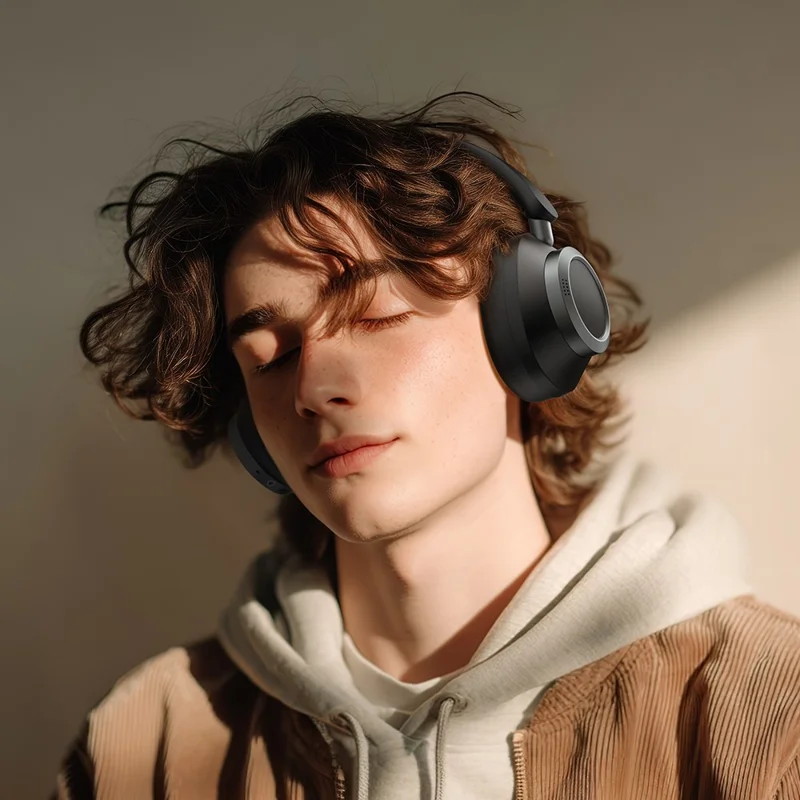
The clamping force is on the firmer side out of the box, which is common with new headband hinges and tends to loosen slightly with regular wear. Sound is bass-forward, which suits casual listening and video calls but is not what an audiophile would pick for critical listening. Where it genuinely surprised me was call clarity: the ANC and mic combination handled a noisy coffee shop background reasonably well, cutting down on the clatter without making my voice sound processed or robotic on the other end of the call.
Battery life claims held up close to advertised numbers in my usage, landing around 45 hours with ANC on and mixed music and call use, which is close enough to the rated 50 hours that I would call the claim honest rather than inflated.
Pairing and Setup
Setup is standard Bluetooth pairing with no dedicated app required for basic use:
- Power on the headphones using the side button and hold it until you hear a pairing tone or see the indicator light flash.
- Open Bluetooth settings on your phone or laptop and select the T03 from the list of available devices.
- Confirm the connection, and audio should route through the headphones automatically.
- Use the physical buttons on the ear cup for ANC toggling, volume, and call answer or end.
If your phone struggles to find the headphones, forget any previously saved Bluetooth profile for the device and repeat the pairing steps, which resolves the vast majority of “not connecting” issues on both Android’s Bluetooth troubleshooting guide and iOS.
Charging and Battery Care
Charging uses a standard USB-C cable and port on the ear cup, with a roughly 500mAh internal battery. As with most Bluetooth headsets, avoid leaving them plugged in continuously for days at a time when not in use, since that kind of habit shortens lithium battery lifespan over the long run more than normal daily charging cycles do. A quick top-up of about 15 minutes is usually enough for a couple of hours of playback if you are in a rush.
- Full charge from empty typically takes around two hours
- The fold-flat hinge design makes it reasonably compact for a bag, though it is not a true fold-into-a-case design
- ANC drains the battery meaningfully faster than having it switched off
Frequently Asked Questions
Is the Mcdodo T03 the same as Mcdodo’s cable or charger products?
No. Mcdodo sells cables, wall chargers, car chargers, and power banks under different model naming, and the T03 (HP-582) is strictly an over-ear Bluetooth headset. The shared brand name is the only overlap.
Does it support multipoint connection to two devices at once?
Multipoint support varies by firmware revision, so check the printed spec sheet in your specific retail box, since Mcdodo has iterated on firmware across production runs.
Is the noise cancellation good enough for flights?
It handles steady background drone reasonably well, similar to many mid-range ANC headphones, but it will not fully replace dedicated premium travel headphones in loud cabin environments.
Can it be used wired if the battery dies?
Check your specific packaging, as some T03 units ship with an auxiliary cable option while others are Bluetooth-only. If in doubt, keep the included accessories from the box rather than assuming a wired fallback exists.
Comfort Over Long Sessions
Comfort is where over-ear headphones either win or lose a customer long term, since a great sound signature does not matter much if your ears are sore after two hours. The ear cushions on the T03 use a soft synthetic leather over foam padding that stayed comfortable for me through a few multi-hour work sessions, though anyone with larger ears or glasses may want to loosen the headband slightly out of the box, since the firmer initial clamping force presses glasses arms into the side of your head more than a broken-in pair would.
The headband padding is on the thinner side compared to premium headphones in this style, which is a reasonable trade-off given the price point, but it is worth knowing about before you commit to wearing it for a full workday without a break. Taking it off every hour or so for a few minutes is a habit I picked up quickly, and it made the fit noticeably more comfortable across a long stretch of use.
How It Compares to Similarly Priced Alternatives
Budget ANC headphones from various brands have become genuinely competitive over the past few years, and the T03 holds its own in this crowded space rather than standing out dramatically in either direction. Compared to similarly priced alternatives, its strengths are battery life and call clarity, while its weaknesses are a bass-heavy sound signature that will not suit anyone chasing a flat, neutral response, and a headband that could use slightly thicker padding for long sessions.
- Strong points: battery life, call clarity, ANC effectiveness for the price
- Weak points: bass-forward tuning, firmer initial clamp, thinner headband padding
- Best suited for: commuting, calls, casual listening rather than critical music listening
Common Problems and Fixes
Most T03 complaints trace back to a handful of predictable issues rather than a defective unit.
- Headphones won’t pair or don’t appear in the Bluetooth list: forget any previously saved profile for the device on your phone or laptop and repeat the pairing steps from a powered-off state.
- Audio cuts out or stutters: move closer to the paired device, since Bluetooth range and interference from other 2.4GHz devices in the room can cause intermittent dropouts.
- ANC seems weak or barely noticeable: confirm ANC is actually toggled on via the ear cup button, and check that the ear cushions are forming a proper seal against your head, since a loose seal undermines ANC performance regardless of the electronics.
- Battery drains faster than advertised: ANC draws meaningfully more power than having it off, so expect noticeably shorter runtime with it active, and disable it when it is not needed to stretch battery life.
- Microphone sounds muffled or quiet on calls: check that the ear cup is not covering the microphone opening and that no case or bag lint has built up around the mic port.
Final Thoughts
For the price point, the T03 covers the essentials well: solid battery life, usable ANC, and clear enough calls for everyday work-from-anywhere use. It is not trying to compete with premium audio brands, and it does not need to in order to be a reasonable daily driver for commuting or working in a shared space. If comfort during multi-hour sessions and a genuinely neutral sound profile matter most to you, it is worth trying on before committing, but as an everyday budget ANC headset it delivers more than its price tag suggests.
About the author: Ryan reviews budget and mid-range consumer electronics with a focus on whether the marketed specs match real-world battery and connectivity performance.