
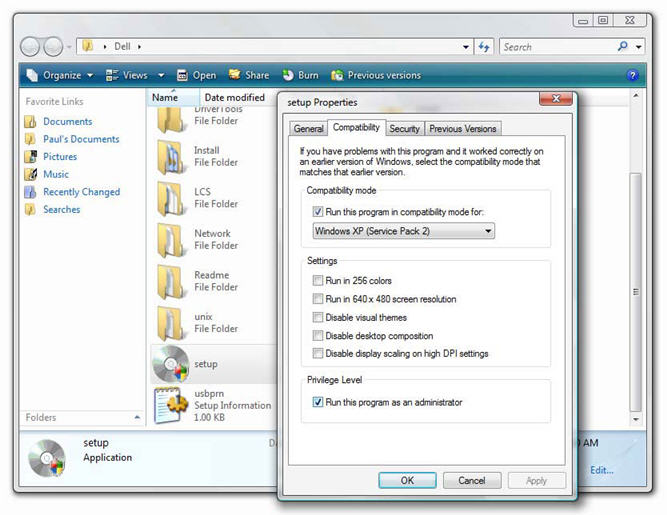
If you really can’t find Windows Vista driver for your hardware, you can try to fool the driver installation program to install in Windows Vista. How? By using Windows Vista Compatibility Mode so that the driver installation program think it is installing in Windows XP mode.
Here is the picture of how to set Windows Vista Compatibility Mode.
One word of caution, use this as the last method, or wait for the Vista drivers to be available.
Image source: http://www.winsupersite.com/