
Applies to
EyeToy Namtai USB PS3 Camera (to work as PC/Notebook Webcam)
Requirements
Windows 7, Windows Vista, Windows XP 32bit
Author
Namtai
FileName
namtai-eyetoy-driver.zip
FileSize
518.0 KB
Driver Date & Version
12/11/2006 (ver. 5.19)
Description
This is the reported working driver for EyeToy Namtai USB camera if you are planning to use it on your Windows PC or notebooks. From what I see there are two types of EyeToy drivers, one is for Namtai and the other one is for Logitech EyeToy camera. Not sure if they are similar so make sure you are downloading and installing the one meant for your EyeToy USB camera.
EyeToy Namtai USB Camera Driver Installation
- Download and unzip namtai-eyetoy-driver.zip into a temporary folder e.g. c:\eyetoy\
-
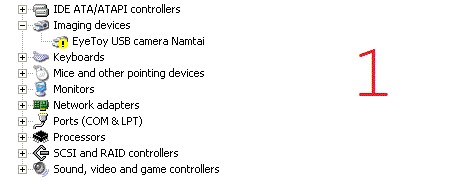
After plugging in your EyeToy into a free USB port, you will see the yellow exclamation mark eside "EyeToy USB camera Namtai" under Imaging devices in Device Manager.
-
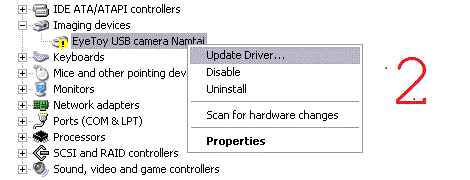
Right click on "EyeToy USB camera Namtai" and select "Update Driver".
-
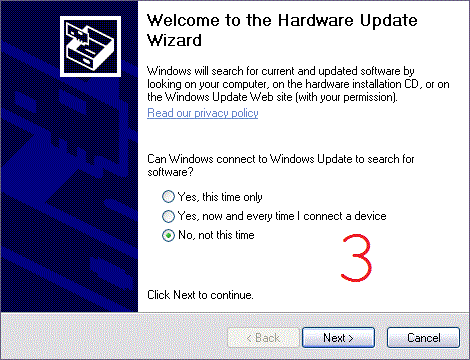
Select "No, not this time" when a Welcom to the Hardware Update Wizard windows prompted.
-
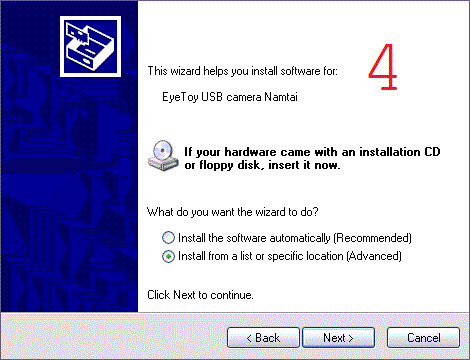
Select "Install from a list or specific location (Advanced)" when prompted for the driver path.
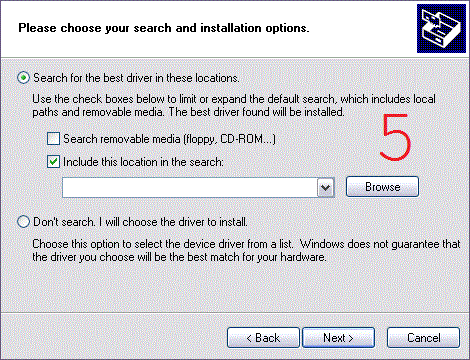
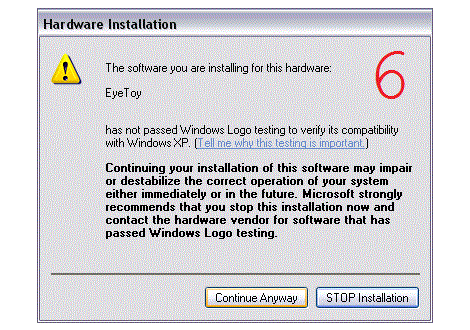
-
You might see this small windows with title "sel3110", just click OK.

-
Select the correct power frequency based on your current location.
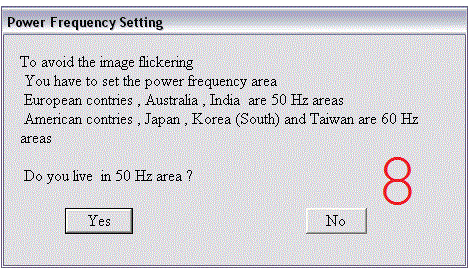
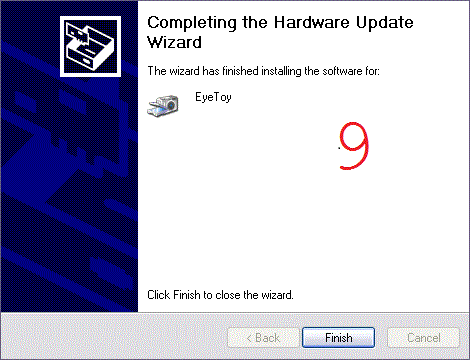
- Restart your PC and your EyeToy USB camera Namtai will be completed. To see if the driver working, run VIDCAP32.exe (located inside the zip driver file).
Download EyeToy USB Camera Namtai Driver here.
Please, I need drivers for my eye toy USB Namtai ps2 camera
I need drivers for my eye toy USB cameraNamtai